
You configure attachments on the CAT display in the CAT interface. After you create and calibrate attachments, they are automatically available in 3D-MC.
- Select to add or edit attachments.
- Follow the instructions.ADDITIONAL INFORMATION:
Figure: Bucket/Work tool settings 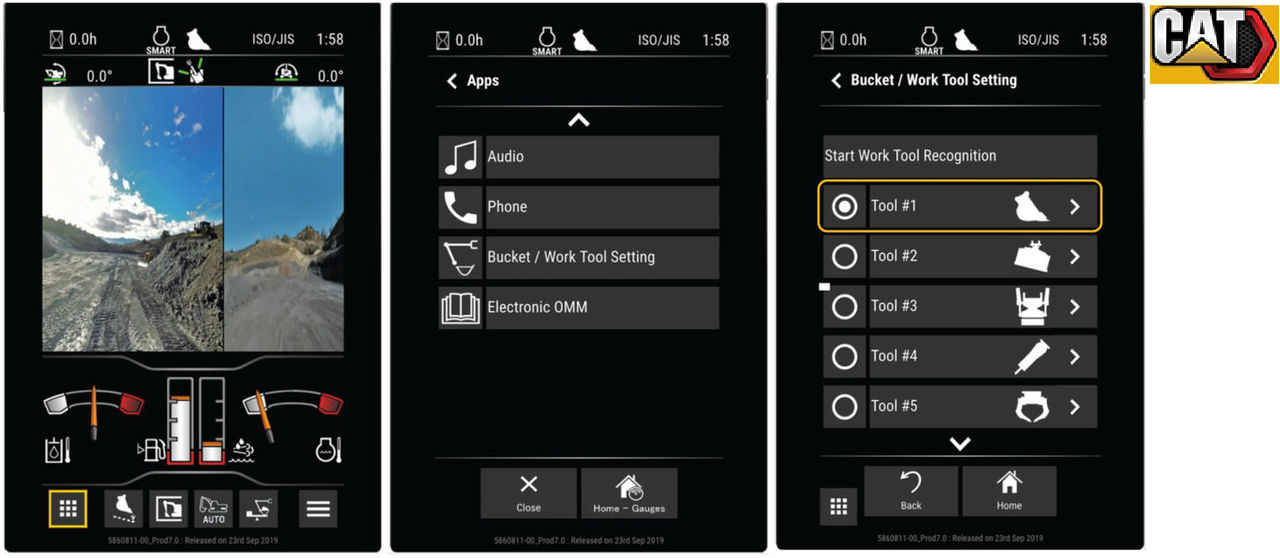 If an operator changes the attachment, the cab safety lever must be manually cycled.This updates the machine geometry, including the new attachment in 3D-MC.Note: Changing the attachment in 3D-MC is not supported by 2D-MC-CAT NG-ready software.
 - Speak with your local CAT dealer for more information about CAT attachment settings.
myTopcon NOW! support
Take your Topcon experience to the next level with myTopcon NOW! This platform is a self-service tool for your desktop or mobile device.





