
CAT Next Generation machines have some options for Automatic Control. For example:
- Boom Assist
- Bucket Assist
- Grade Assist
- Tilt Assist
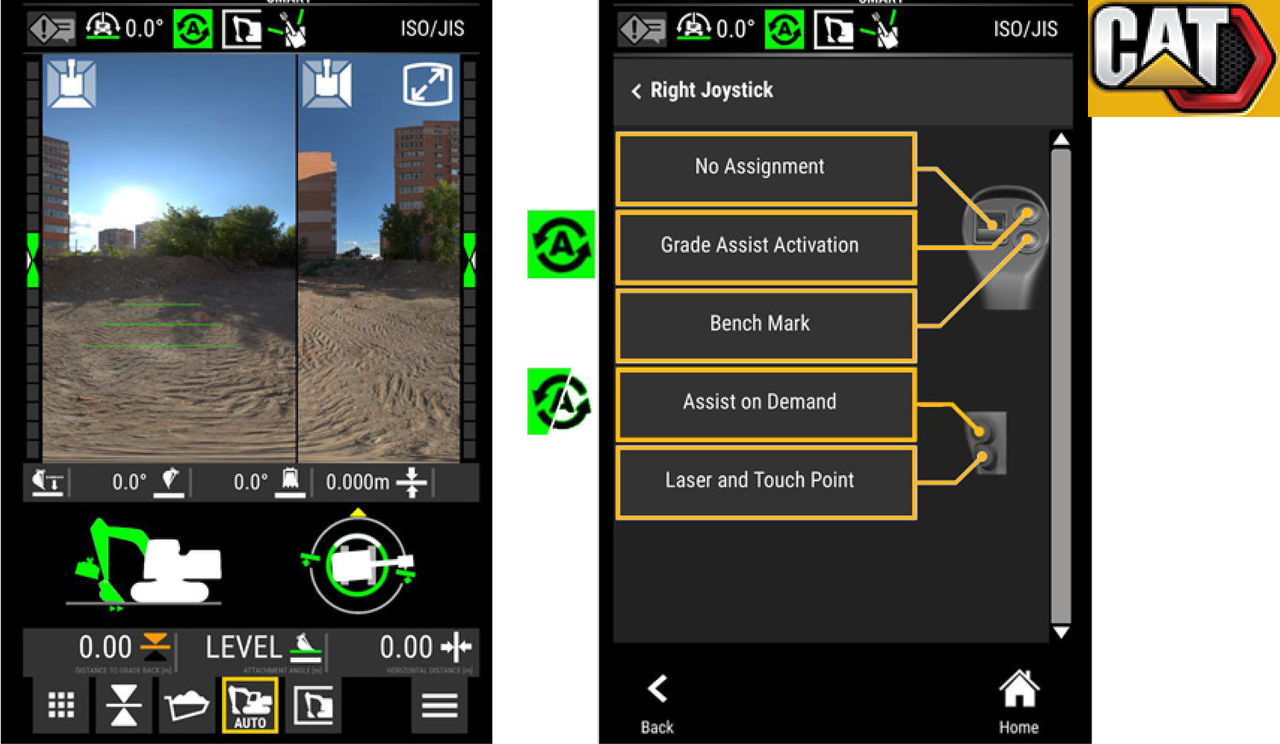
Tap the AUTO button on the main screen to show the Automatic Control setting. The Assist Settings screen fills with information.
from the general 3D-MC user interface. If the machine has the Grade Assist option enabled, all auto indicators, auto settings, auto modes, and joystick configurations are managed and displayed on the CAT display.
Push a configured button on a CAT joystick to engage or disengage the Automatic Control.
Previous:
CAT Next Generation attachments
Next:
3D-MC Sitelink
myTopcon NOW! support
Take your Topcon experience to the next level with myTopcon NOW! This platform is a self-service tool for your desktop or mobile device.





