
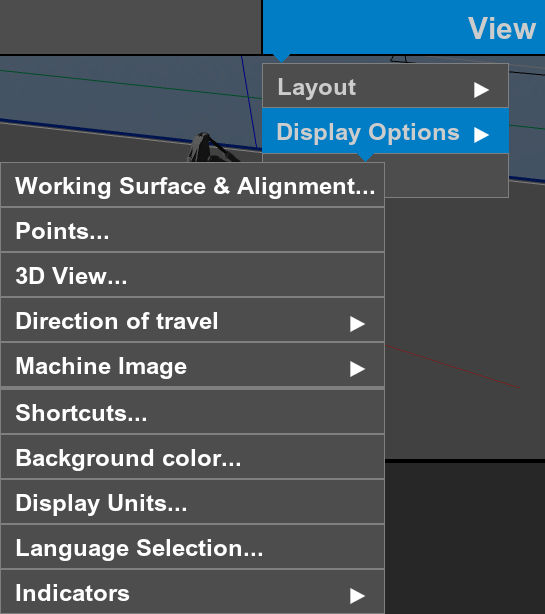
Each menu item contains the information that can help you:
- Select for different data based on the files selected to show.
- Configure the working surface display.
- Configure the 3D view.
- Configure how the machine shows on the main screen.
- Configure the shortcuts.
- Set the background color.
- Select the display units.
- Select the language for your country.
- Open the Indicators menu.
Previous:
Slope control supported brands
myTopcon NOW! support
Take your Topcon experience to the next level with myTopcon NOW! This platform is a self-service tool for your desktop or mobile device.





