
The shortcut bar gives quick access to configurable functions.
The configurable shortcut bar is to the right of the main screen. It gives easy access to frequently used functions.

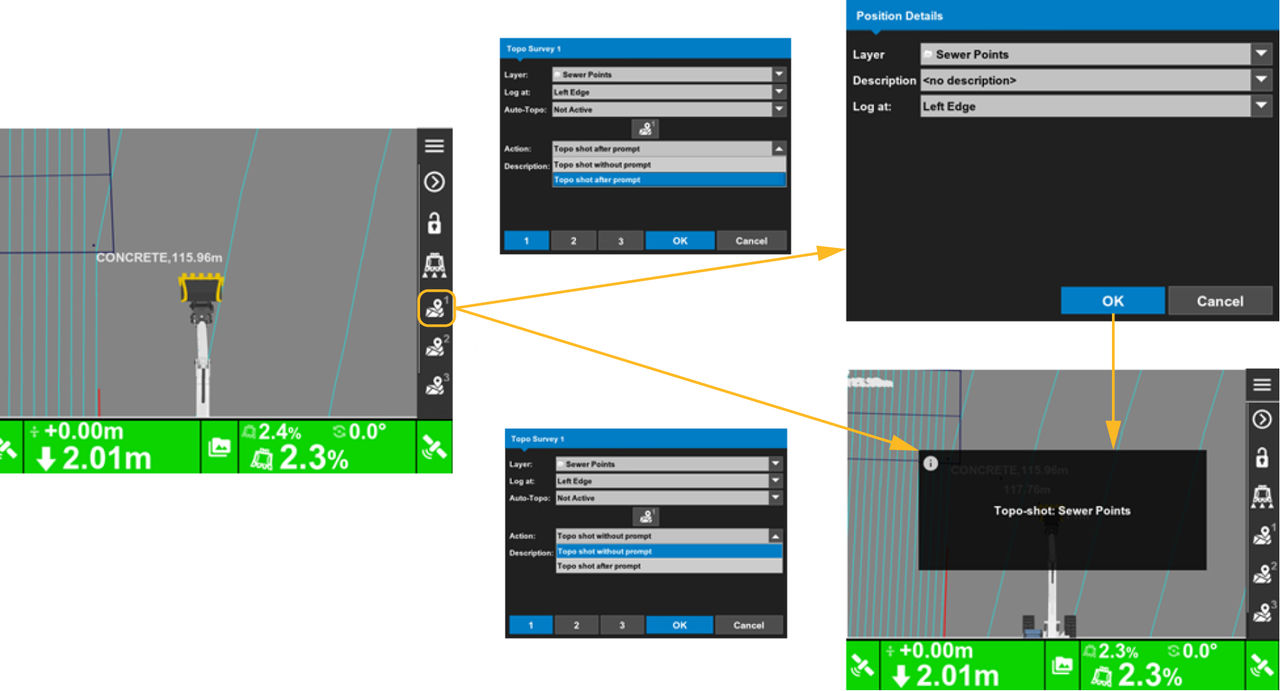
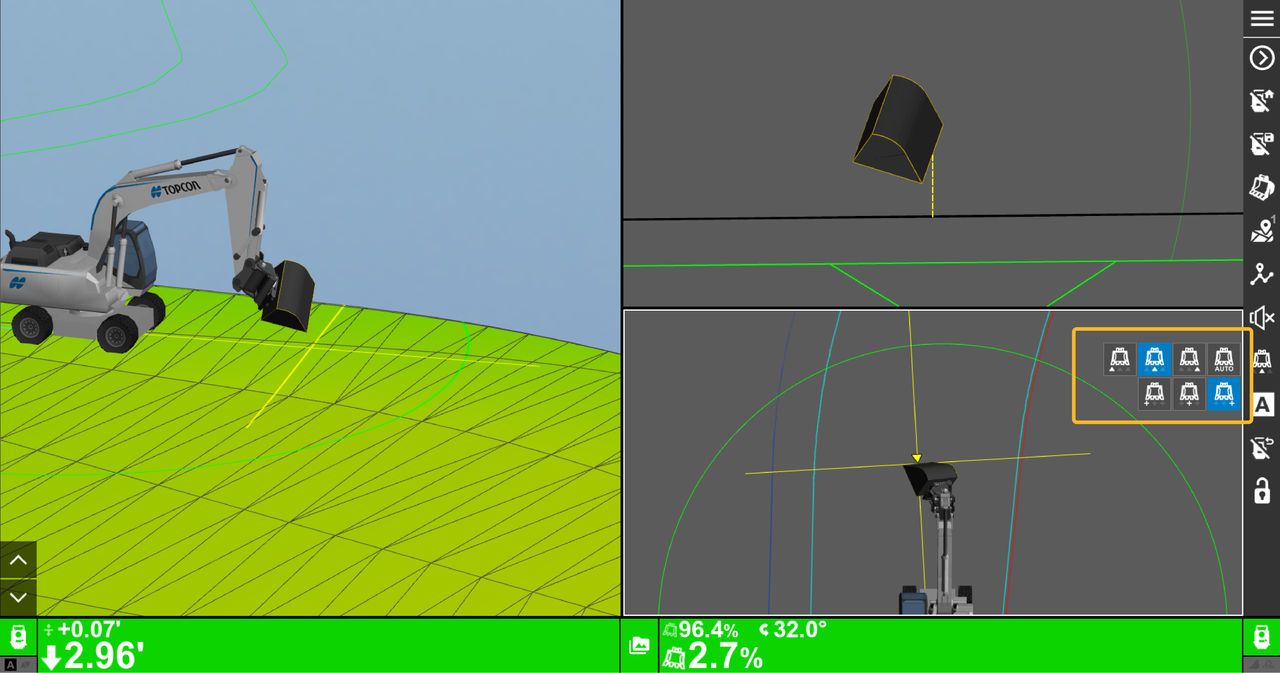
The examples show the Topo shortcut and the Reference point shortcuts.
The Topo shortcut has options are available on a drop-down list. You can select the applicable setting from the list.
The Reference point shortcut has multiple location options for the reference point on the bucket.
Previous:
Change steering lightbar colors
myTopcon NOW! support
Take your Topcon experience to the next level with myTopcon NOW! This platform is a self-service tool for your desktop or mobile device.





