Looking for your apps? Click the account icon in the upper right corner of the page.
View GNSS information
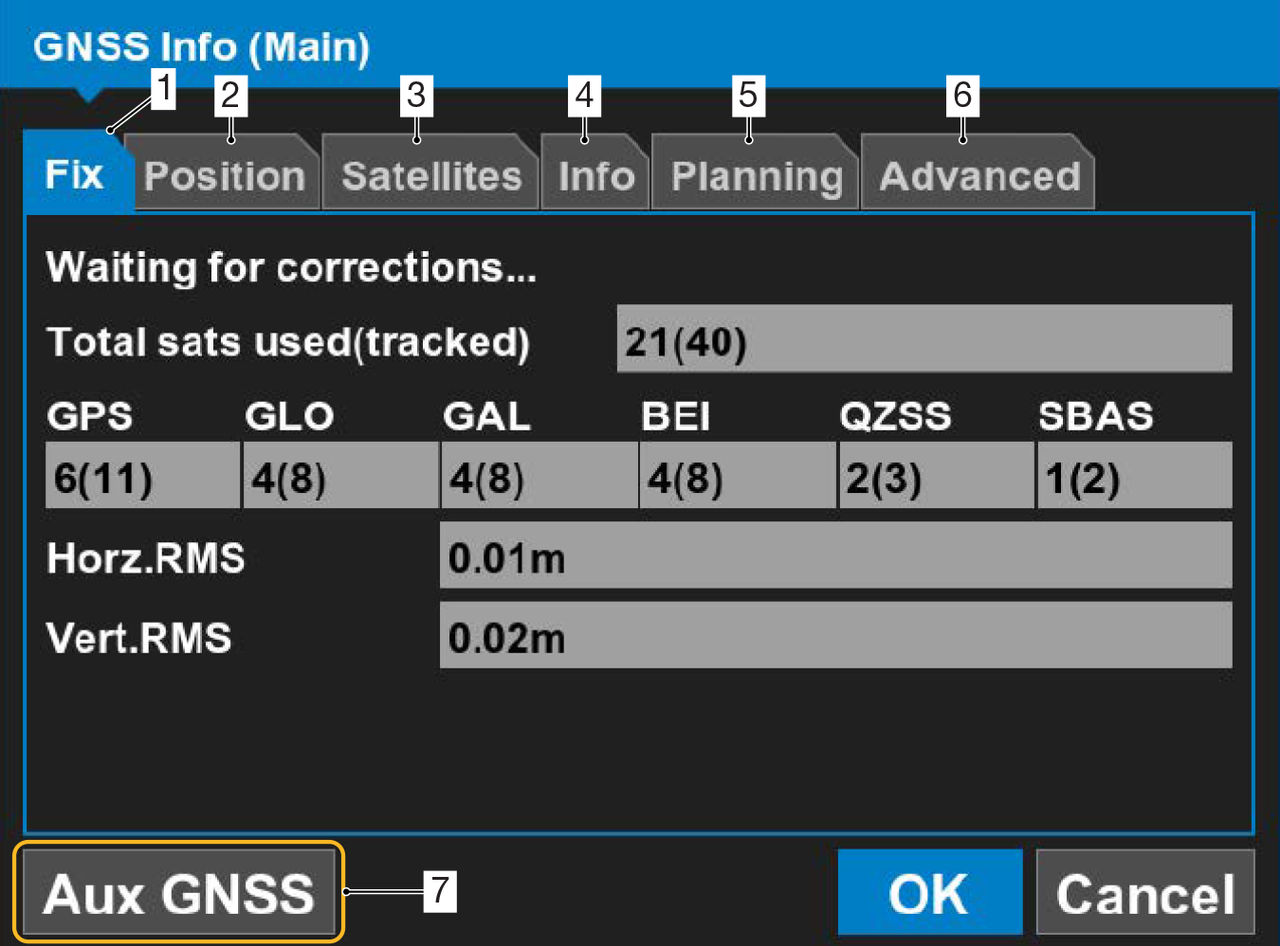
Select the applicable icons and tabs in GNSS mode for detailed information about status, position, satellites, receiver details, satellite planning, and advanced GNSS configuration.
In GNSS mode, select the GNSS icon on the left or right Elevation Sensor Status indicator.
Select the tabs to show more GNSS information.
ADDITIONAL INFORMATION:
Fix tab – GNSS status and quality
Position tab – Cutting edge position
Satellites tab – Monitor visible and used satellites
Info tab – View receiver information or reset the receiver
Planning tab – Satellite estimated accuracy. The red vertical line identifies the time.
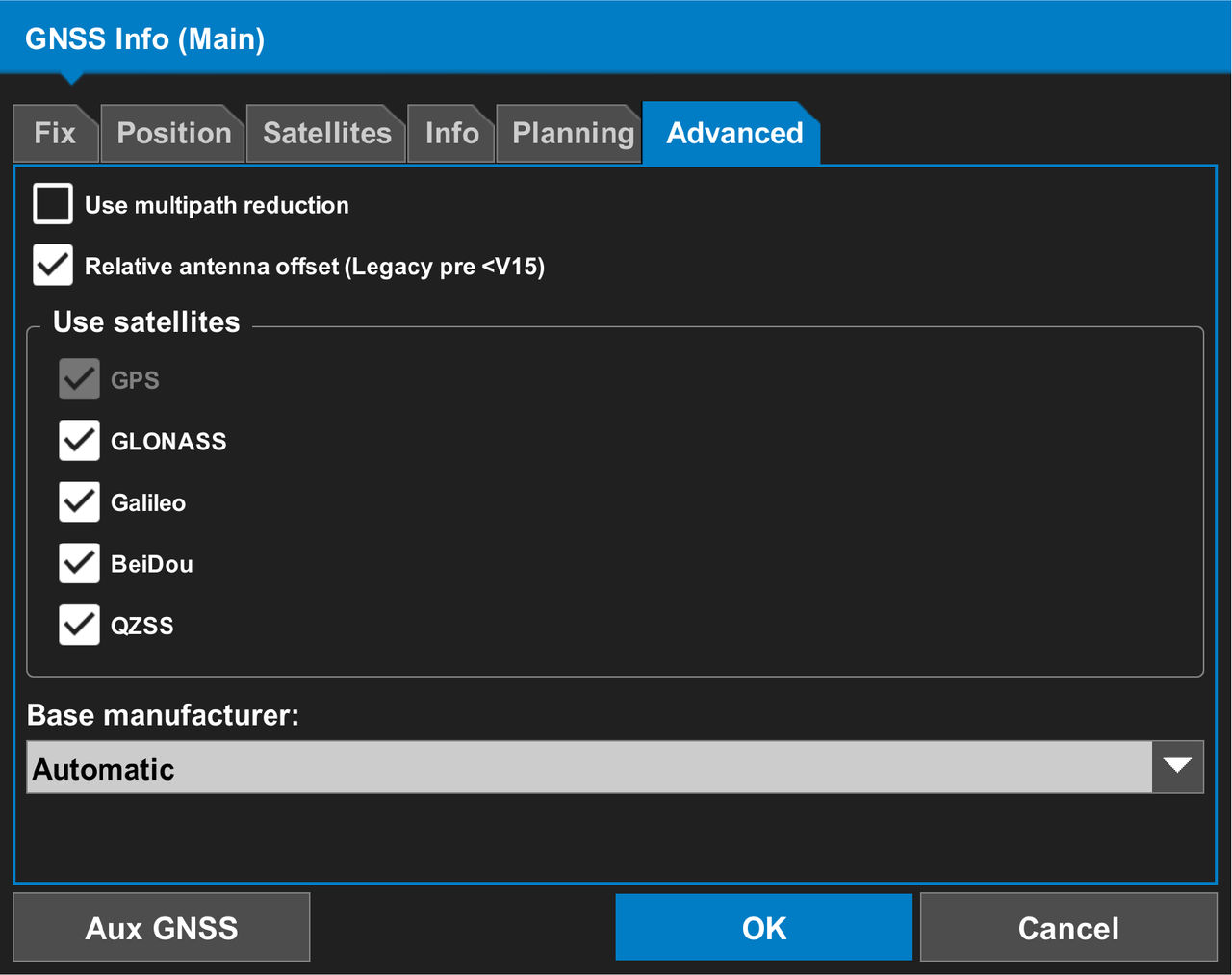
Advanced tab – GNSS selections to enable/disable the specified satellite constellations, multipath reduction, and relative antenna offset
Aux GNSS button – Opens the AUX GNSS information screen
Select the Advanced tab.
ResultThe Advanced tab shows on the GNSS Info (Main) screen.