
You can generate points from a selected polyline.
- To create points, select and hold the polyline for which to generate points.ADDITIONAL INFORMATION: A context menu opens.
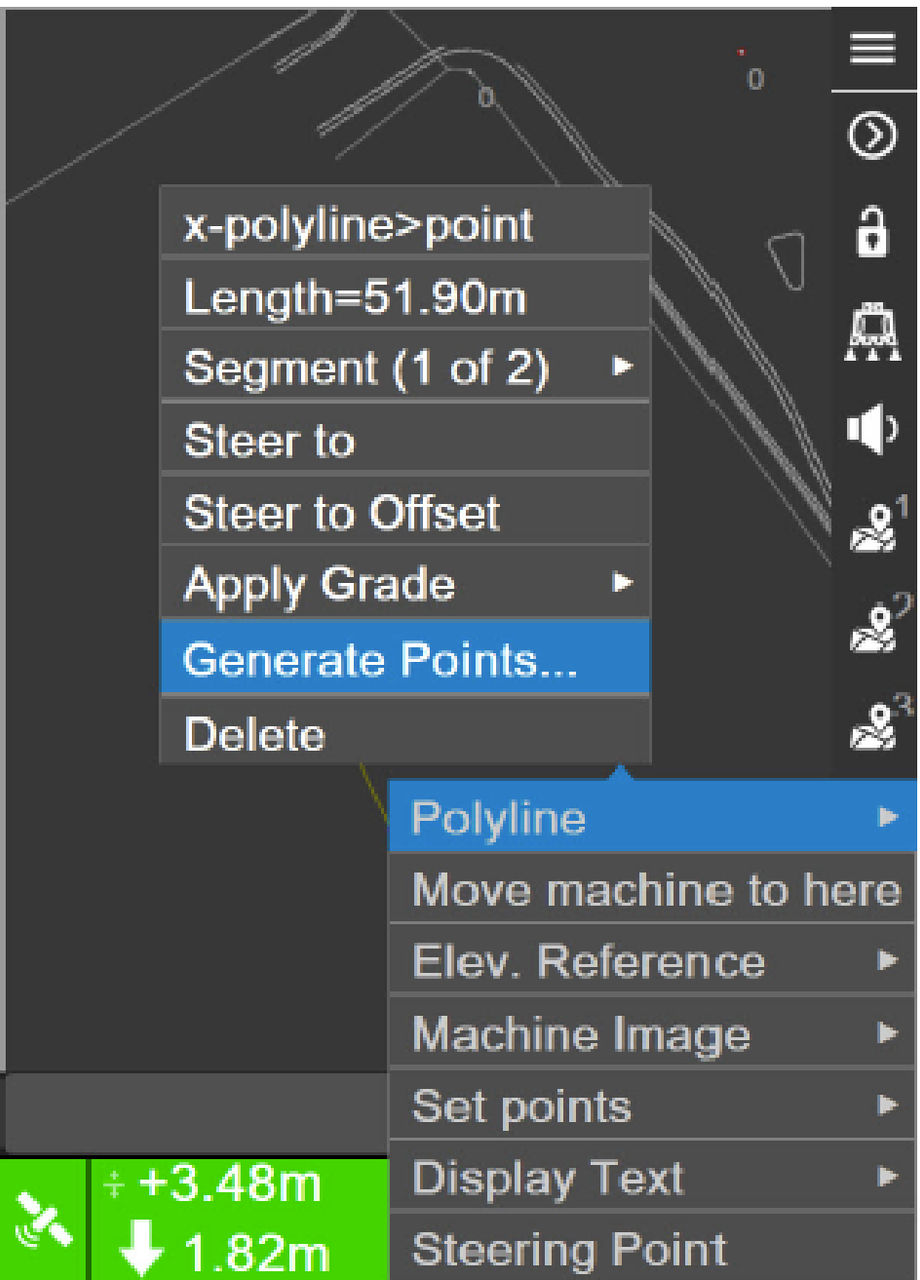
- Select Polyline, then Generate Points.ADDITIONAL INFORMATION: The Points on Polyline screen opens.
Figure: Points on polyline 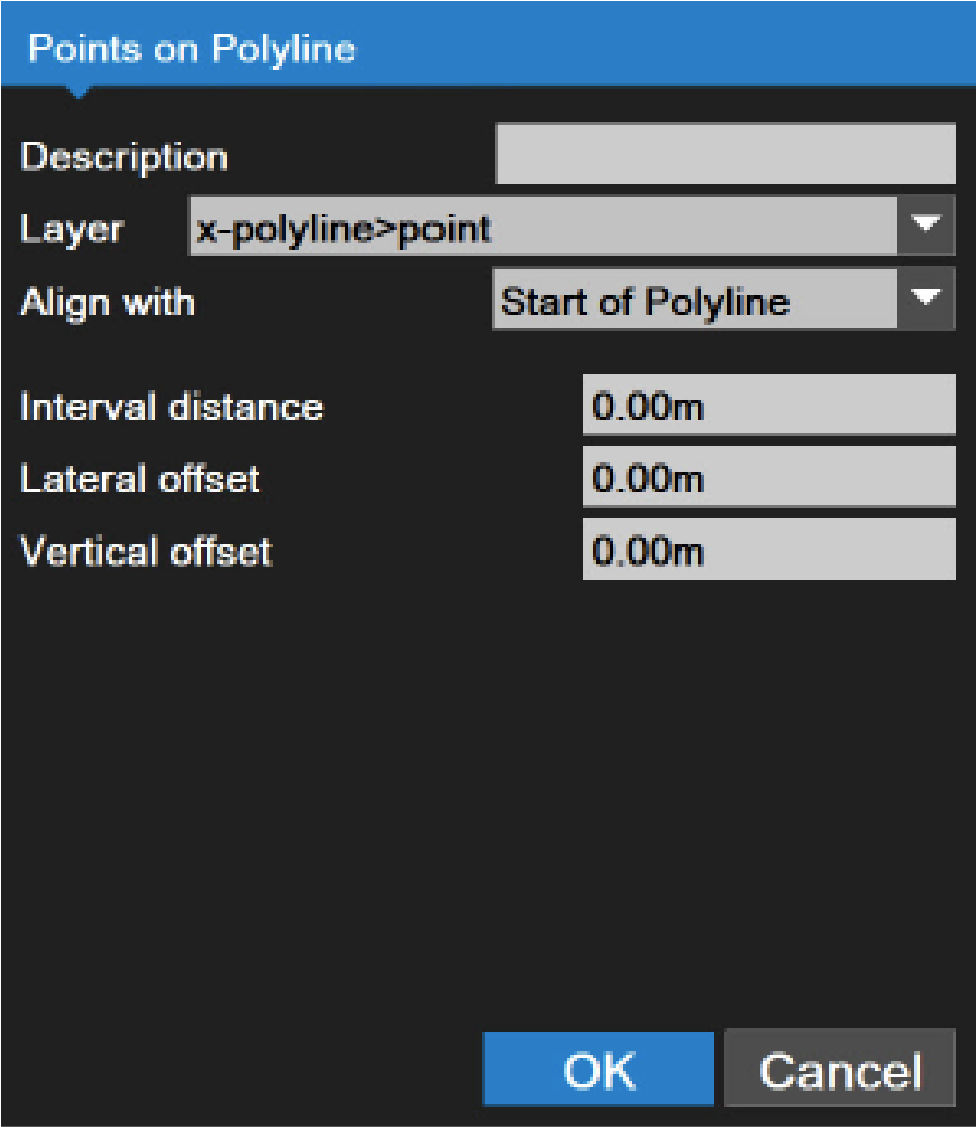
- Enter the Description, and then select the Layer on which the points are saved or create a new one.
- Set the location of the first point from the Align with drop-down list.
- If applicable, enter the points for Interval distance, Lateral offset, and Vertical offset.
- Select OK.ADDITIONAL INFORMATION: The created points show on the main screen.
Figure: Created points on the polyline 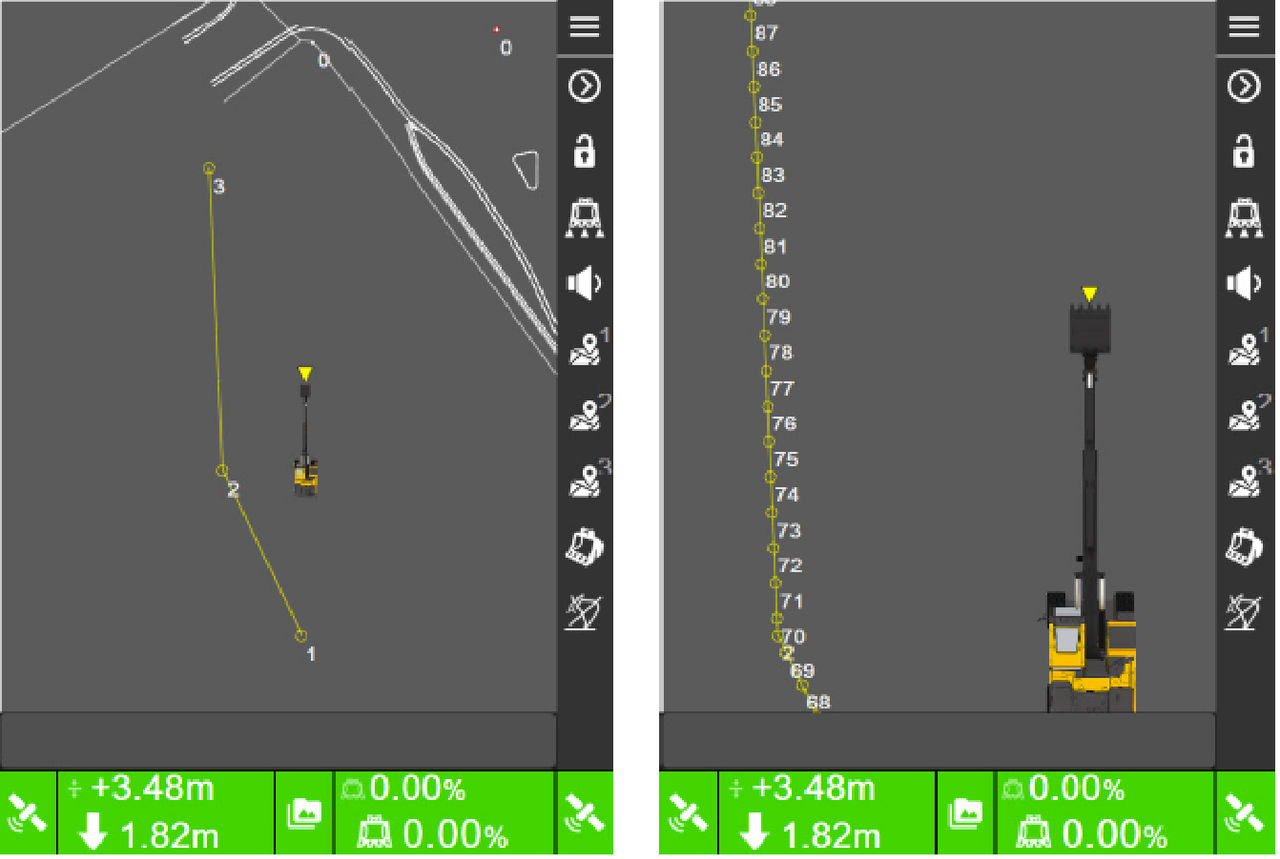
Previous:
Points
Next:
Select points
myTopcon NOW! support
Take your Topcon experience to the next level with myTopcon NOW! This platform is a self-service tool for your desktop or mobile device.





