
A small piece of the active (TIN) surface can be isolated. Triangles out of the isolated region can be ignored.
- Select and hold on the main screen to show the Context menu.
- Select Isolate Surface to show the Isolate Surface Region screen.ADDITIONAL INFORMATION:
Figure: Surface isolation 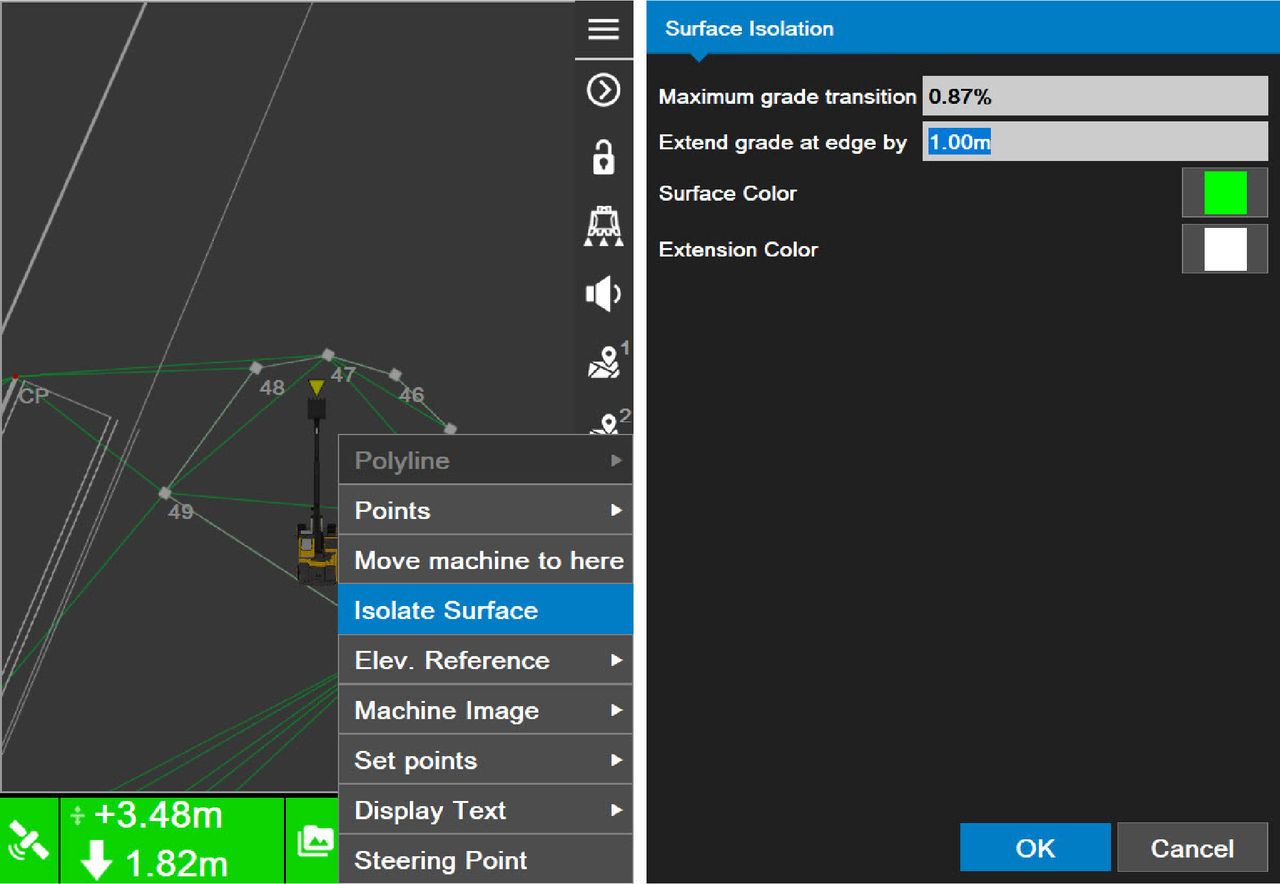
- Enter or select:ADDITIONAL INFORMATION:
- Maximum grade translation– enter a maximum deflection value between adjacent triangles in the TIN surface.
- Extend grade at edge by– enter a value to extend the grade of the isolated region.
- Surface Color/Extension Color – select a color for the surface and the selected extension. Select OK to go back to the Surface Isolation screen.
- Select OK to go back to the main screen.ADDITIONAL INFORMATION:The isolated region shows in the Extension Color selected in Step 3.
Figure: Isolated surface 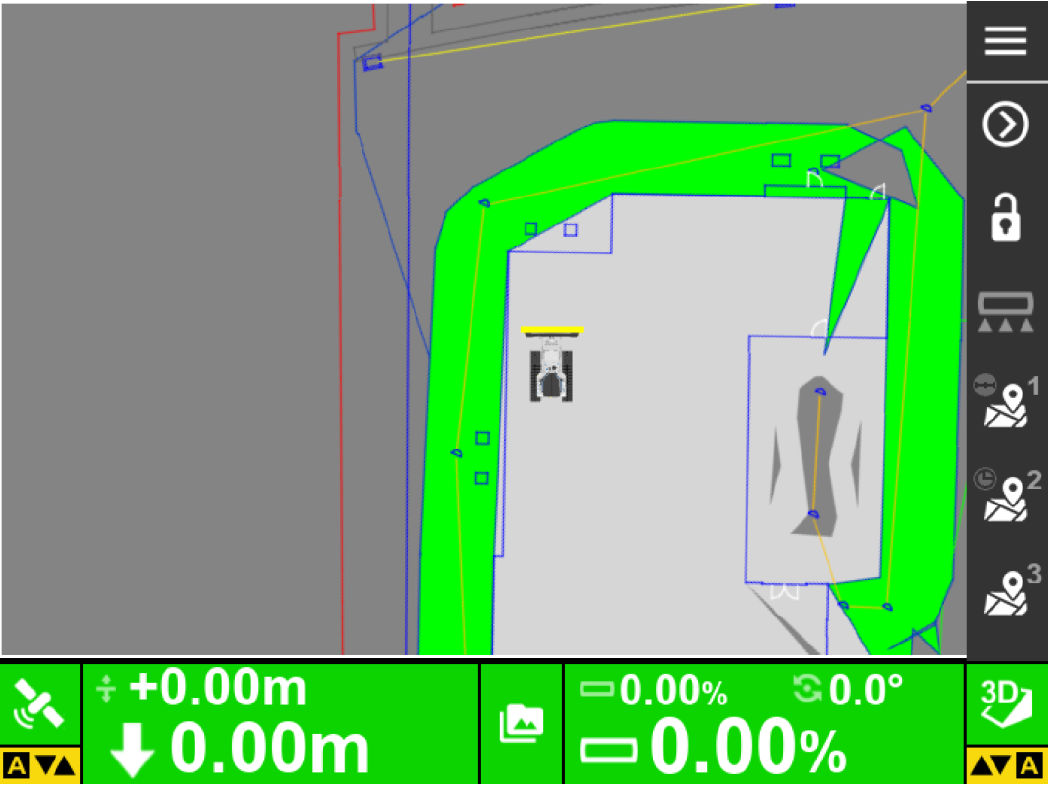
Previous:
Set active surface
Next:
Stop a surface isolation
myTopcon NOW! support
Take your Topcon experience to the next level with myTopcon NOW! This platform is a self-service tool for your desktop or mobile device.





