
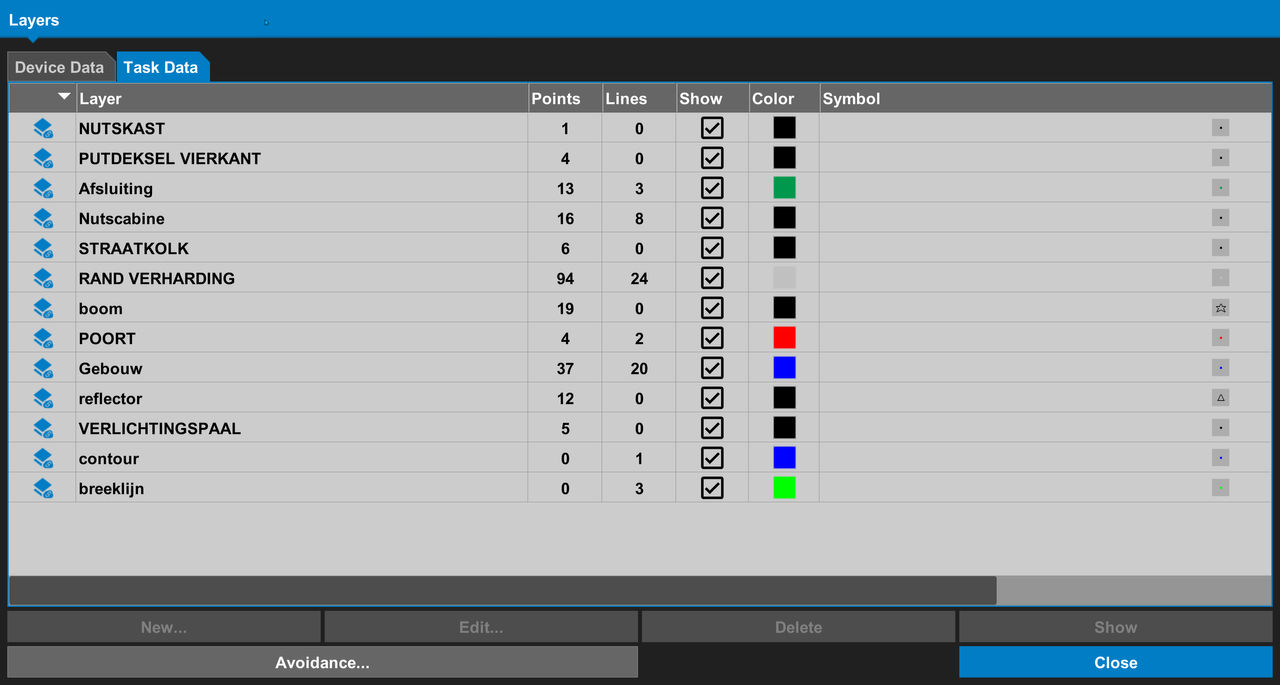
The Project Layers screens show all of the layers in the selected task data or device data.
Control | Function |
|---|---|
Color | Select the color for the point symbols and lines |
New | Select to add a new layer |
Edit | Select to edit the current layer settings |
Show | Select to show or hide the layer on the main screen |
Symbol | Select the type of symbol for the points on the layer |
Delete | Select to remove the selected layer |
Avoidance | Select to set the sound and/or visual alarms for an area specified by the user on a selected layer |
Previous:
Stop a surface isolation
Next:
Edit layers
myTopcon NOW! support
Take your Topcon experience to the next level with myTopcon NOW! This platform is a self-service tool for your desktop or mobile device.





