Looking for your apps? Click the account icon in the upper right corner of the page.

Diagnostics report

3D-MC keeps a log of the last 10 minutes of operation. If a system issue occurs, the operator can save the recorded data as a system log file. The system log is helpful in diagnosing the problem and will be requested by Topcon Professional Services for support in resolving the issue.
You can collect a log directly from 3D-MC without enabling Supervisor Mode or entering Diagnostics or the MC-X Config environment.
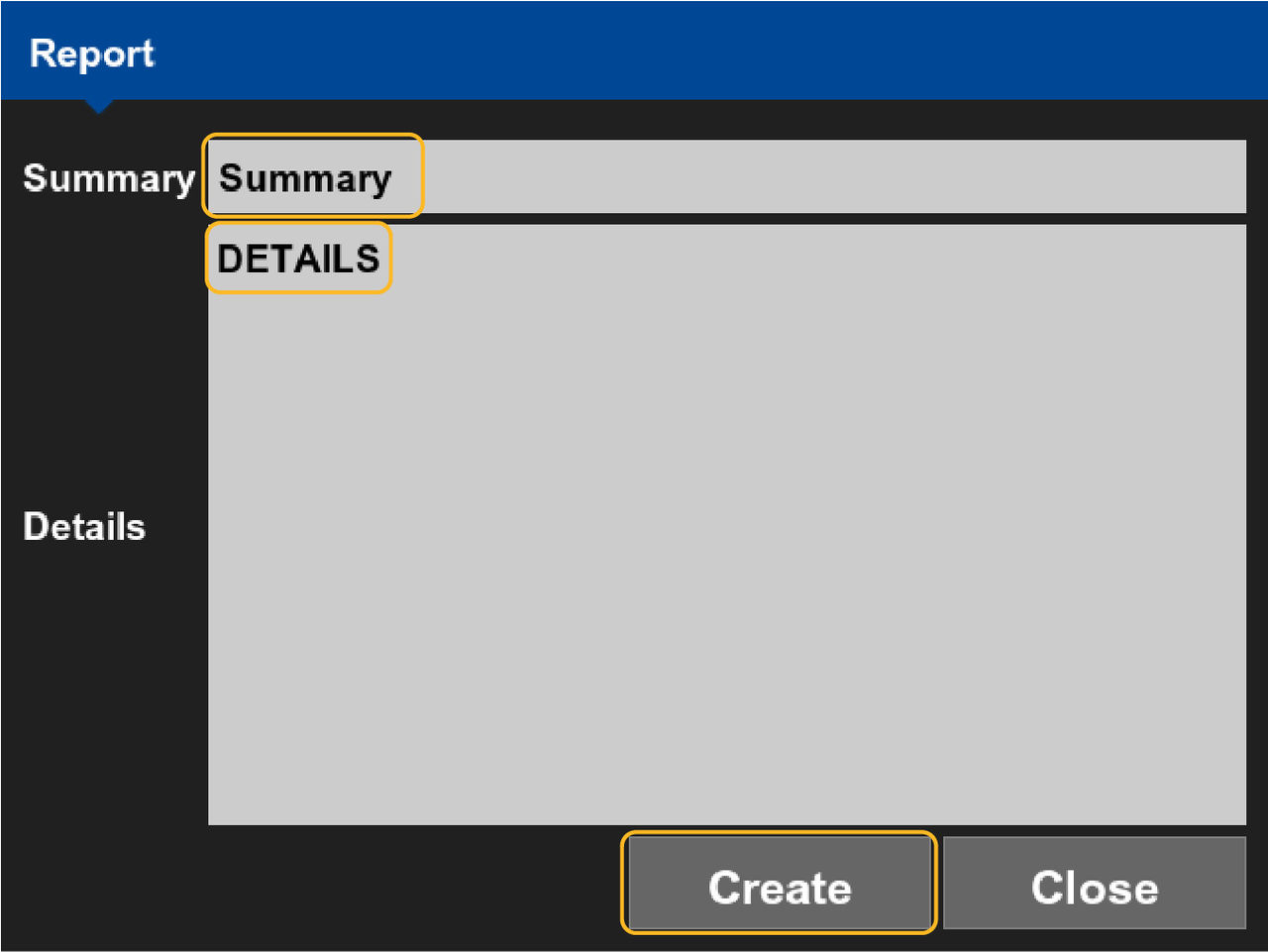
  1. Select Tools menuDiagnostics Report to collect data from all issues during the last 10 minutes on the Report screen.
    Figure: Report
  2. Enter a short summary of the issue in the Summary.
  3. Add more in the Details.
  4. Select Create.
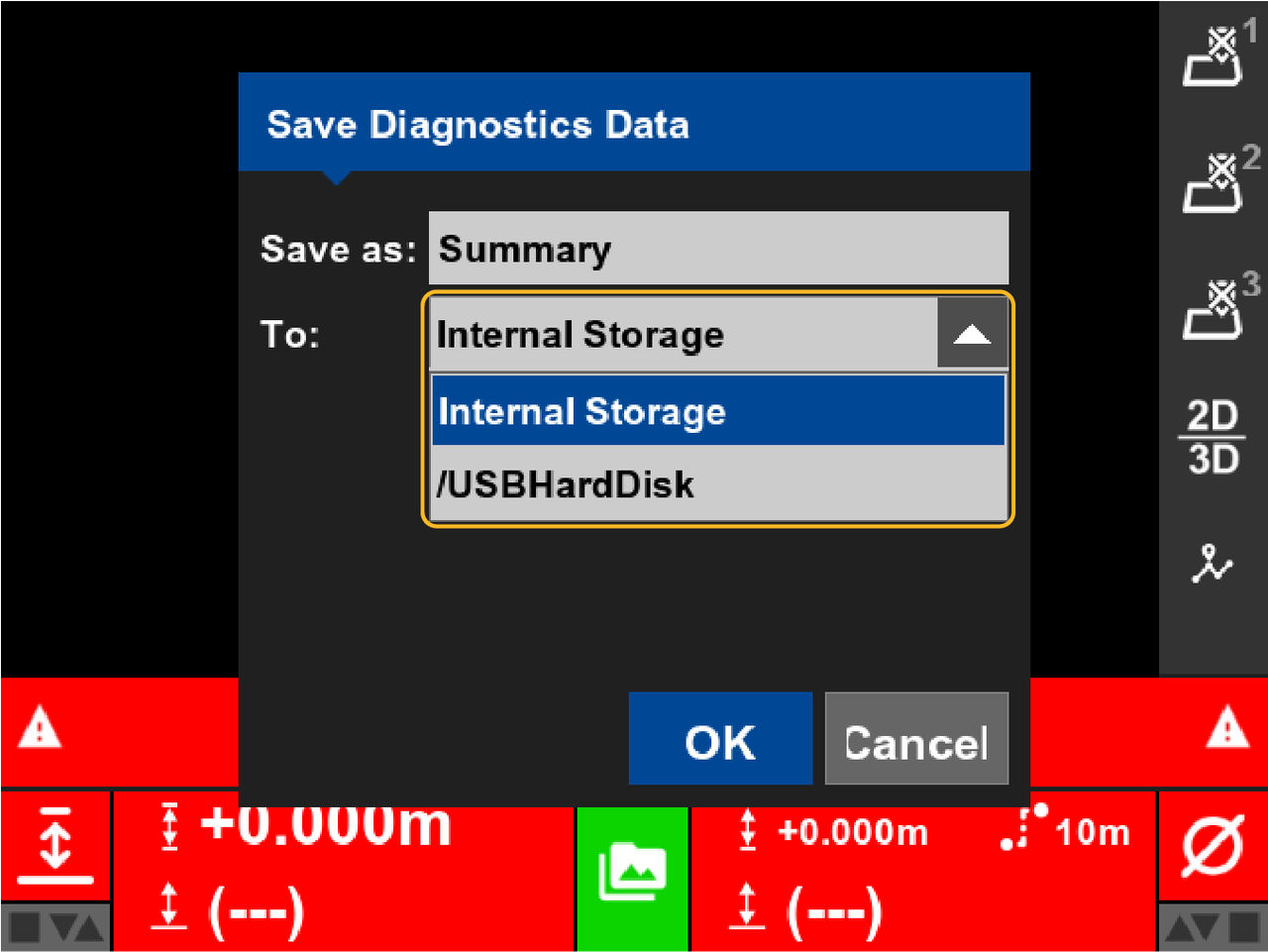
  5. Select the location, internal storage or USB drive, from the To: drop-down list.
    Figure: Storage options
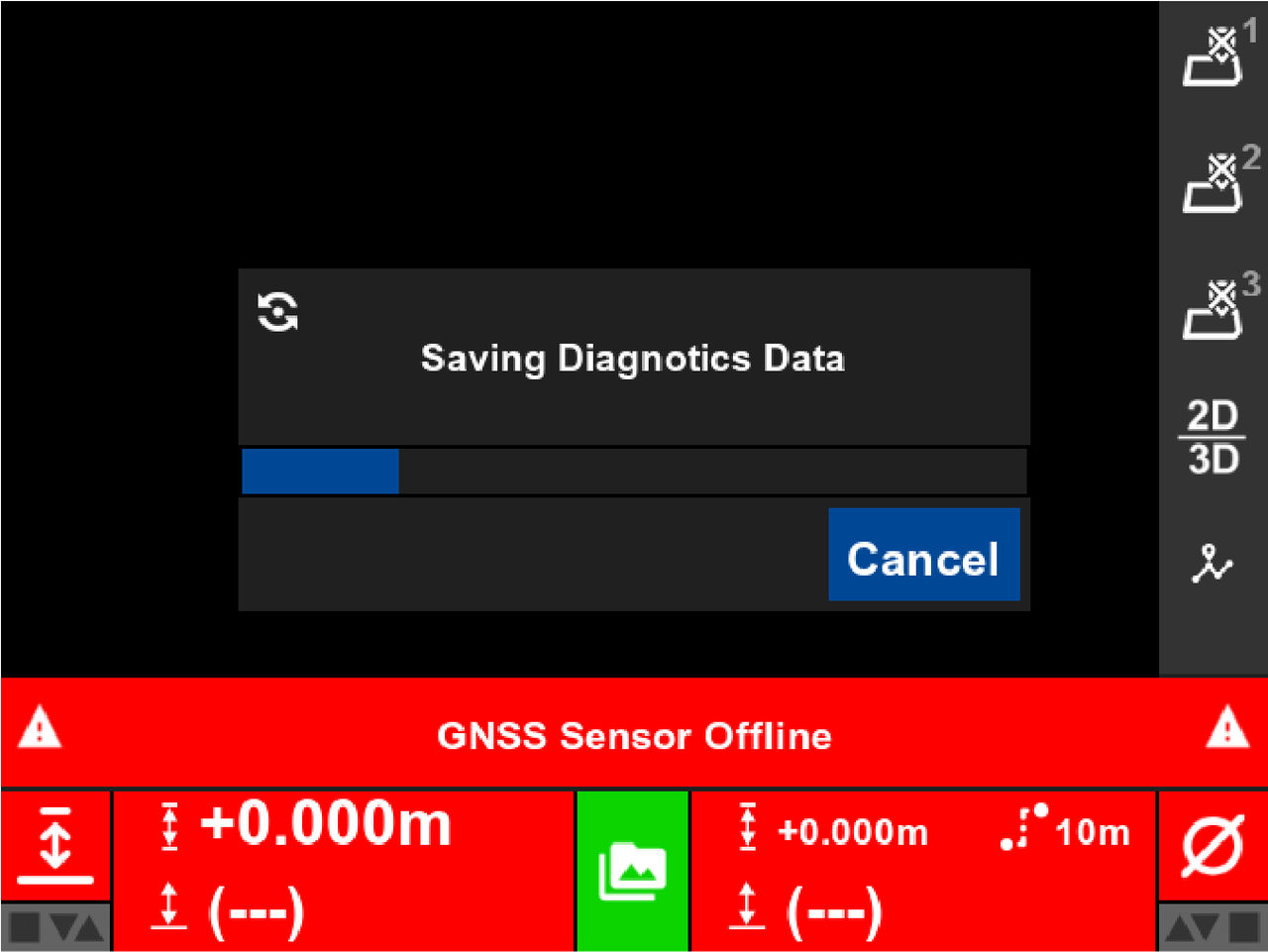
  6. Select OK .
    Figure: Save data
Previous: NTRIP status

myTopcon NOW! support

Take your Topcon experience to the next level with myTopcon NOW! This platform is a self-service tool for your desktop or mobile device. 

Product manuals
paper icon
Communications
phone icon
E-learning
hat icon
Quick start guides
support icon
Firmware & software updates
cloud icon
Troubleshooting
webinars icon