
Connect the harness power connector, manage display power settings, and learn to set the display to ON or OFF with the Power button.
- Connect the harness power connector to the tractor implement power socket (COBO).ADDITIONAL INFORMATION:The display goes on automatically if it was set to ON when you last disconnected it.
- If the display does not go on, push the Power button to set it to ON.
- Push and hold the Power button for 5 seconds on the main Operating screen to set the display to OFF.ADDITIONAL INFORMATION:
Figure: Power button 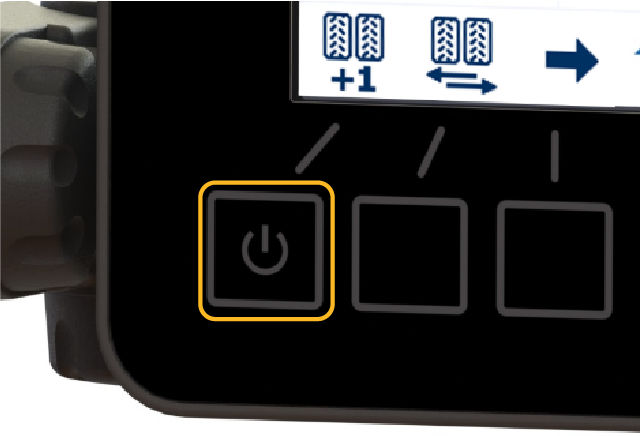
Previous:
H2 MFDC overview
myTopcon NOW! support
Take your Topcon experience to the next level with myTopcon NOW! This platform is a self-service tool for your desktop or mobile device.


