
To complete an automatic speed calibration, mark a 328 ft. (100 m) distance and set a reference point. Open the Auto Speed Cal menu, then complete the on-screen instructions.
- Do an automatic speed calibration in field conditions for maximum accuracy.
- Set two markers 328 ft. (100 m) apart.
- Select a convenient reference point on the tractor/implement and put this point on the tractor/implement in position opposite the first marker.
- Select .
- Complete the on-screen instructions.ADDITIONAL INFORMATION:
Figure: Automatic speed calibration 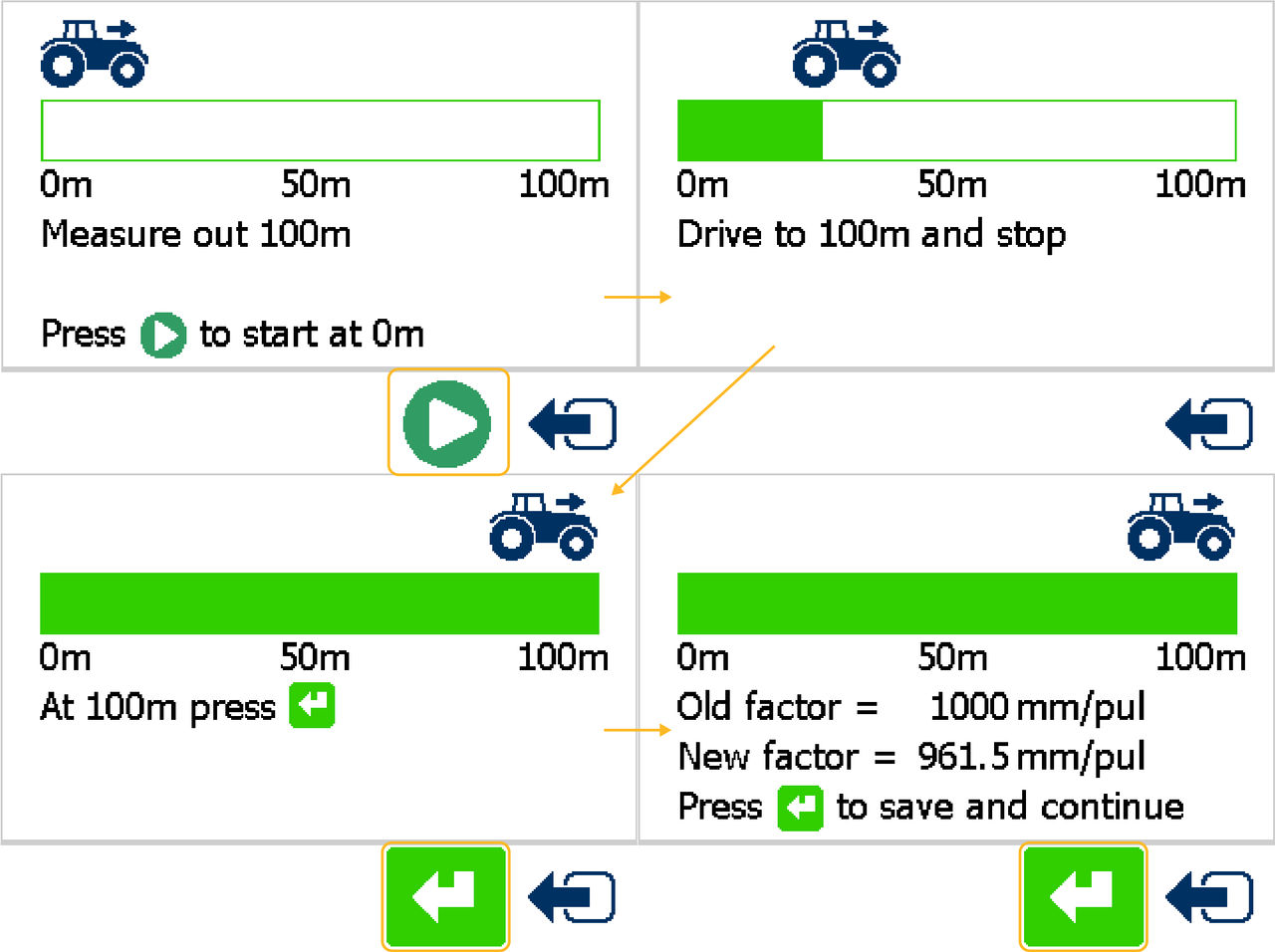
Previous:
Speed sensor setup
myTopcon NOW! support
Take your Topcon experience to the next level with myTopcon NOW! This platform is a self-service tool for your desktop or mobile device.


