
You can pause the bout number increment to prevent accidental changes from field obstacles. You can continue after you go by an obstacle.
If it is necessary to lift the drill out of work for reasons other than a normal headland turn, for example to avoid a field obstacle, the bout number increment still automatically increases by 1.
- Select Pause bout number
 before you lift the drill to prevent the increment change.ADDITIONAL INFORMATION:The Paused bout number
 icon flashes to indicate that the bout number increment is paused.
 - Select Pause bout number again to resume normal bout advance.ADDITIONAL INFORMATION:
Figure: Pause bout number increment 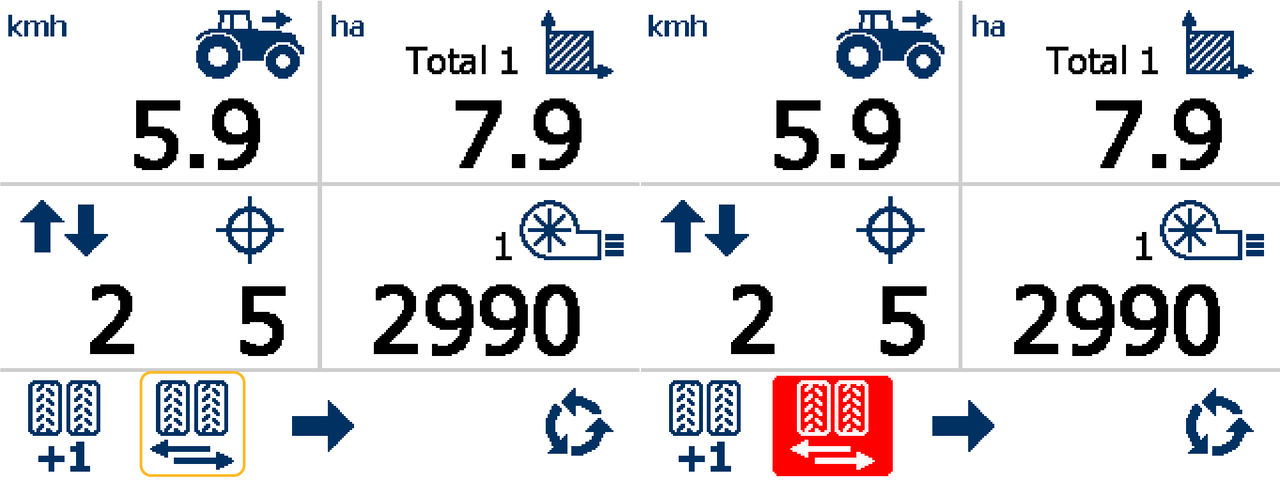
Previous:
Manual bout number advance
myTopcon NOW! support
Take your Topcon experience to the next level with myTopcon NOW! This platform is a self-service tool for your desktop or mobile device.


