
Learn how to configure TL Mode, select rhythm options, and set target bout numbers for tramlining operations from the Operator menu and related settings.
- Select TL Mode from the Operator
 menu.
menu. - Select the rhythm:ADDITIONAL INFORMATION:
- SY (symmetric)
- AL (asymmetric left)
- AR (asymmetric right)
- AS 10 10-bout
- AS 14 14-bout
- AS 18 18-bout
- Select TL Target to set the target bout number.ADDITIONAL INFORMATION:
Figure: Tramline number and target bout 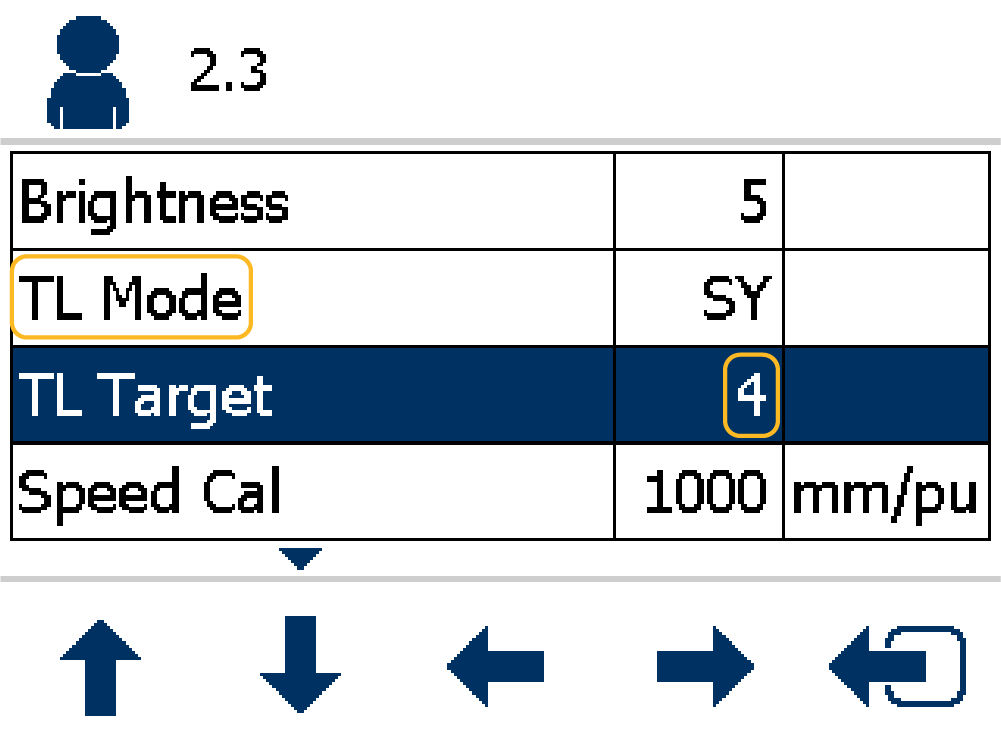
Previous:
Tramlining
myTopcon NOW! support
Take your Topcon experience to the next level with myTopcon NOW! This platform is a self-service tool for your desktop or mobile device.


