
Assign AUX GR-i3F to MAIN
- Open MCWEB.
- Select .ADDITIONAL INFORMATION:
Figure: CANOpen 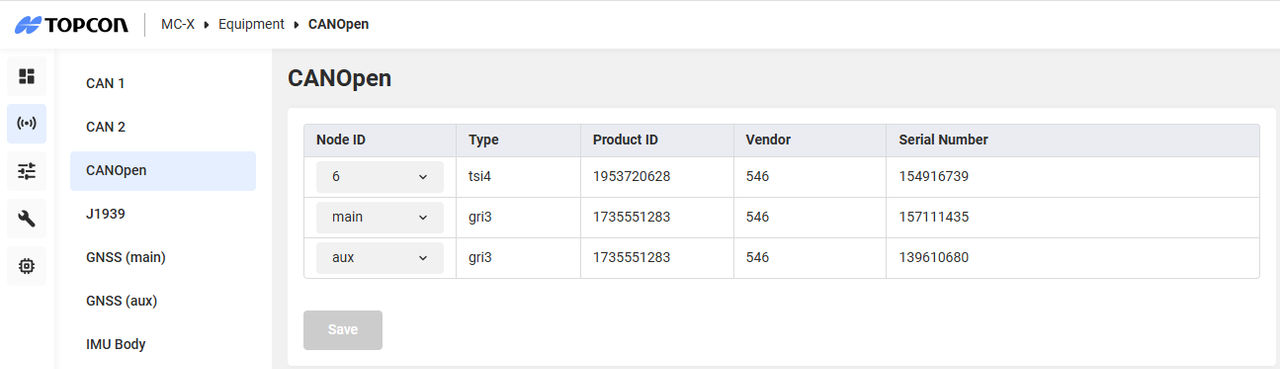
- Select the aux drop-down list, then select main.ADDITIONAL INFORMATION:
Figure: CANOpen main 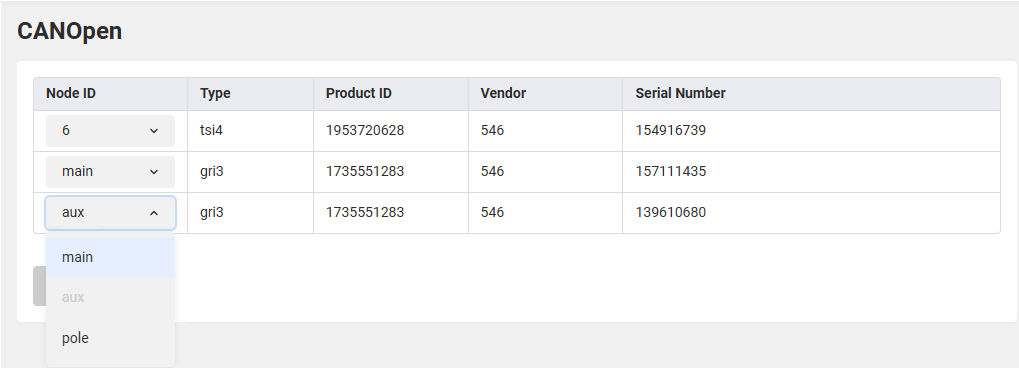
- Select Save.
Previous:
Assign the AUX GR-i3 receiver on OneWire
Next:
Install MC-X license
myTopcon NOW! support
Take your Topcon experience to the next level with myTopcon NOW! This platform is a self-service tool for your desktop or mobile device.





