
Learn how to configure the optional internal radio modem of the HiPer XR GNSS receiver with the on-board web UI and change radio settings.
The HiPer XR GNSS receiver is available with an optional internal radio modem. This topic tells how to configure the radio through the on-board web UI.
The Main components topic has information about HiPer XR assemblies, part numbers and related radio antennas to identify which receivers contain an integrated radio and their specified frequency bands.
- Connect the receiver to a field controller or computer to open the on-board web UI.
- Open the Settings menu, then select Radio Modem.ADDITIONAL INFORMATION: This shows the installed radio modem model, the current hardware/firmware versions and modem serial number on the General tab.
Figure: Radio modem settings 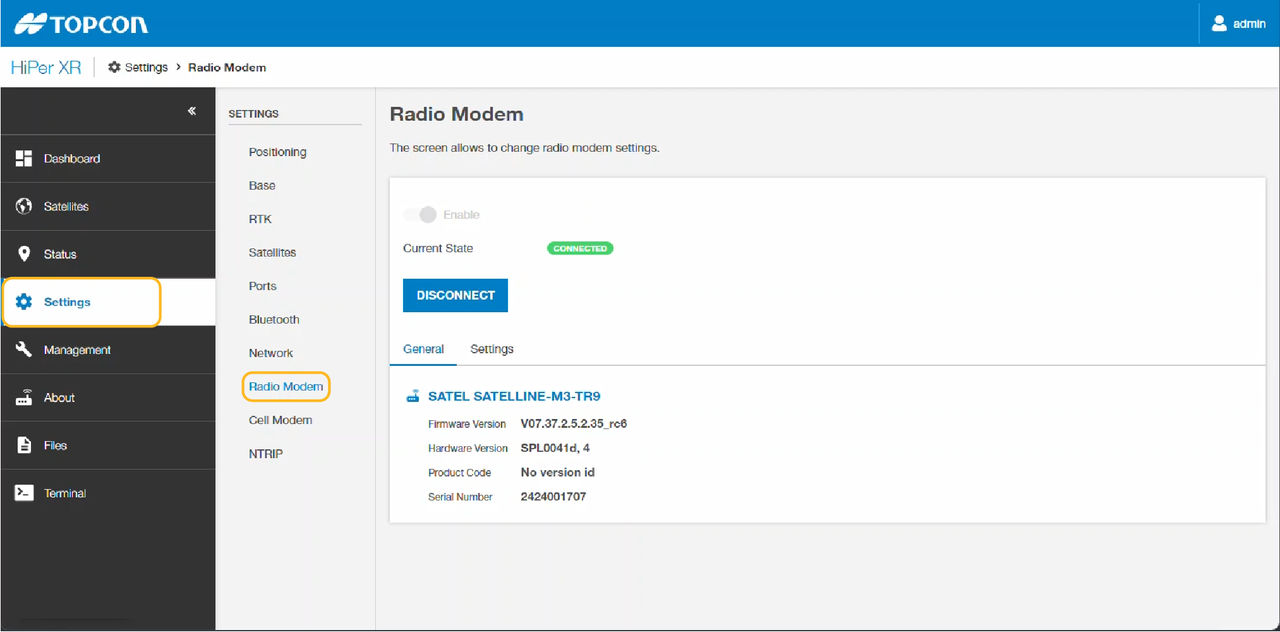
- Select the Settings tab to get access to and change the radio modem settings.
- Select Apply Changes at the bottom of the screen to enable the settings that were changed.ADDITIONAL INFORMATION:
Figure: Change radio modem settings 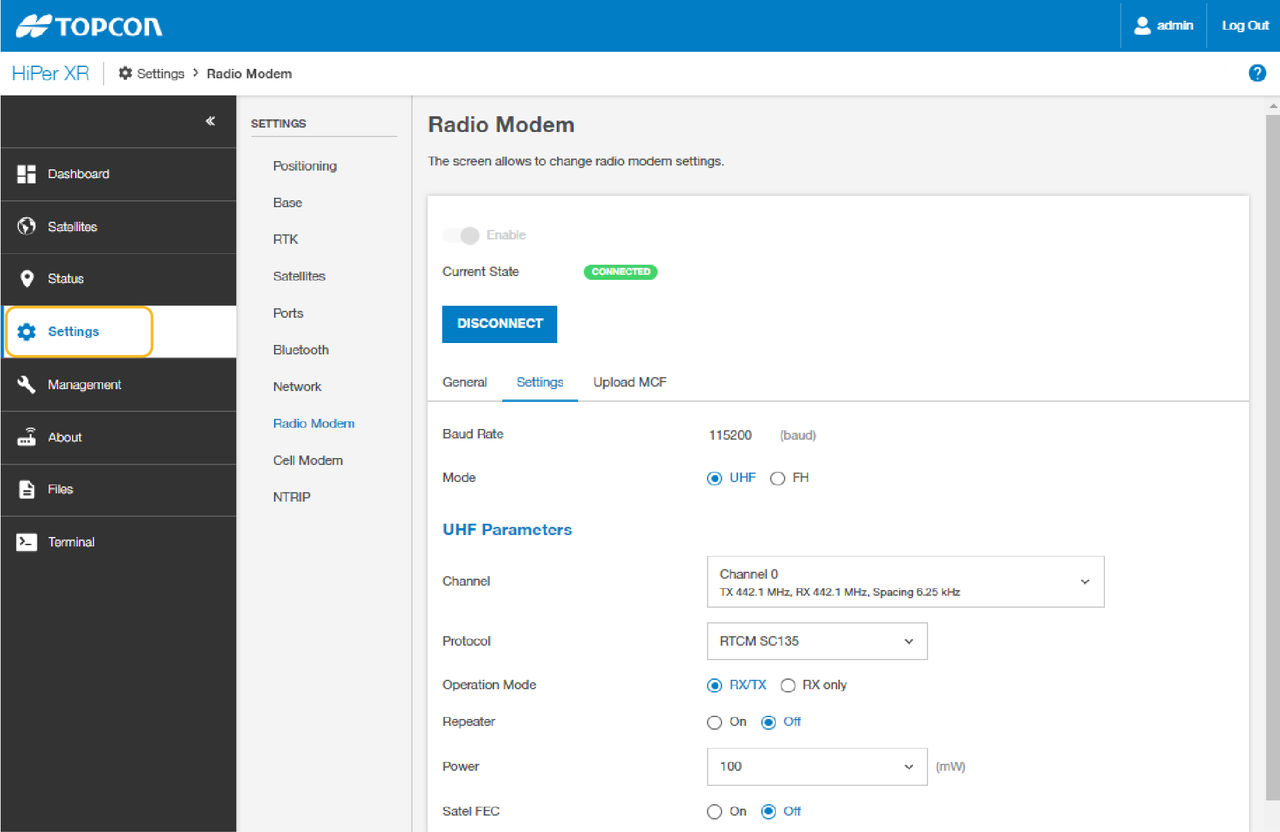
Previous:
Receiver OAF verification
myTopcon NOW! support
Take your Topcon experience to the next level with myTopcon NOW! This platform is a self-service tool for your desktop or mobile device.





