
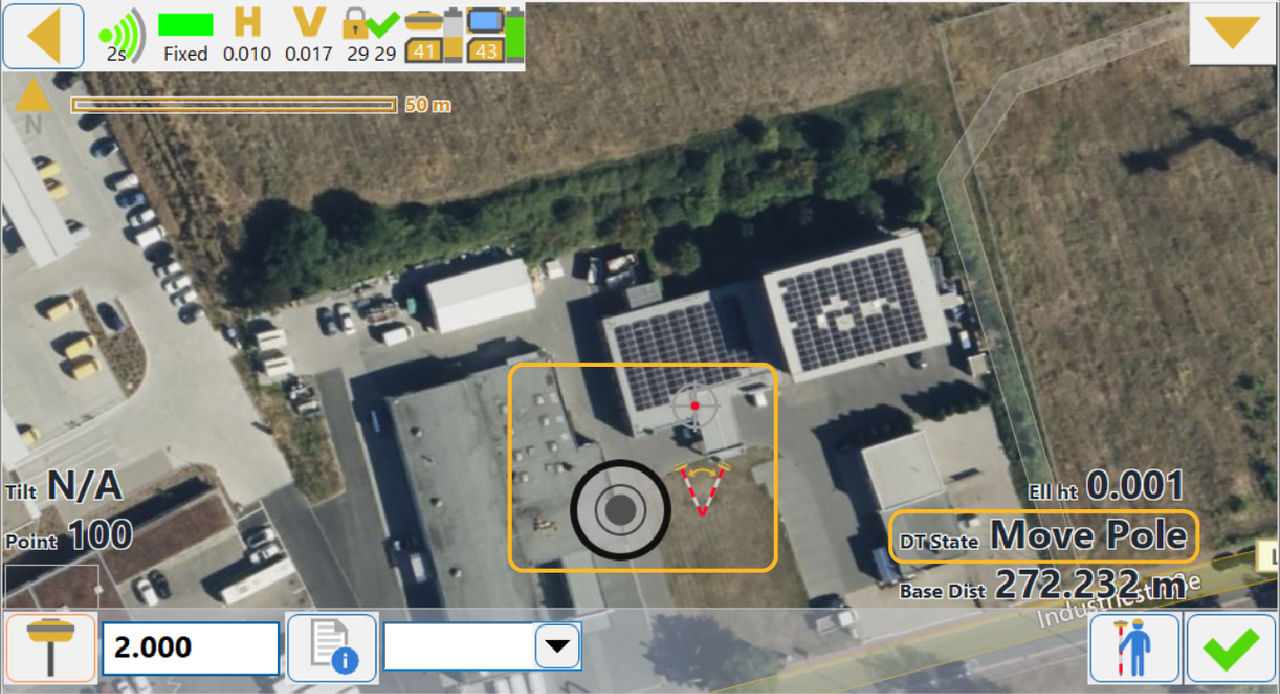
It is necessary to do the IMU alignment procedure for TILT to enter a Ready state. The IMU alignment procedure automatically starts when TILT compensation mode is enabled. Text labels and icons show the Dynamic TILT state on the TILT screen.
The IMU alignment procedure moves TILT through these states:
- Hold Still
 – TILT waits for a stable GNSS solution. When TILT has the solution, it is necessary to hold the pole stable and approximately vertical (accurate vertical orientation is not necessary). TILT automatically senses the stable position and enters the Move Pole state
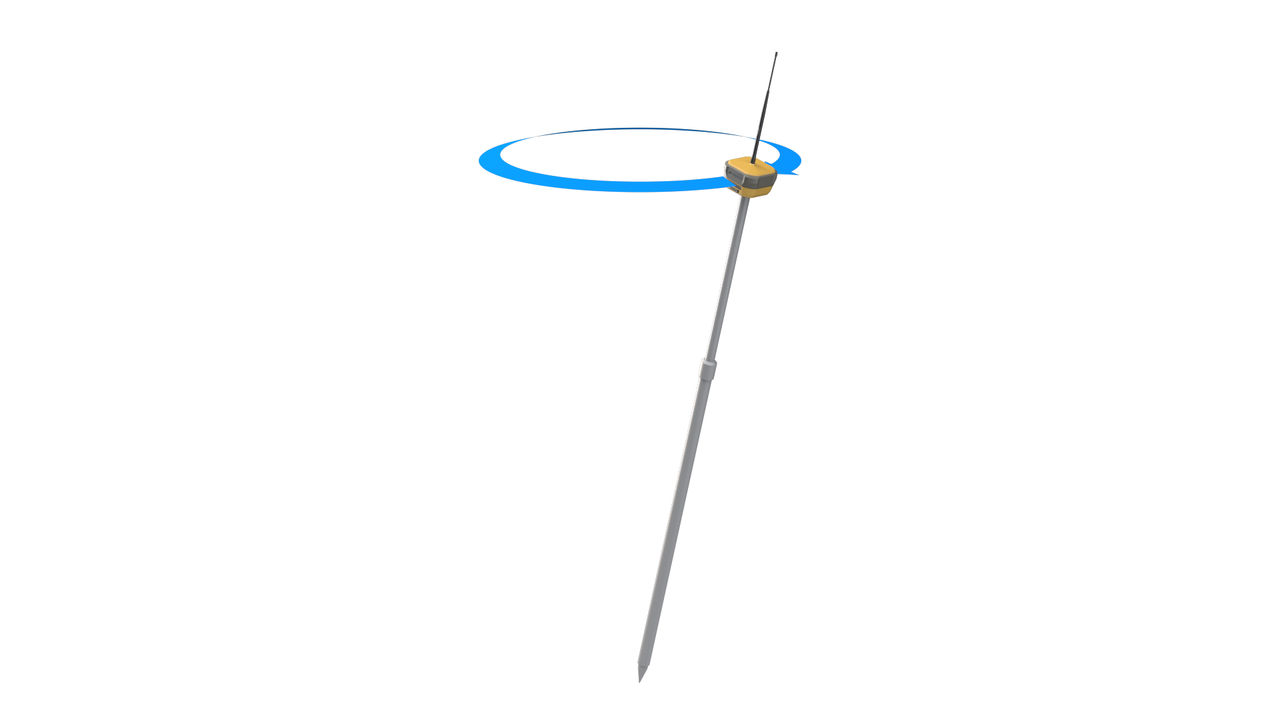
 - Move Pole
 – in this state, it is necessary to tilt the pole, move it in a conical direction, then continue with a smooth conical pole movement until TILT enters the Ready state
 - Ready – In this state, you can use TILT to make measurements.
Note: If TILT does not sense the initial incline move in the Move Pole state or this move is not sufficient, TILT goes to the Hold Still state and starts the procedure again. This also occurs if the GNSS solution is lost while in the Move Pole state.
Previous:
TILT compensation operation
Next:
Dynamic TILT Measurement
myTopcon NOW! support
Take your Topcon experience to the next level with myTopcon NOW! This platform is a self-service tool for your desktop or mobile device.





