
Configure the base station and radio modem settings with the web UI. Make sure that the antenna type, control point position, and communication setup are correct.
- Connect the receiver to a field controller or computer to open the on-board web UI.
- Select .
- Select TPSHIPER_XR NONE from the Antenna Type drop-down list.
- Select Antenna Reference Point.
- Set the position of the base station control point, or select GET FROM THE RECEIVER if the base station setup is above an unknown point.
- Select APPLY CHANGES to use these settings.ADDITIONAL INFORMATION:
Figure: Base station settings 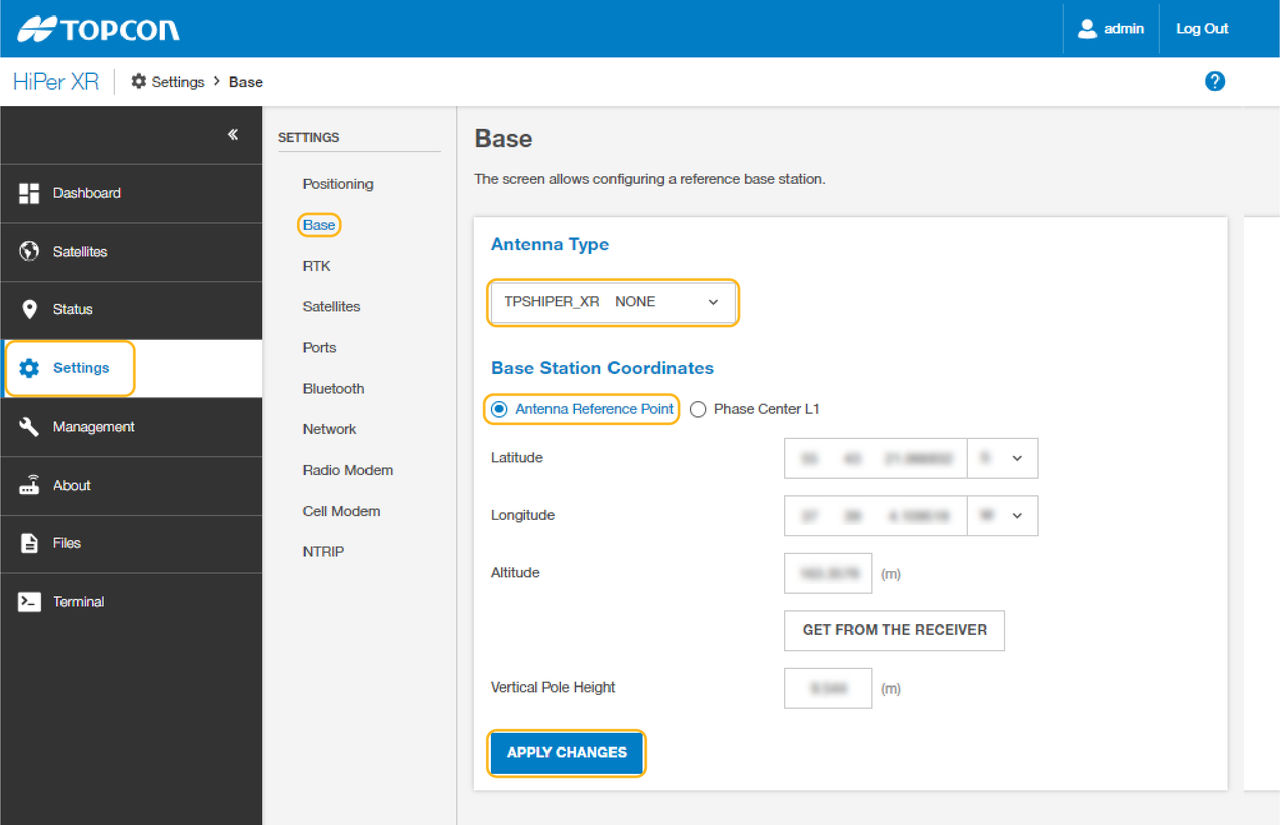
- Select Radio Modem.
- Make sure that the configured parameters are correct.ADDITIONAL INFORMATION:
Figure: Radio modem parameters 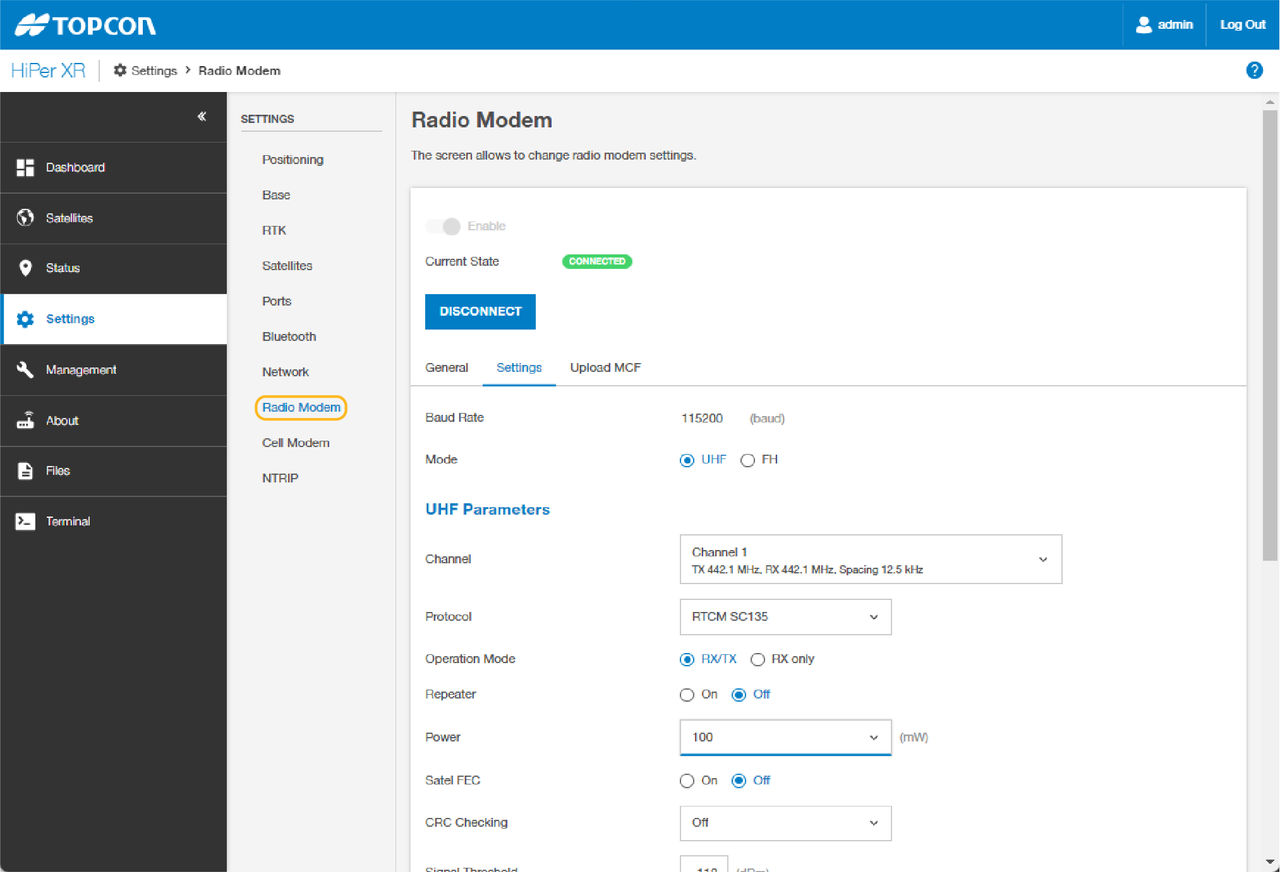
Previous:
Base station transmission methods
Next:
LongLink
myTopcon NOW! support
Take your Topcon experience to the next level with myTopcon NOW! This platform is a self-service tool for your desktop or mobile device.





