
For calibration of SharpGrade, Level Best, and Kubota box blades.
- Park the machine on a planar surface.
- Make sure that the machine boom arms are all the way on the boom stops on the frame of the machine. It can be necessary to tilt the hitch plate back or lift up the sides of the box blade. This makes sure that the boom stops are reached.
- Lift the blade in the air to let the front wheels of the attachment contact the rigid surface.
- Use the hitch plate forward tilt to make sure that light down pressure is applied to the attachment wheels. Do not let the blade touch the surface. The wheels must make contact with the surface but can move when force is applied.
- Select the Main Menu icon to show the Settings menu.
- Set the Box blade attachment as the Active Attachment.
- Select .
- Complete the instructions on the Calibration (1) screen. Refer to step 3 through step 5 for guidance.
- Use a smart level to lift or lower the blade as necessary to match the blade cross slope to the calibrated body cross slope. Make sure that it is not necessary to move more than a small amount.ADDITIONAL INFORMATION:
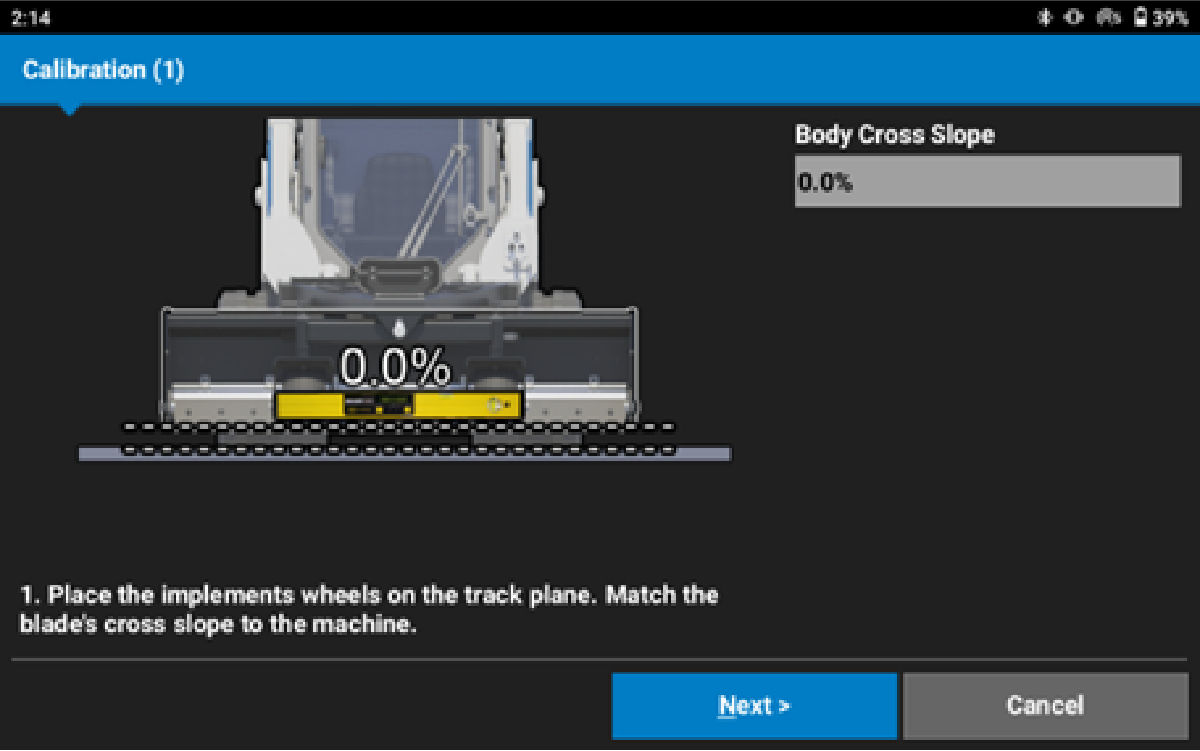
- Select Next.ADDITIONAL INFORMATION:Note: Only for Level Best and Kubota box blades: Use a smart level to enter the current mainfall slope of the fourbar linkage assembly where the TS-i4 blade sensor is mounted. This number is usually between 15% and 30%.
- Enter the measured slope.ADDITIONAL INFORMATION:
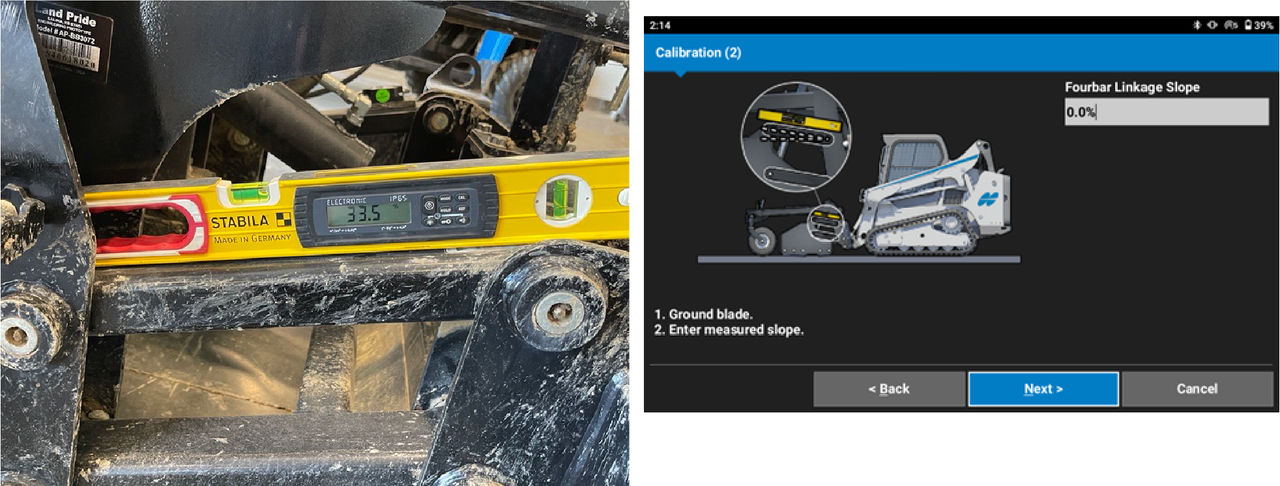
- Select Next. ADDITIONAL INFORMATION:Note: Because of the minimum travel when tilting back, a different calibration procedure is necessary for Bobcat and HitchDoc box blades. See the related topic to do the Bobcat and Hitchdoc calibration.
- Slowly tilt the hitch coupler plate back towards the machine until the cylinder goes a minimum of 80% or to a safe permitted limit. Do not rock the machine or attachment. Do not lift the boom arms because this causes a calibration failure.
- Lift the cutting edge to the maximum limit.
- Wait 10 seconds for the IMUs to settle.ADDITIONAL INFORMATION:
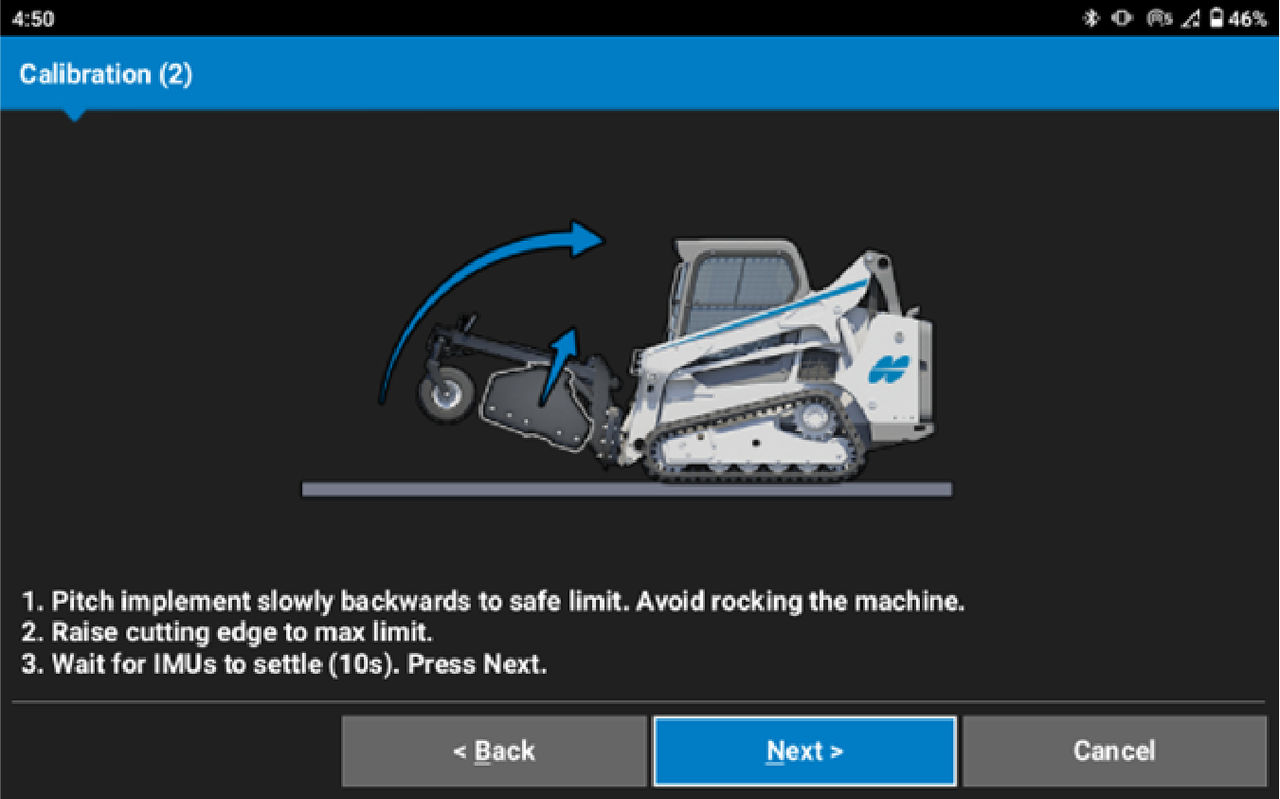
- Select Next. ADDITIONAL INFORMATION:
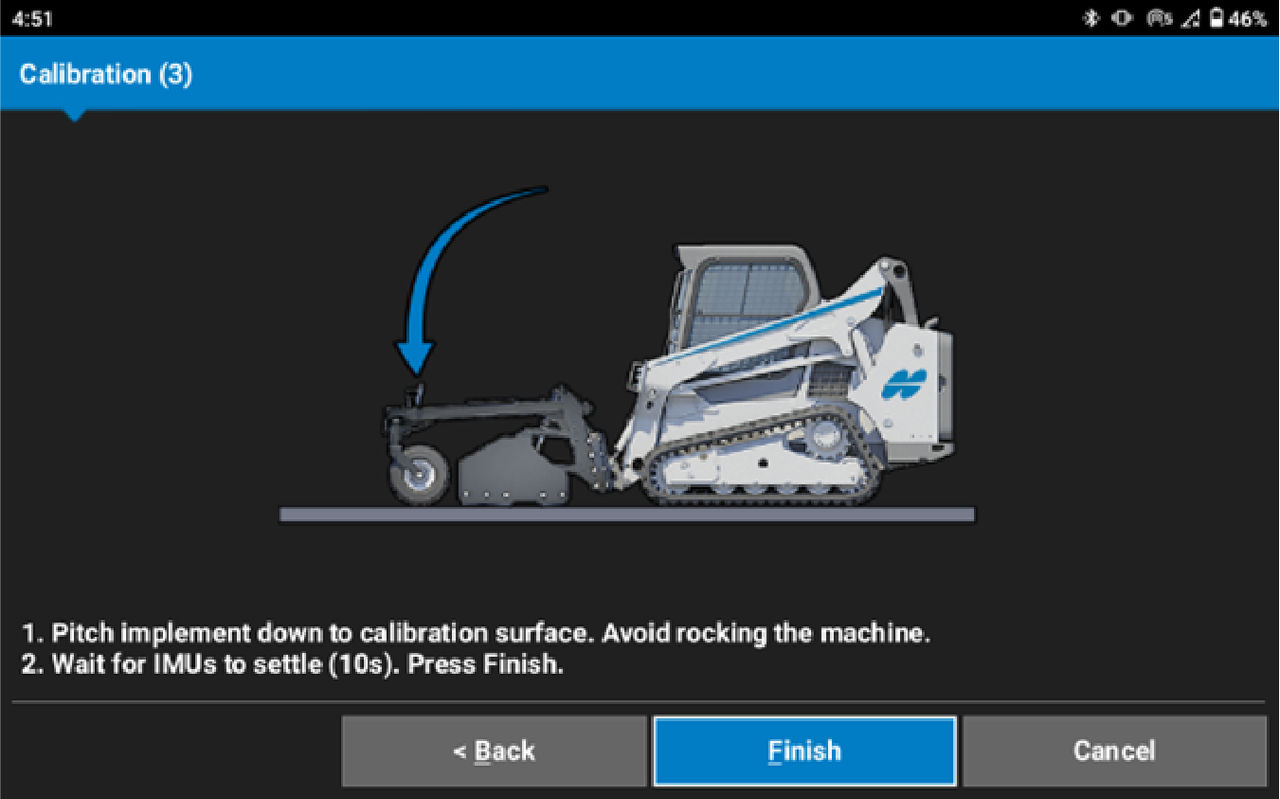
- Slowly tilt the hitch coupler plate forward until the attachment touches the surface. Do not rock the machine.
- Wait 10 seconds for the IMUs to settle.
- Select Finish.
myTopcon NOW! support
Take your Topcon experience to the next level with myTopcon NOW! This platform is a self-service tool for your desktop or mobile device.





