
After all the necessary firmware is on the MC-X controller, make sure that the CAN communication operates correctly.
- Make sure that all sensors and GR-i3 receivers are connected.
- Select CANOpen in the Equipment menu.ADDITIONAL INFORMATION:
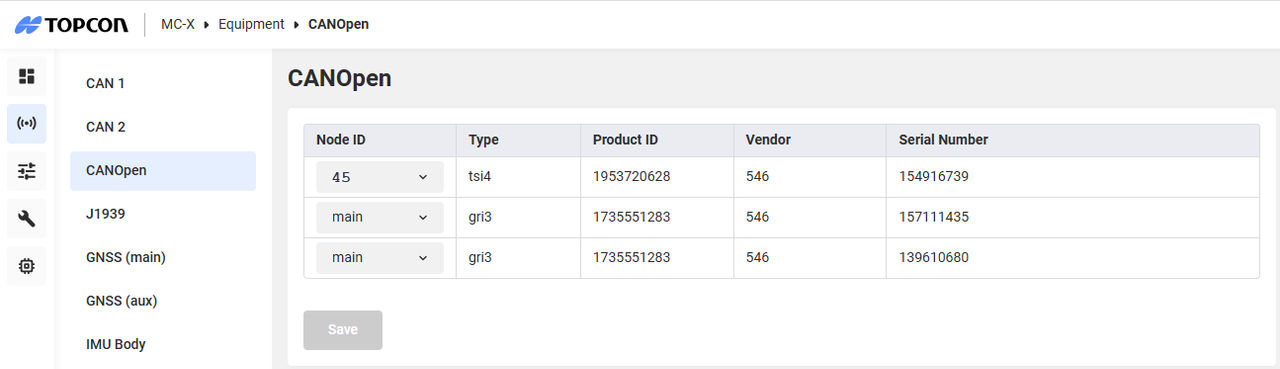 All devices in communications show in the CANOpen Status.Note: After a machine builder is made active with the correct sensor designations, you can select the sensors from the Equipment menu.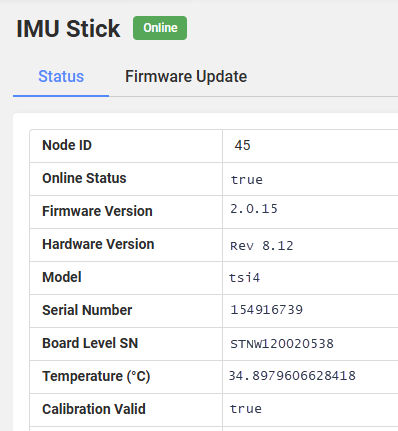
Previous:
Factory reset for the GR-i3/F via TRU
Next:
Load UR-1 firmware
myTopcon NOW! support
Take your Topcon experience to the next level with myTopcon NOW! This platform is a self-service tool for your desktop or mobile device.





