Looking for your apps? Click the account icon in the upper right corner of the page.
Joysticks for automatic control configuration
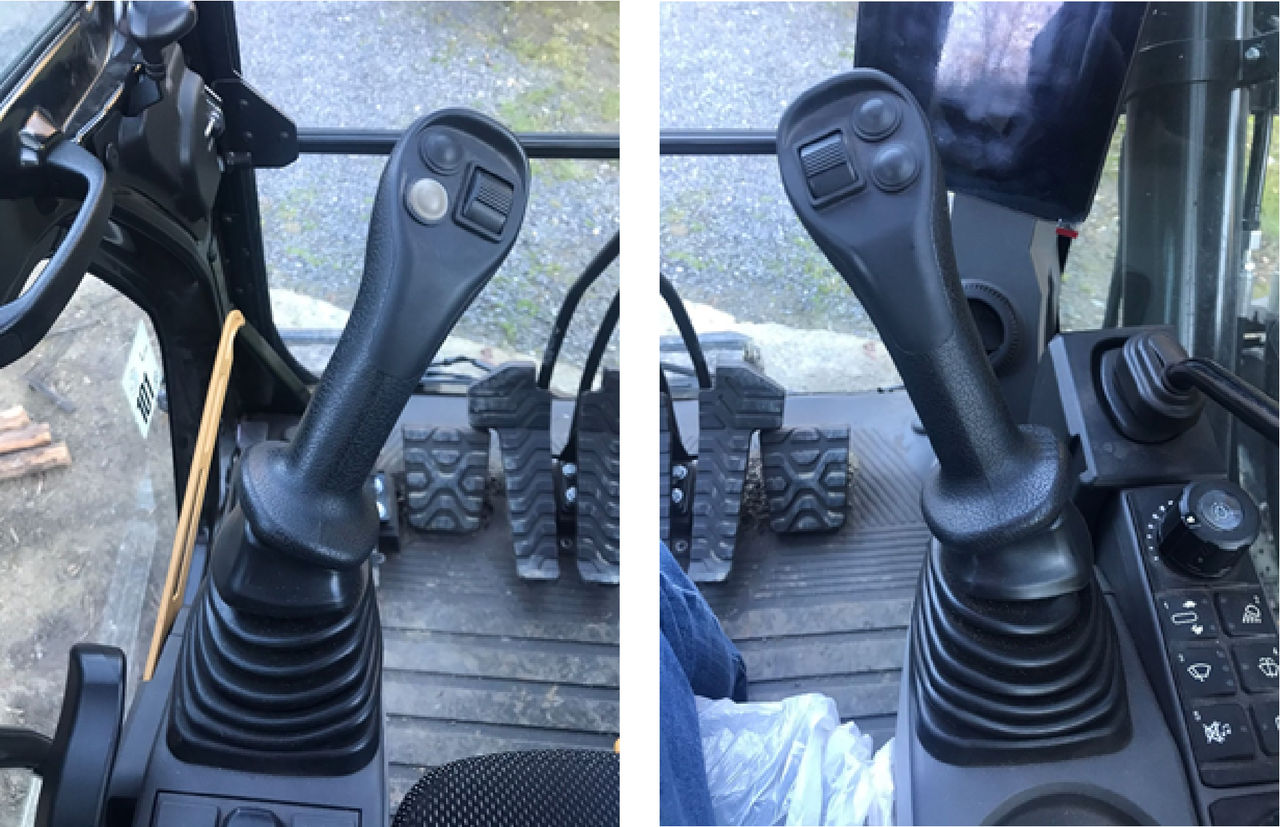
Automatic Control can be programmed for left or right CAT joysticks. Software updates may change the steps and the path in the joystick configuration process. Contact your local CAT dealer for support if help is necessary.Figure: CAT left and right joysticks
To configure the joysticks:
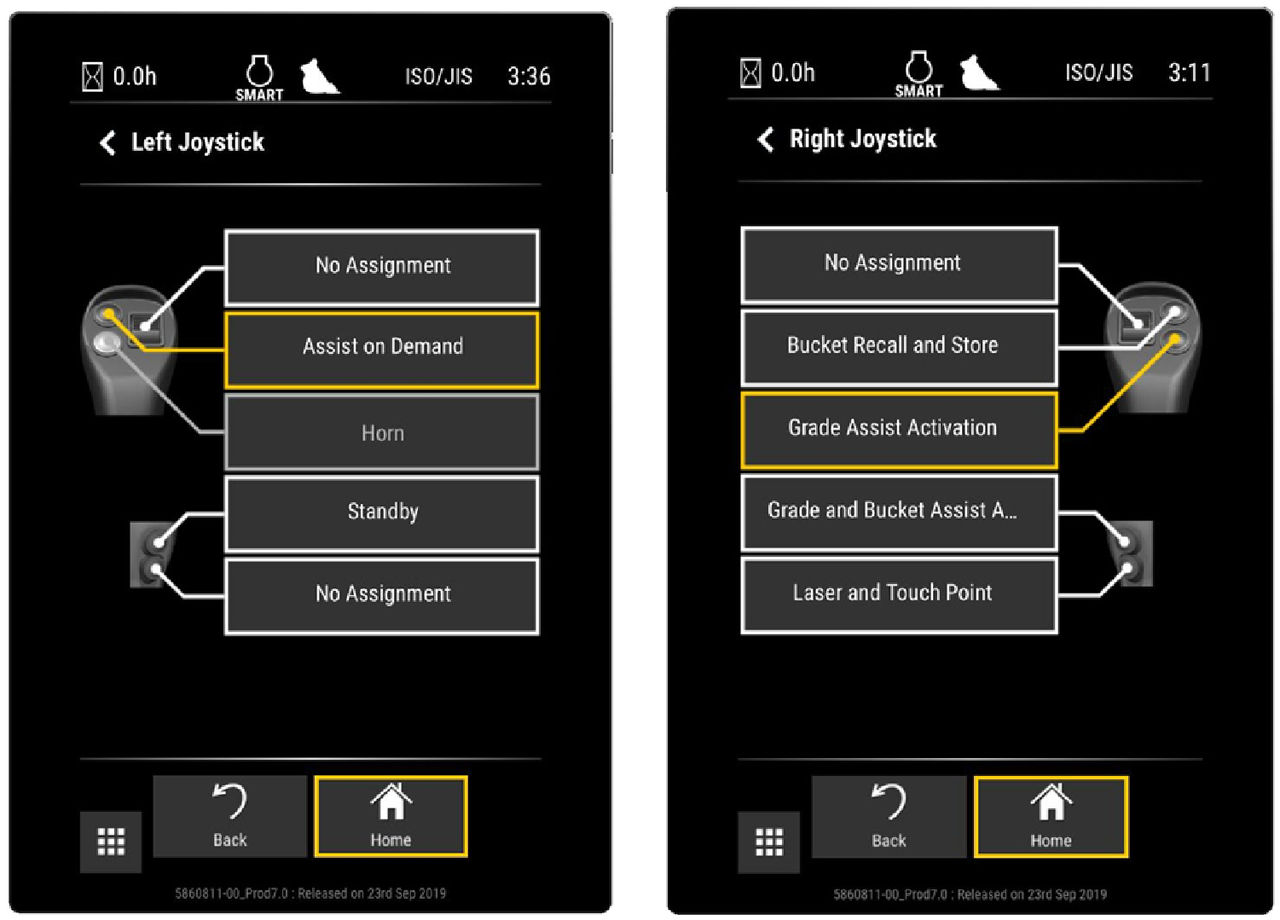
Select MainSettingsOperator settingOperator Input ConfigurationLeft Joystick or Right Joystick. With the constant CAT firmware evolution, the path for joystick configuration may have different steps.
ADDITIONAL INFORMATION: Figure: Left and right joystick configuration screens
On the Left Joystick or Right Joystick configuration screen, do one of these:
ADDITIONAL INFORMATION:
Select Assist on Demand to configure the left joystick
Select Grade Assist Activation to configure the right joystick
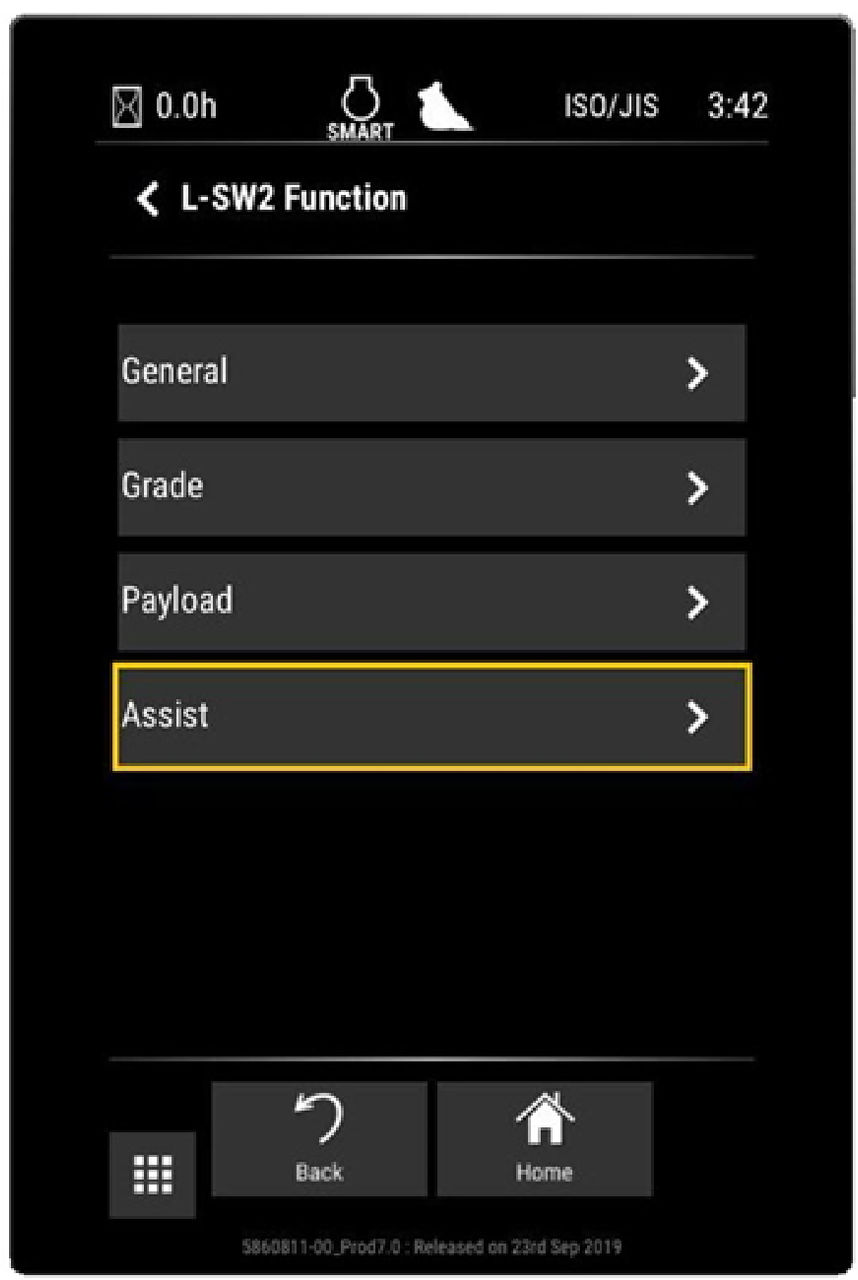
On the L-SW2 Function screen, select Assist to configure the joystick.
ADDITIONAL INFORMATION: Figure: L-SW2 function joystick configuration