
Load GNSS firmware
- Select the GNSS (main or aux) menu in Sensors.
- Select the GNSS Firmware Upgrade tab.
- Select Choose File for Ram file and go to the GR-i3 firmware file (.ldr extension).
- Select Choose File for Flash file and go to the GR-i3 firmware file (.ldp extension).
- Select Upgrade to start the upgrade process. A notification shows when the upgrade process is completed.ADDITIONAL INFORMATION:
Figure: Configure GNSS 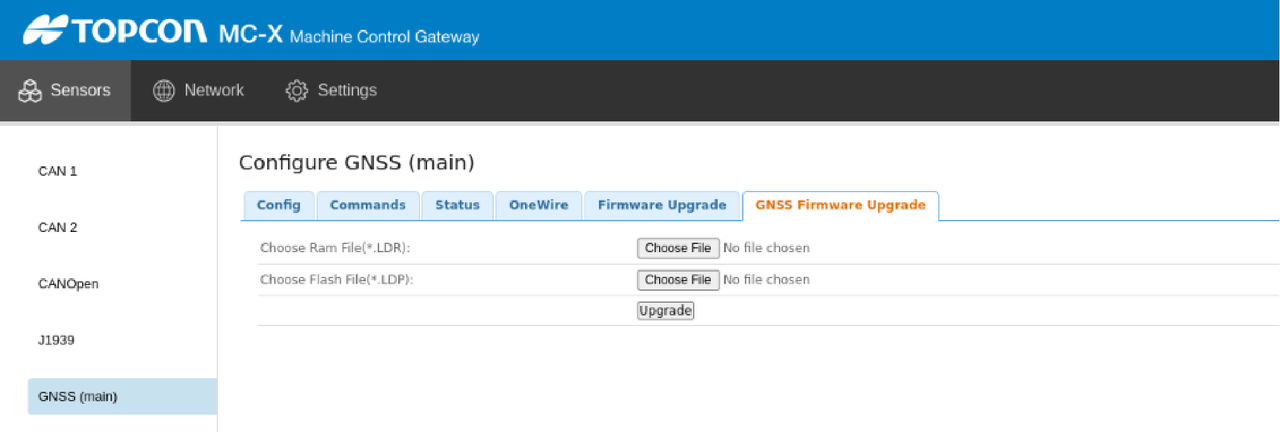
Previous:
Load GR-i3 bootloader firmware
Next:
Upload GNSS OAF
myTopcon NOW! support
Take your Topcon experience to the next level with myTopcon NOW! This platform is a self-service tool for your desktop or mobile device.





