
- Open 3D-MC and create a machine builder file with a UR-1 radio. Make sure the machine in 3D-MC has a UR-1 radio selected or the settings will not be visible.
- Open the MC-X Config.
- Select UHF Radio or FH915 Radio.
- Select UR1 Firmware Upgrade.
- Select Choose File.
- Navigate to the firmware file (*.itb format).
- Select Upgrade.ADDITIONAL INFORMATION:
Figure: Upgrade firmware 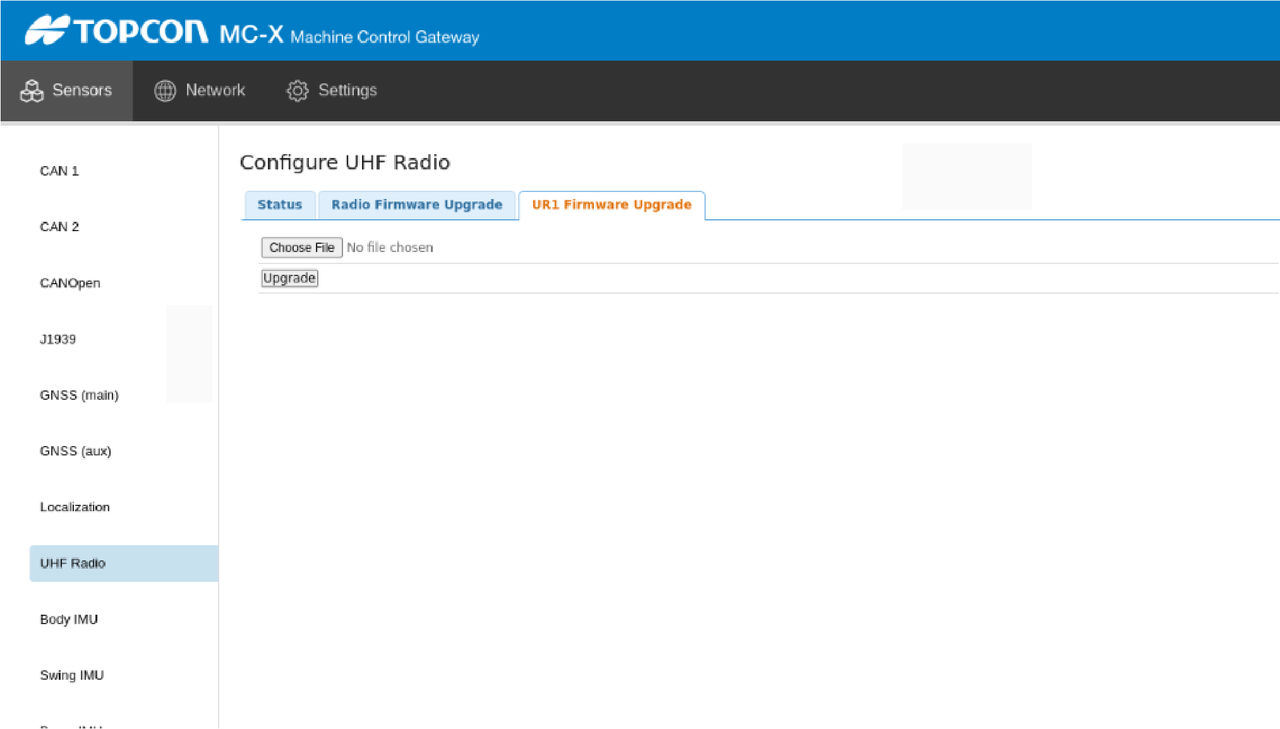
Previous:
Factory reset for GR-i3
Next:
Load UHF radio channels
myTopcon NOW! support
Take your Topcon experience to the next level with myTopcon NOW! This platform is a self-service tool for your desktop or mobile device.





