Looking for your apps? Click the account icon in the upper right corner of the page.

Adjust slope

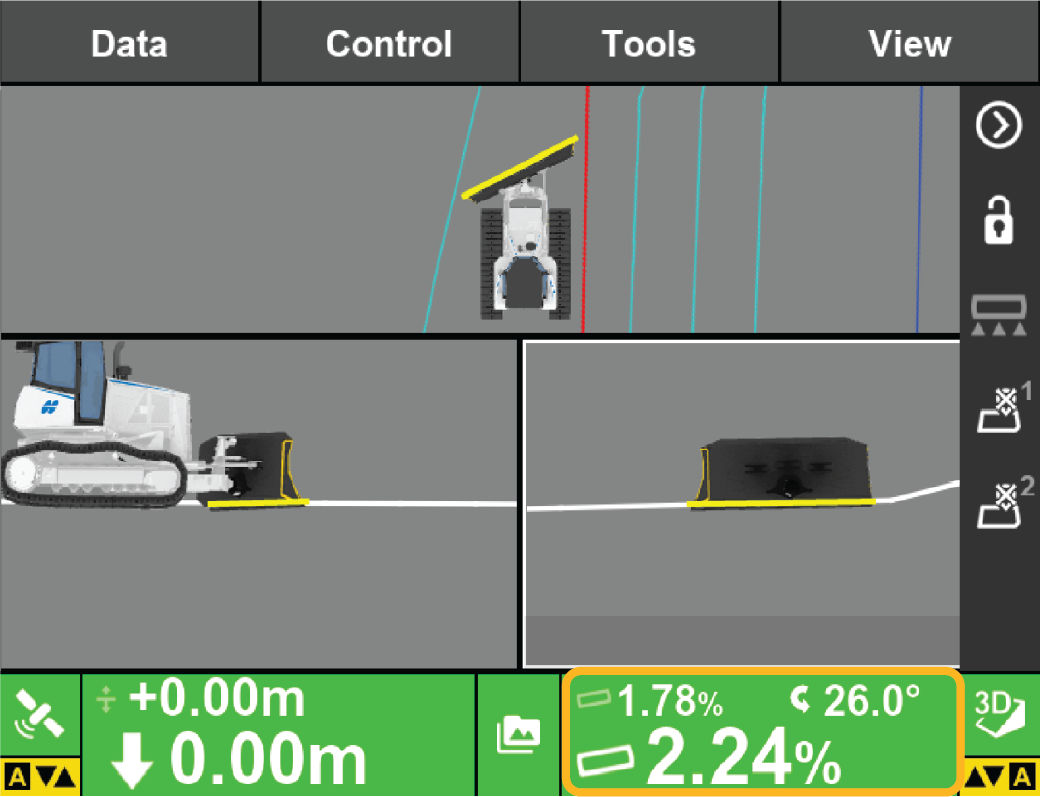
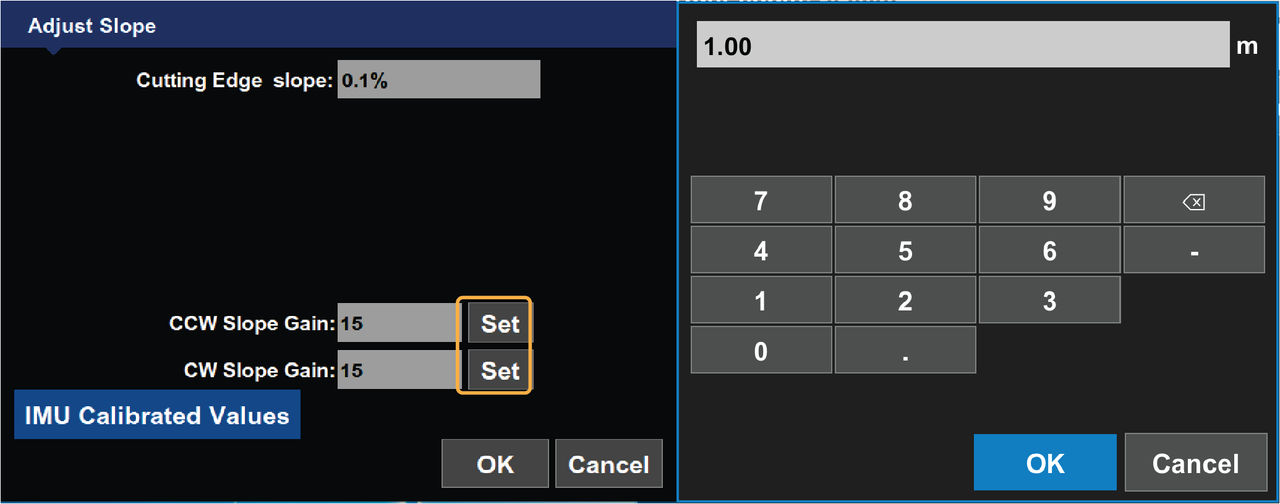
The Adjust Slope screen shows the cross slope of the cutting edge. This value is directly related to blade wear measurements. It also displays the calibrated slope gain value.
To adjust slope values:

  1. Select Slope Control.
    ADDITIONAL INFORMATION:
    The Adjust Slope screen shows.
    Figure: Slope control
  2. Select Set for CCW Slope Gain or CW Slope Gain.
    ADDITIONAL INFORMATION:
    An on-screen keyboard shows.
  3. Enter the value and select OK.
    ADDITIONAL INFORMATION:
    The Adjust Slope screen shows.
  4. Select OK to return to the 3D-MC main screen.
    ADDITIONAL INFORMATION:
    Figure: Adjust slope

myTopcon NOW! support

Take your Topcon experience to the next level with myTopcon NOW! This platform is a self-service tool for your desktop or mobile device. 

Product manuals
paper icon
Communications
phone icon
E-learning
hat icon
Quick start guides
support icon
Firmware & software updates
cloud icon
Troubleshooting
webinars icon