
- Select Slope Control.ADDITIONAL INFORMATION:The Adjust Slope screen shows.
- Select IMU Calibrated Values.ADDITIONAL INFORMATION:The Calibrated Values screen shows.
- Select OK to return to the Adjust Slope screen.ADDITIONAL INFORMATION:
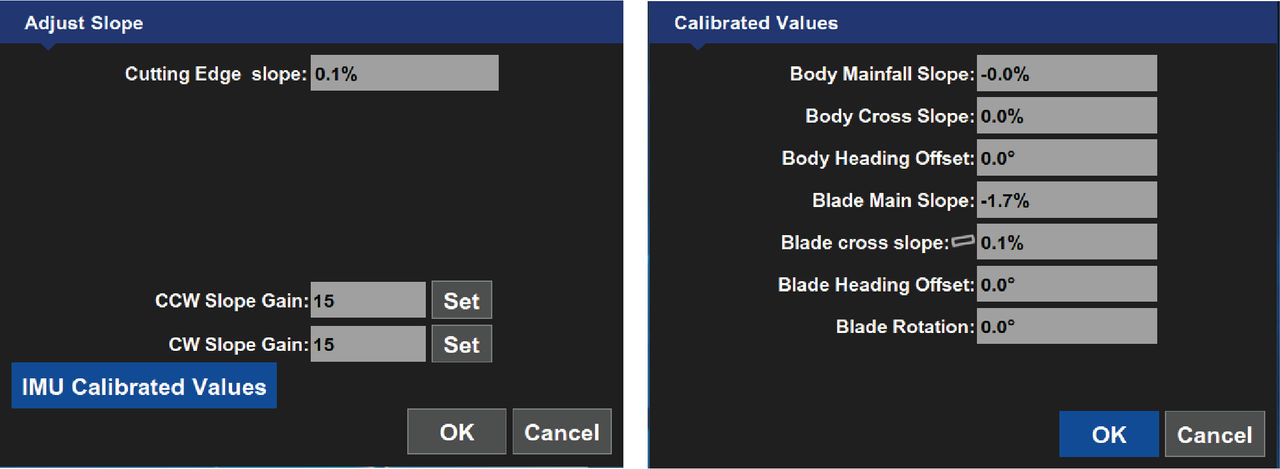 The Calibrated Values screen shows information that helps to troubleshoot grading errors.
Previous:
Adjust slope
Next:
System verification
myTopcon NOW! support
Take your Topcon experience to the next level with myTopcon NOW! This platform is a self-service tool for your desktop or mobile device.





