
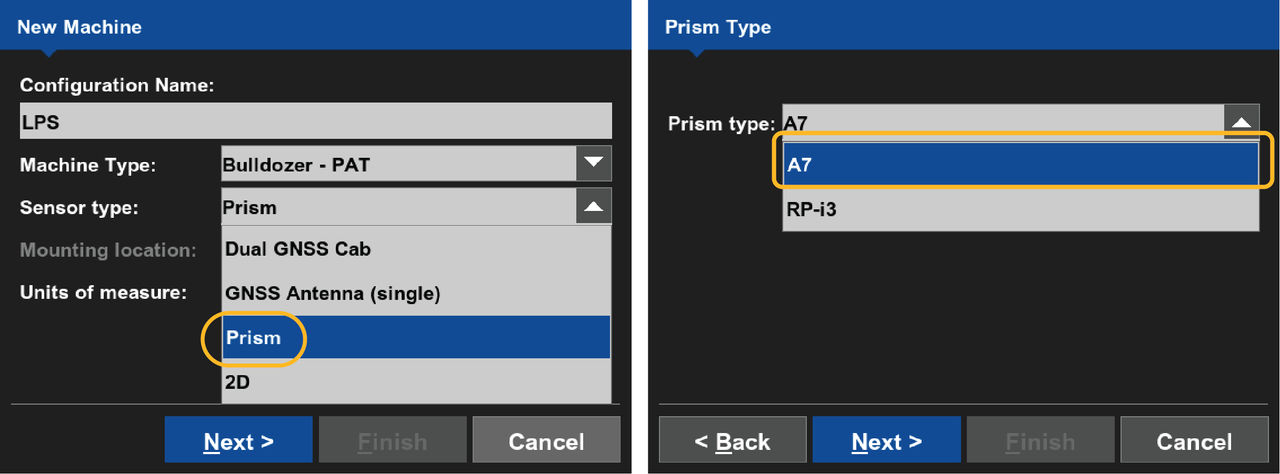
- Select the applicable Machine Type.
- Select .
- Select the applicable sensor for Prism Type.
- Select Next.ADDITIONAL INFORMATION:
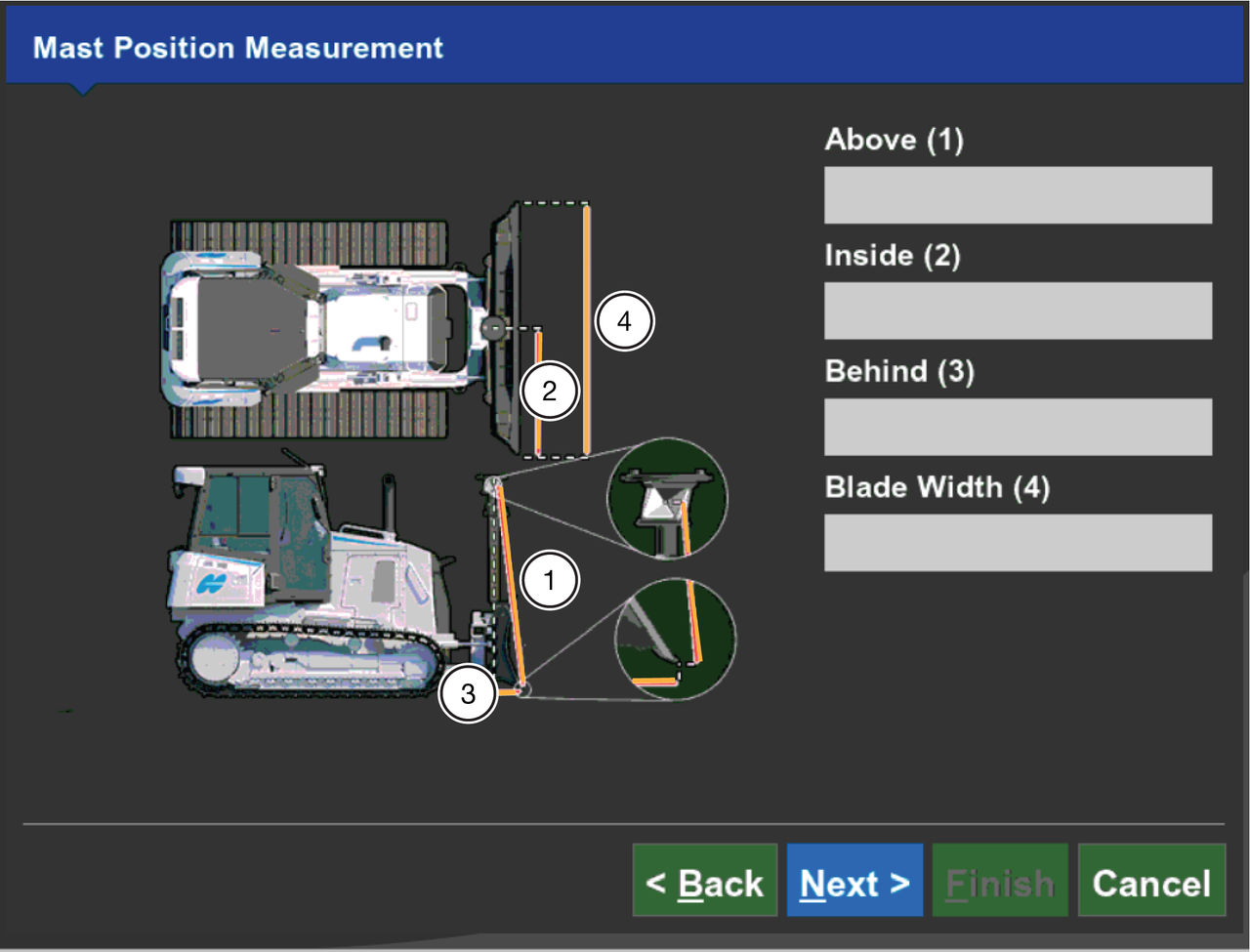
- Enter the measured distance for Above(1).
- Enter the measured distance for Inside(2).
- Enter the measured distance for Behind(3).
- Enter the measured distance for Blade Width(4).
- Select Next.ADDITIONAL INFORMATION:
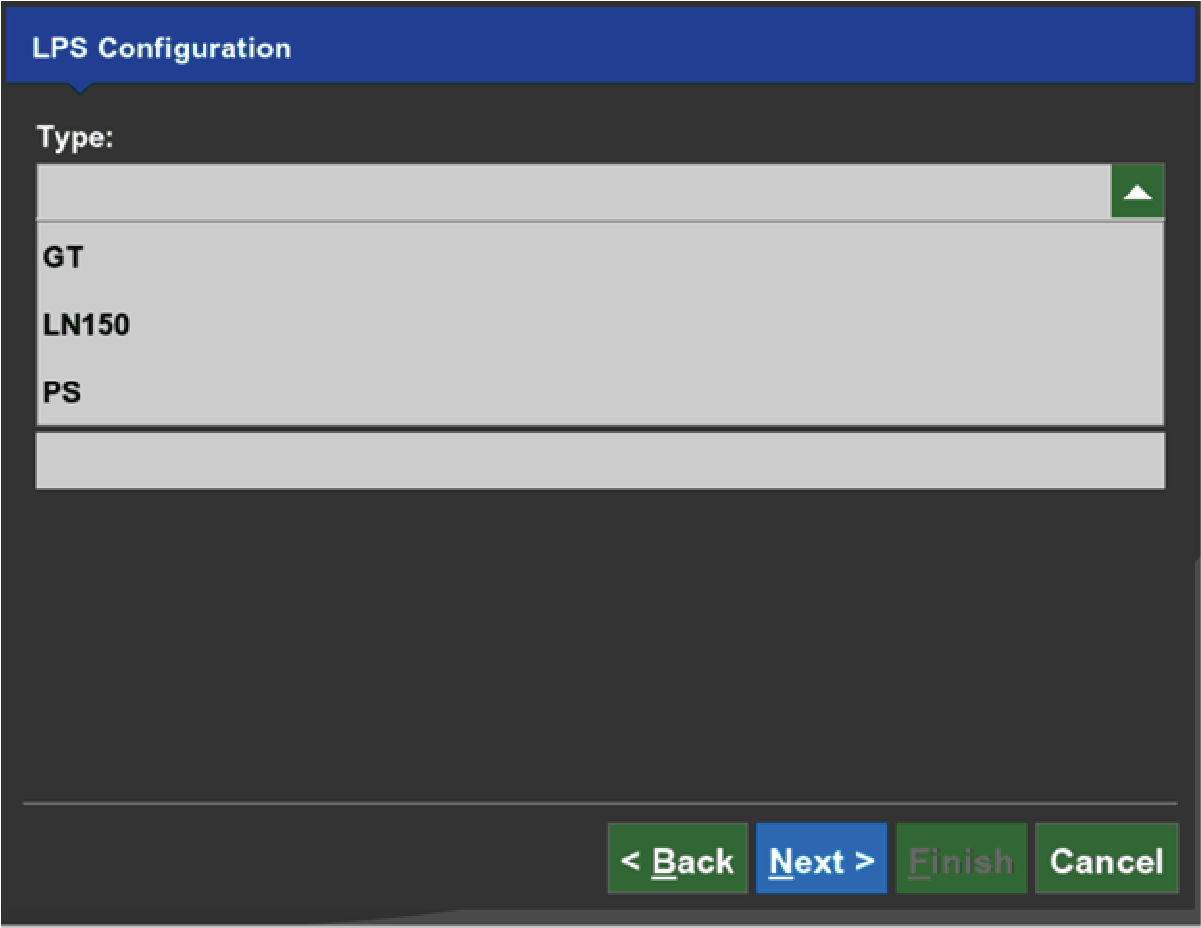
- Select the Type of total station.
- Select Next.ADDITIONAL INFORMATION:
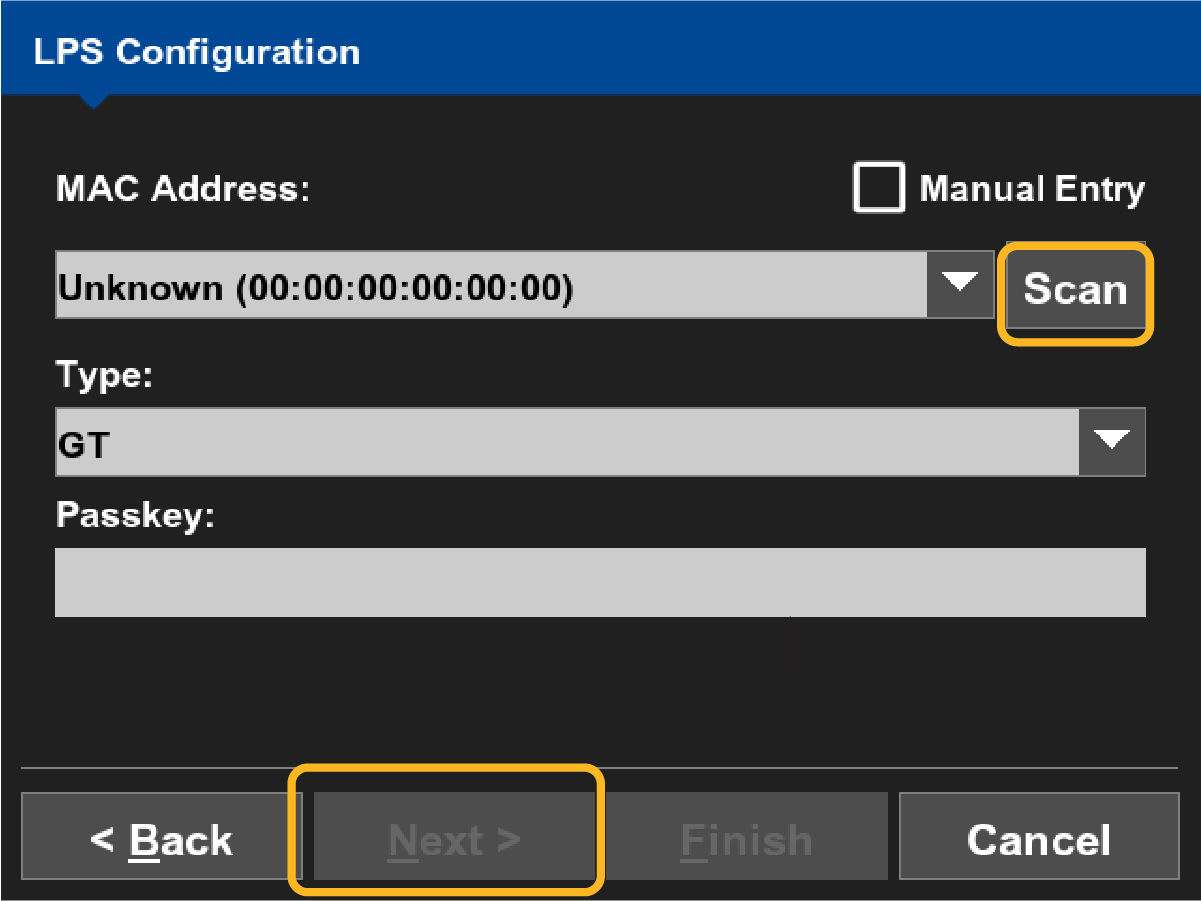
- Select Scan to search for the MAC Address automatically or select Manual Entry to enter the MAC Address manually.
- Select MAC Address.
- Enter the Passkey if applicable.
- Select Next.ADDITIONAL INFORMATION:
Previous:
2D masted dozer
Next:
GNSS masted dozer
myTopcon NOW! support
Take your Topcon experience to the next level with myTopcon NOW! This platform is a self-service tool for your desktop or mobile device.





