
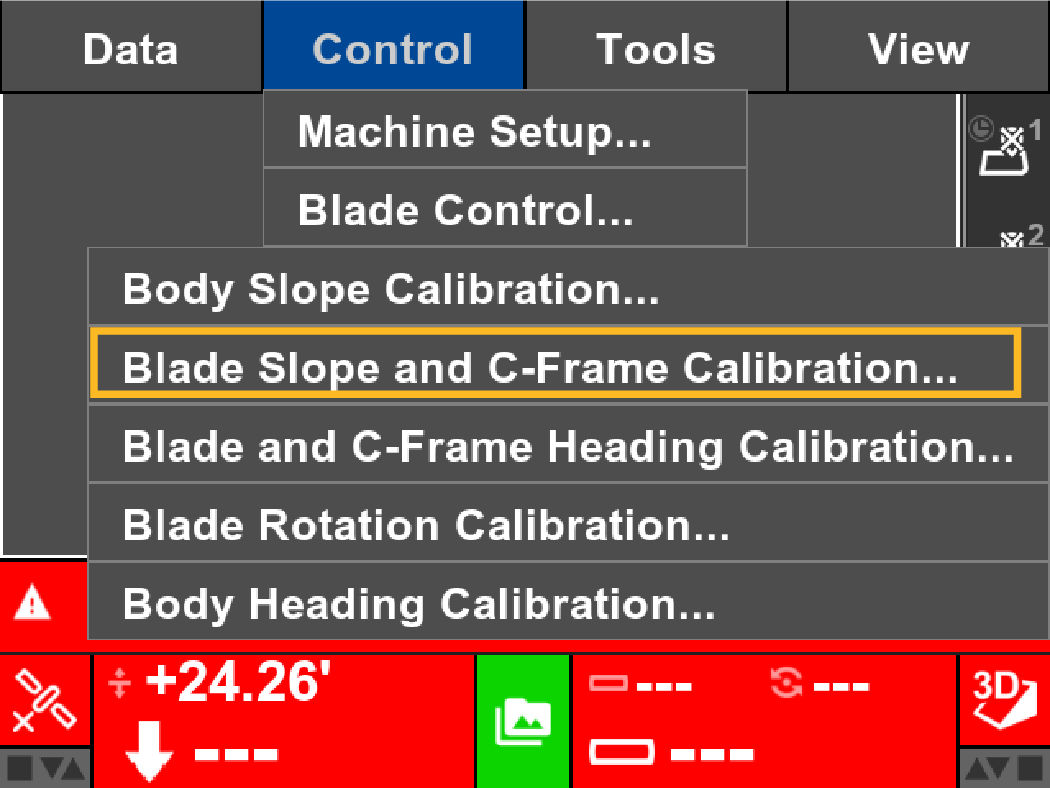
- Select .ADDITIONAL INFORMATION:The Calibrate Blade IMU Cross Slope screen shows.
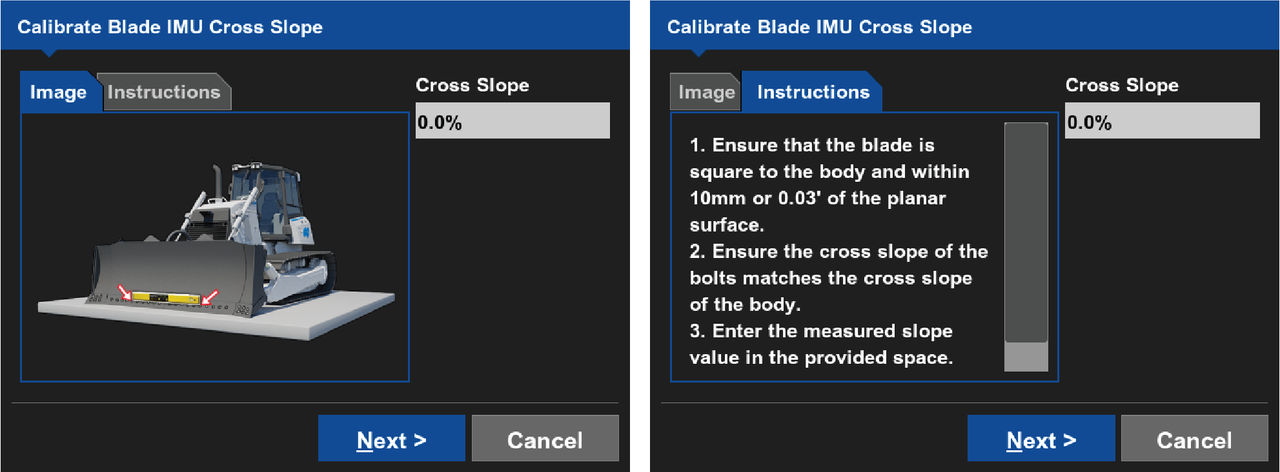
- Complete the steps on the Calibrate Blade IMU Cross Slope screen.
- Measure the blade cross slope.ADDITIONAL INFORMATION:
- Mainfall slope in 3D-MC is from the rear to the front of the machine
- Mainfall slope in 3D-MC is from the rear to the front of the machine
- Enter the measured value from the smart level in the Cross-Slope field.ADDITIONAL INFORMATION:
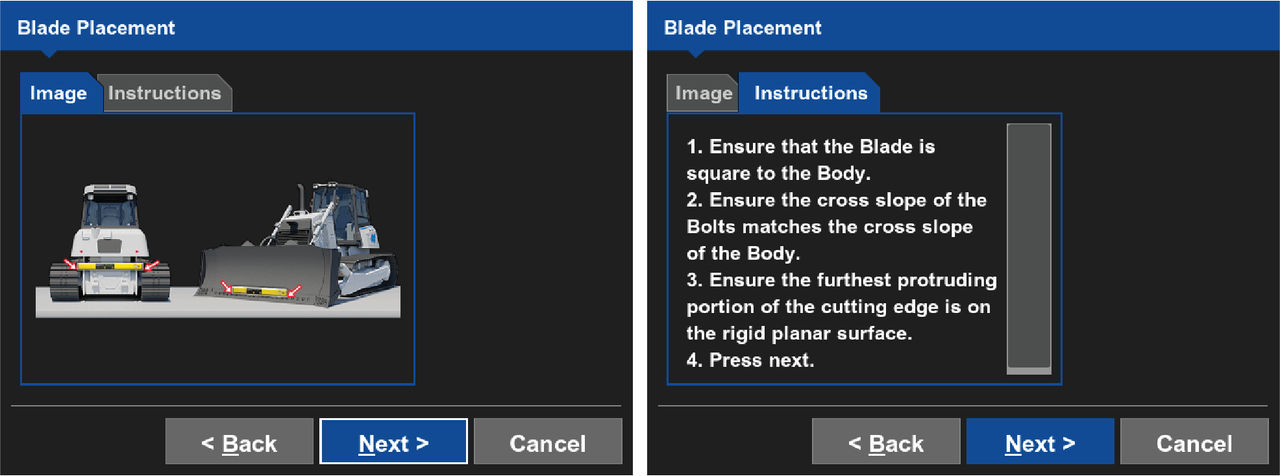
- Select Next.ADDITIONAL INFORMATION:The Blade Placement screen shows.
- Complete the steps on the Blade Placement screen.
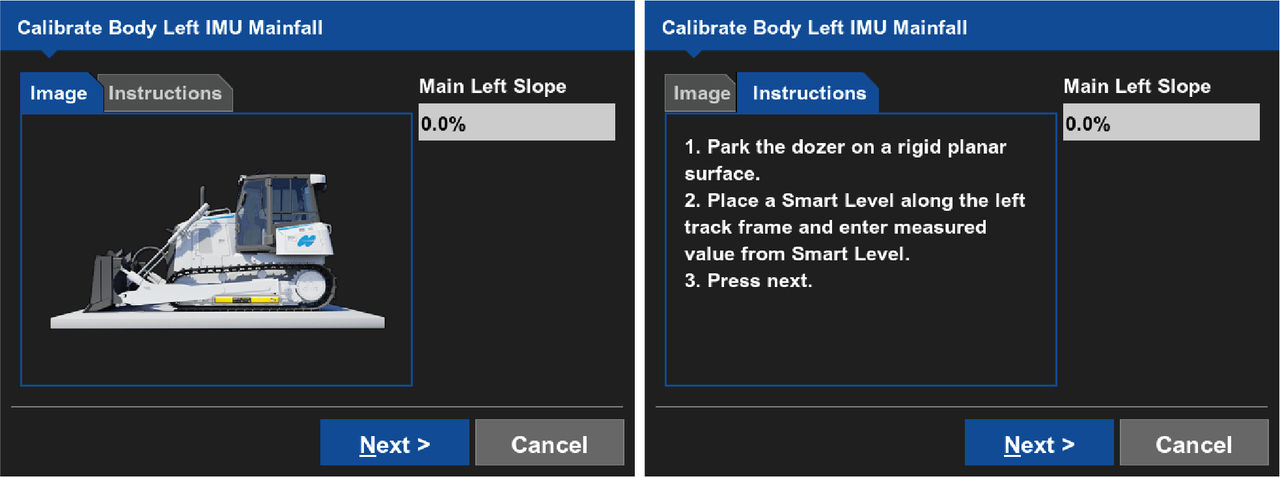
- Select Next.ADDITIONAL INFORMATION:The Calibrate Blade Left IMU Mainfall screen shows.
- Enter the measured value from the smart level in the Main Left Slope field.ADDITIONAL INFORMATION:
- Select Next.ADDITIONAL INFORMATION:The Calibrate Blade Right IMU Mainfall screen shows.
- Complete the steps on the Calibrate Blade Right IMU Mainfall screen.ADDITIONAL INFORMATION:
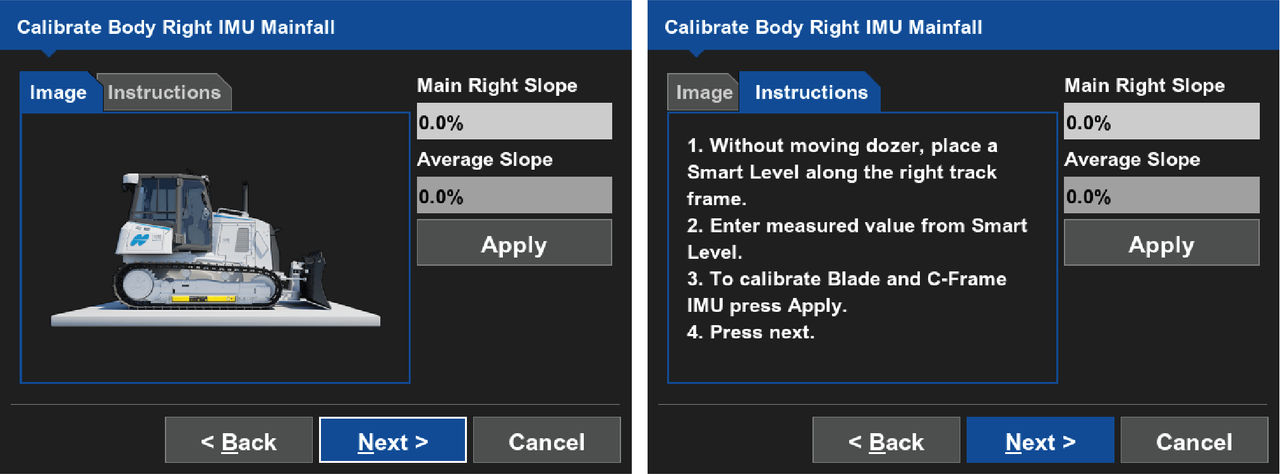
- Enter the measured value from the smart level in the Main Right Slope text field.
- Select Finish.ADDITIONAL INFORMATION:The 3D-MC main screen shows.
Previous:
Blade slope calibration
myTopcon NOW! support
Take your Topcon experience to the next level with myTopcon NOW! This platform is a self-service tool for your desktop or mobile device.





