
- On the 3D-MC main screen, select .ADDITIONAL INFORMATION:The Calibrate Body Left IMU Mainfall screen shows.
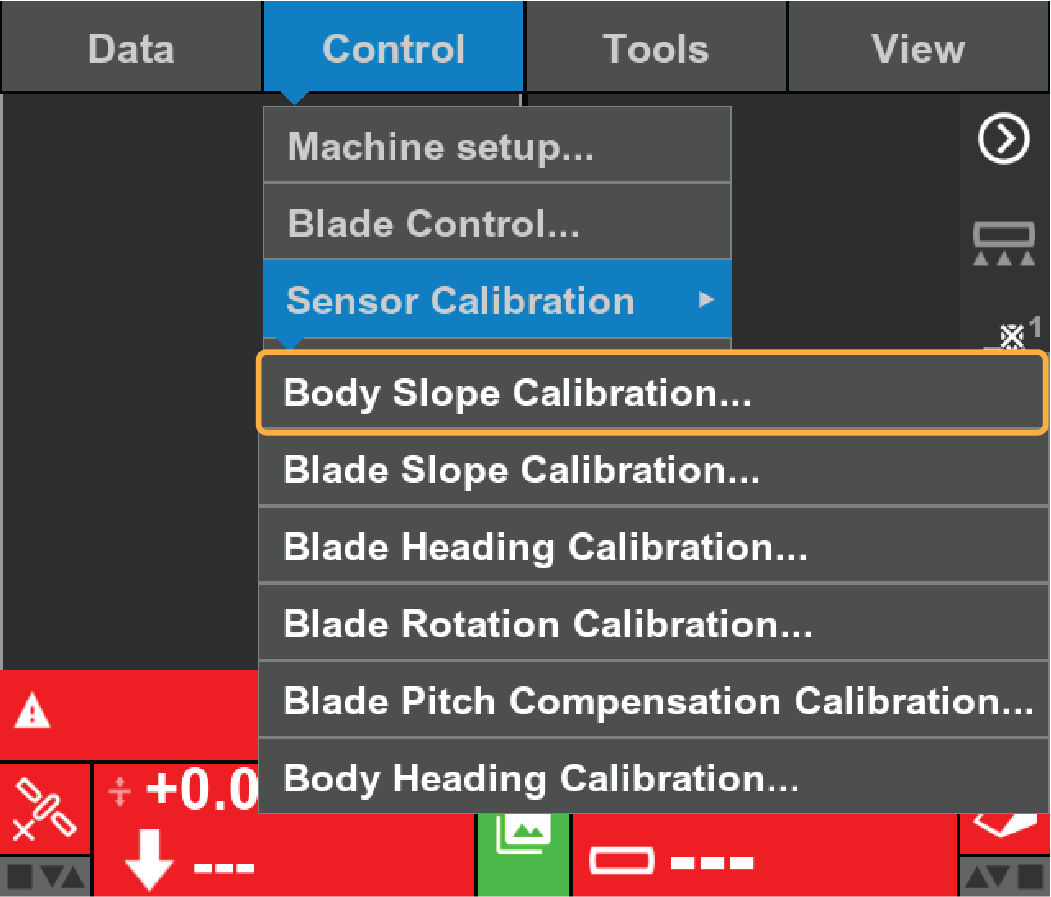 Note:The direction of slope for 3D-MC is opposite of what was used for Pocket 3D. For both left and right sides, IMU Body Slope direction is from the Rear TO the Front of the machine.
 - Complete the steps on the Calibrate Body Left IMU Mainfall screen.
- Measure the body slope.ADDITIONAL INFORMATION:
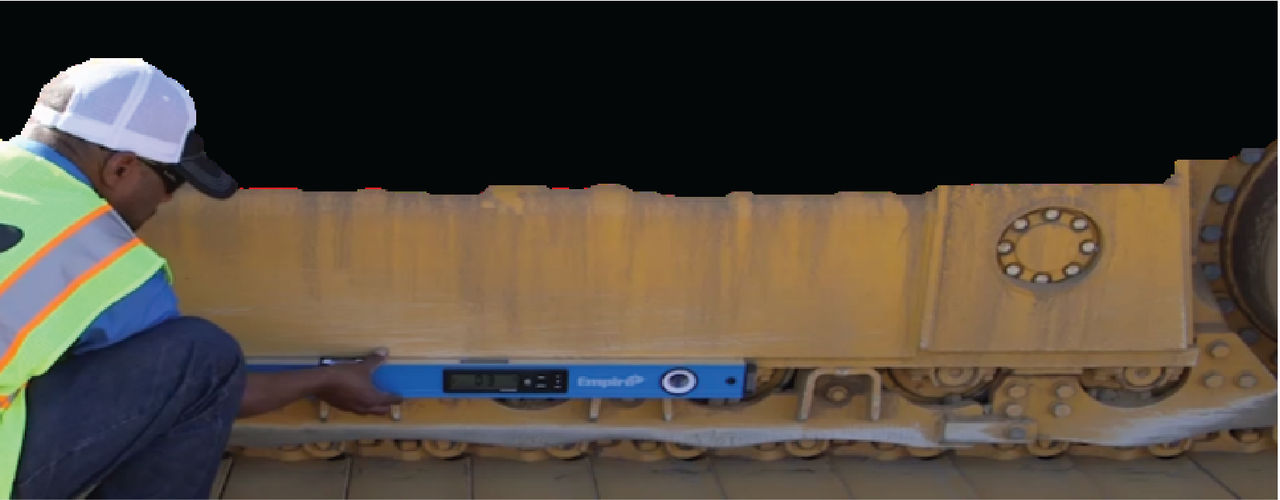
- Enter the measured value from the Smart Level in the Main Left Slope field.ADDITIONAL INFORMATION:
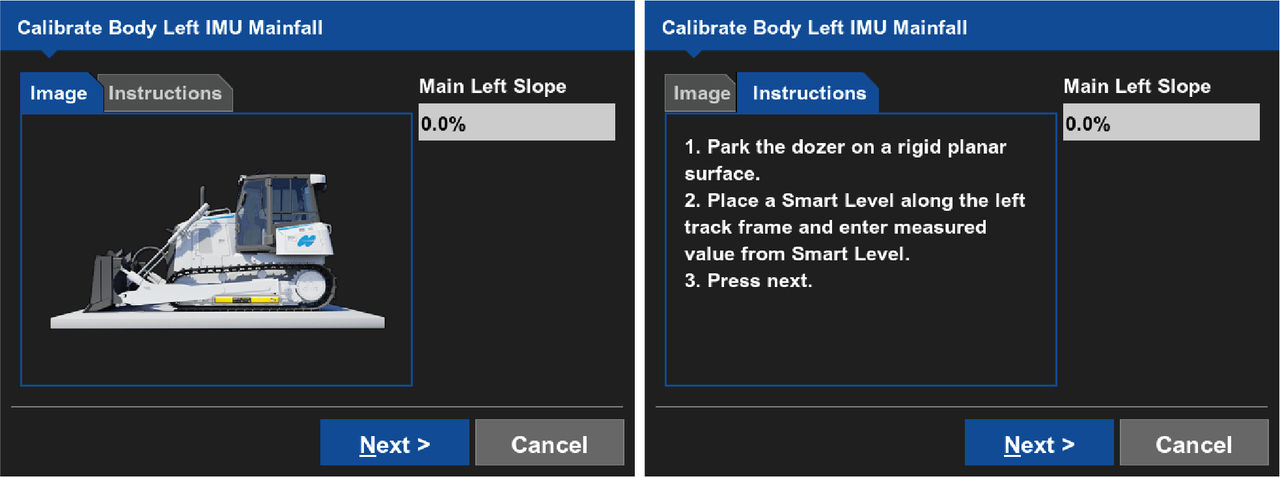
- Select Next.ADDITIONAL INFORMATION:The Calibrate Body Right IMU Mainfall screen shows.
- Complete the steps on the Calibrate Body Right IMU Mainfall screen.
- Enter the measured value from the Smart Level in the Main Right Slope field.
- Select Apply.ADDITIONAL INFORMATION:The Instructions tab shows.
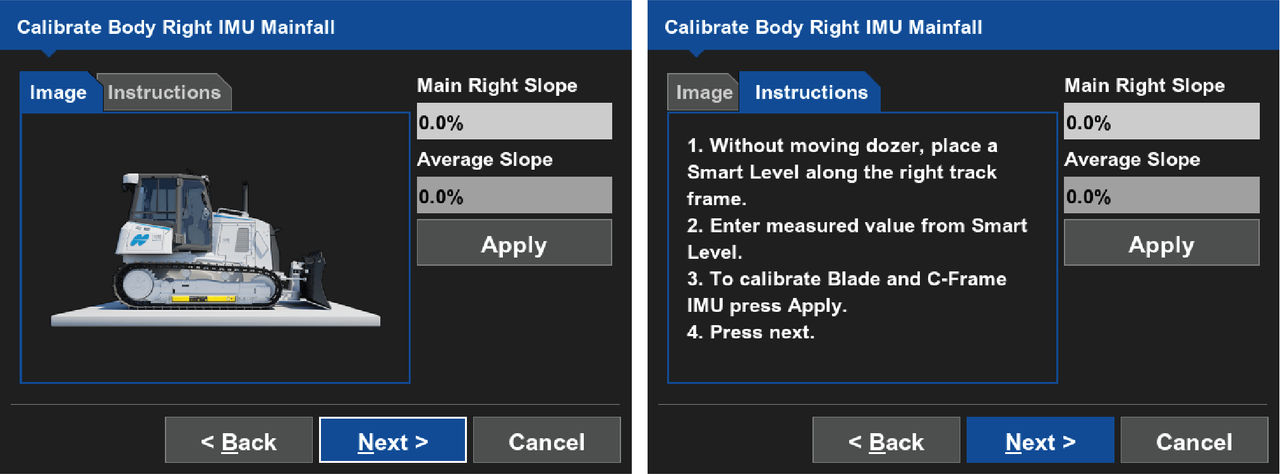 The system calibrates the Blade Sensor Mainfall at the same time after you select Apply. It is not necessary to open the Blade Slope Calibration Wizard.ADDITIONAL INFORMATION:
 - Complete the steps on the Instructions tab.ADDITIONAL INFORMATION:
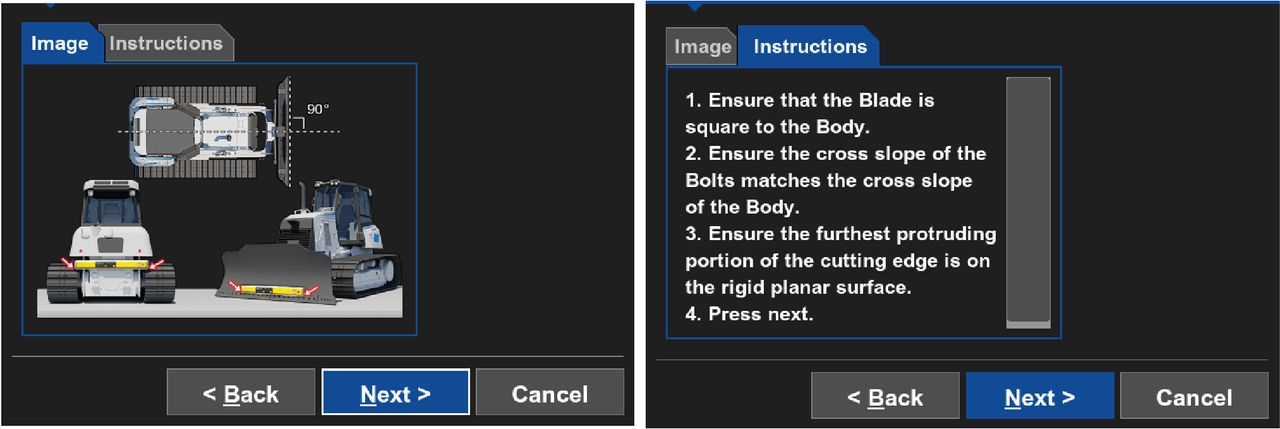
- Select OK.ADDITIONAL INFORMATION:The Calibrate Body Right IMU Mainfall screen shows.
- Select Next.ADDITIONAL INFORMATION:The Calibrate Body IMU Cross Slope screen shows.
- Complete the steps on the Calibrate Body IMU Cross Slope screen.
- Measure the body cross slope.ADDITIONAL INFORMATION:
- Mainfall slope in 3D-MC is from the rear to the front of the machine
- Cross slope in 3D-MC is from the left side to the right side of the machine
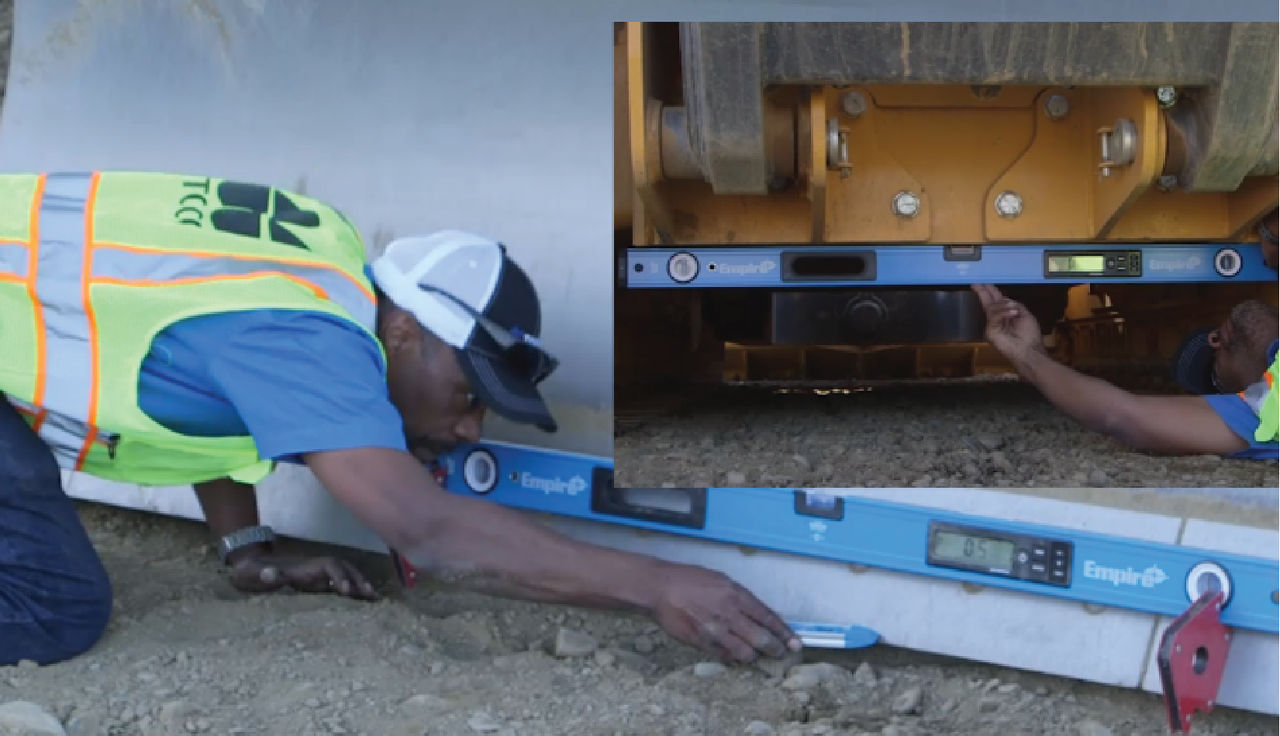
- Enter the measured value from the Smart Level in the Cross Slope field.
- Select Apply.ADDITIONAL INFORMATION:The Instructions tab shows.
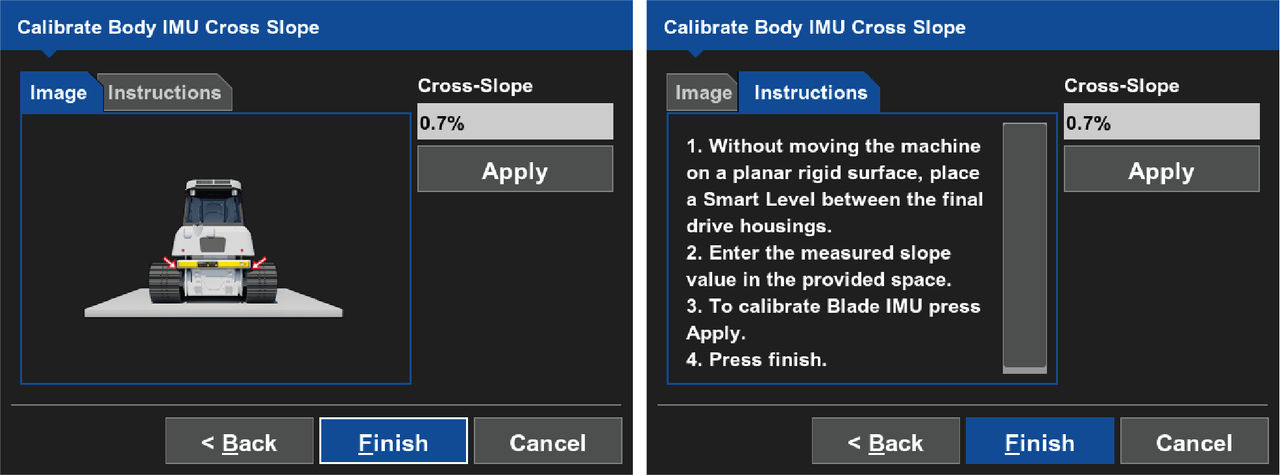
- the instructions on the Instructions tab.
- Select OK.ADDITIONAL INFORMATION:The Calibrate Body IMU Cross Slope screen shows.
- Select Finish.ADDITIONAL INFORMATION:The 3D-MC main screen shows.
Previous:
Recommended tools
Next:
Blade slope calibration
myTopcon NOW! support
Take your Topcon experience to the next level with myTopcon NOW! This platform is a self-service tool for your desktop or mobile device.





