
You can configure the Elevation, Bucket, and Slope Control for precise movement and to make slopes on the AUTO tab of the Control Configuration screen.
Select tab to open the Control Configuration screen with the AUTO tab active.
The options let you enable automatic control of:
- Boom elevation control
- Bucket control
- Slope control of automatic tilting and rotating couplers
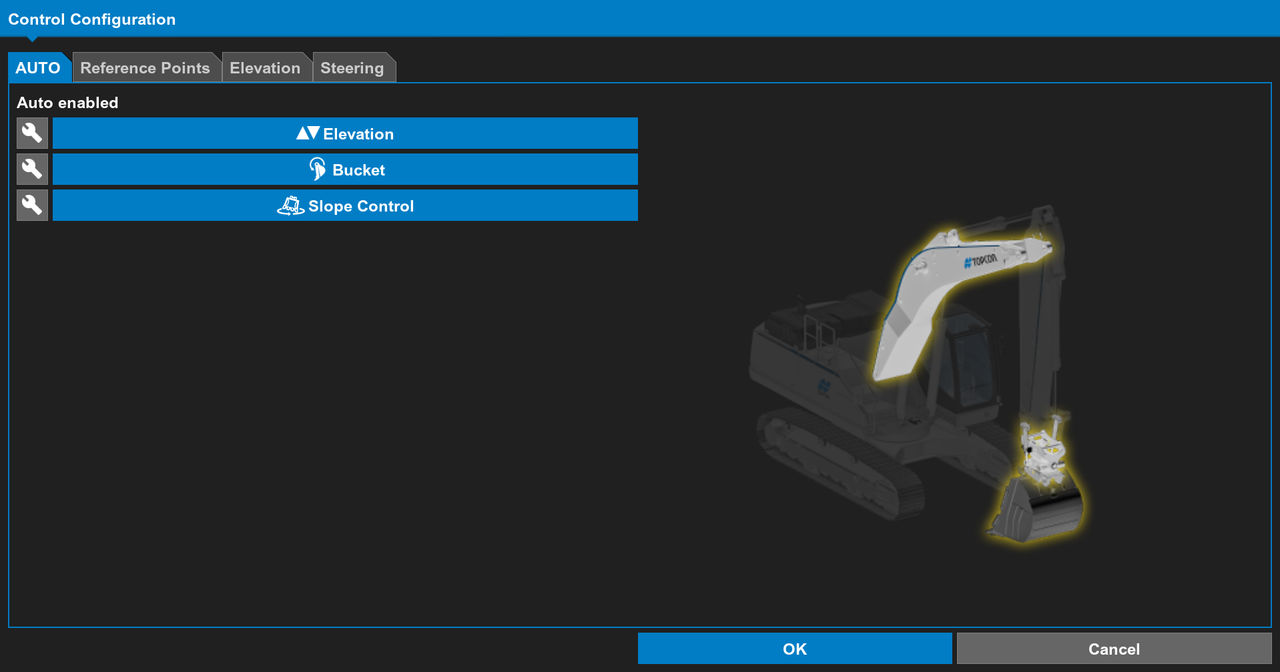
With Elevation Control enabled, you can pull in the stick and the boom automatically moves up or down.
With Bucket Control enabled, 3D-MC automatically keeps the bucket angle of attack and pitch to design. This makes sure that the bucket stays in the optimal position.
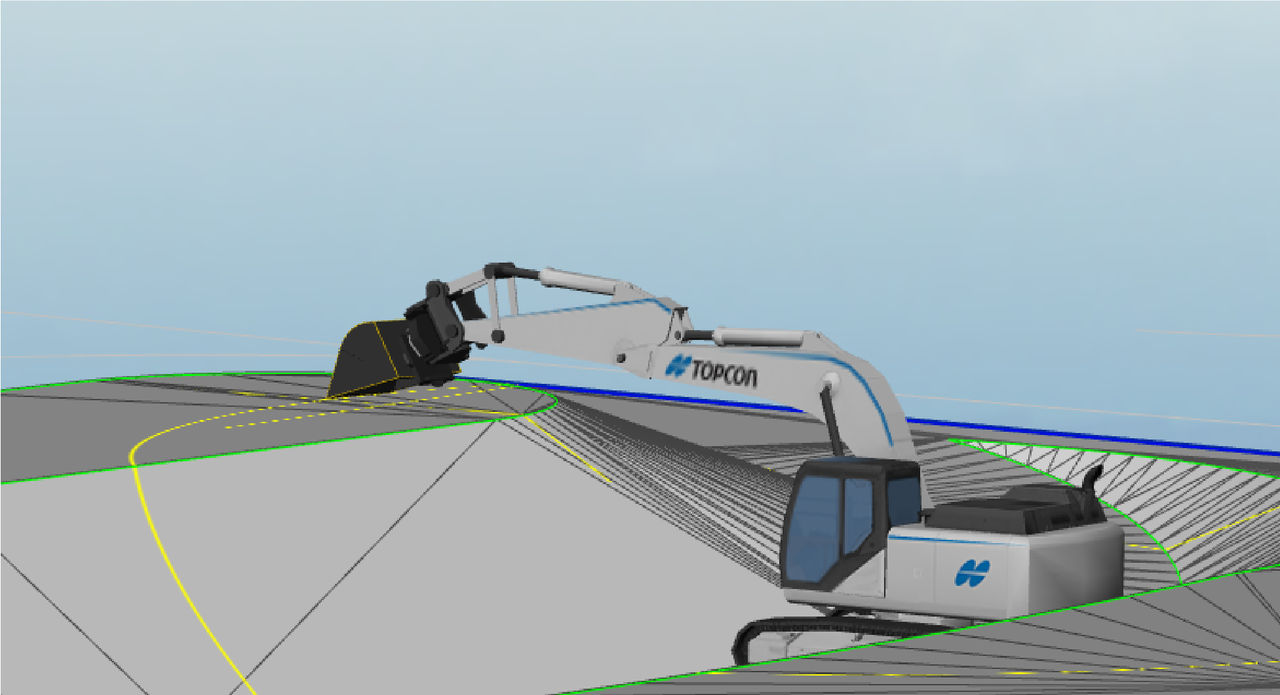
Slope Control combines Auto Tilt and Auto Rotation. When the arm is fully extended and the bucket is almost fully open, it is possible that Auto Tilt can no longer correctly adjust the cutting edge position. In these cases, Auto Rotation keeps the cutting edge aligned with the design. As you pull the bucket to make a slope, the smooth transition between Auto Rotation and Auto Tilt makes a consistent and accurate pass. Slope Control helps you make longer and more consistent slopes with automatic assistance.
Slope control example
Previous:
Auto control
Next:
Enable auto control
myTopcon NOW! support
Take your Topcon experience to the next level with myTopcon NOW! This platform is a self-service tool for your desktop or mobile device.





