
Use the Shortcut settings screen to organize shortcuts, select display options, enable checkboxes, and change the positions of shortcuts on the shortcuts bar.
- Select .ADDITIONAL INFORMATION:
Figure: Shortcuts settings 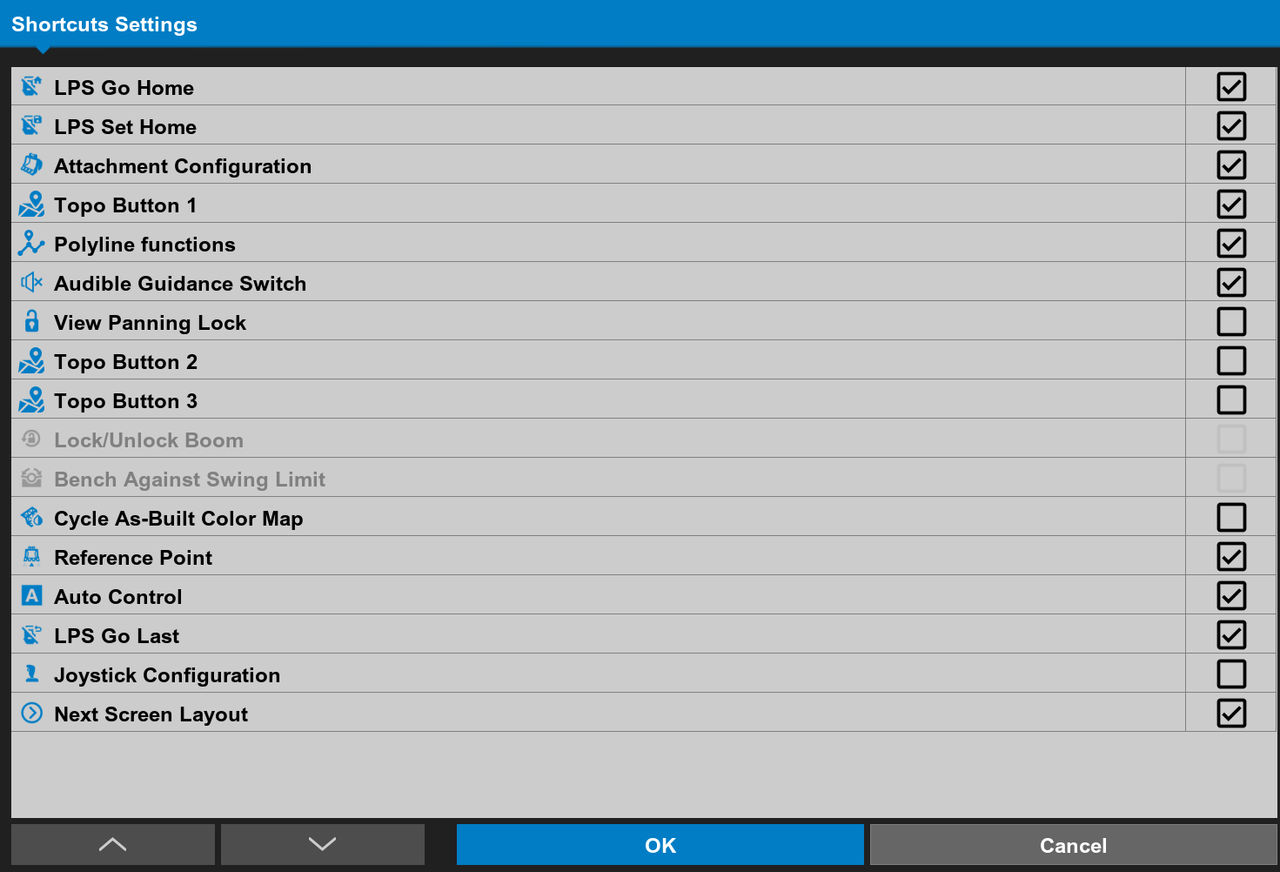
- Select the checkboxes for the shortcuts to show on the selected shortcut bar.
- Select a shortcut then select Up
 or Down
  to move the shortcut up or down the list.ADDITIONAL INFORMATION:The shortcut bar on the main screen shows the same vertical sequence.
 - Select OK to apply the settings.
Previous:
Total station plan view
Next:
Background color
myTopcon NOW! support
Take your Topcon experience to the next level with myTopcon NOW! This platform is a self-service tool for your desktop or mobile device.





