
Select , then select New, Edit, Reset, or Delete.
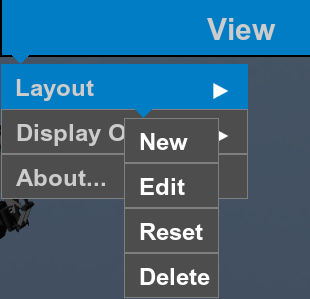
- New shows the current screen configuration and adds a new layout to the layout set.You can
- Show plan, section, profile, or 3D views on the main screen.
- Show the grade indicators on the left and/or right side of the main screen.
- Show the steering lightbar at the top or bottom of the screen.
- Show the slope lightbar at the top or bottom of the screen.
- Edit shows the current screen configuration and lets you change it.You can
- Change plan, section, profile, or 3D views on the main screen.
- Show or hide the grade indicator on the screen's left or right side.
- Show or hide the steering lightbar at the top or bottom of the screen.
- Show or hide the slope lightbar at the top or bottom of the screen.
- Reset resets the system to the initial configured layout.
- Delete deletes the selected layout. When there is only one layout, this option is not available.





