
- From the main screen, tap and hold a point to show the Context menu.
- Select .
- Do Step 1 and Step 2 until all points are selected.
- Tap and hold an area on the main screen to show the Context menu.
- Select .
- Select Create Polyline.ADDITIONAL INFORMATION:
Figure: Context menu - create polyline 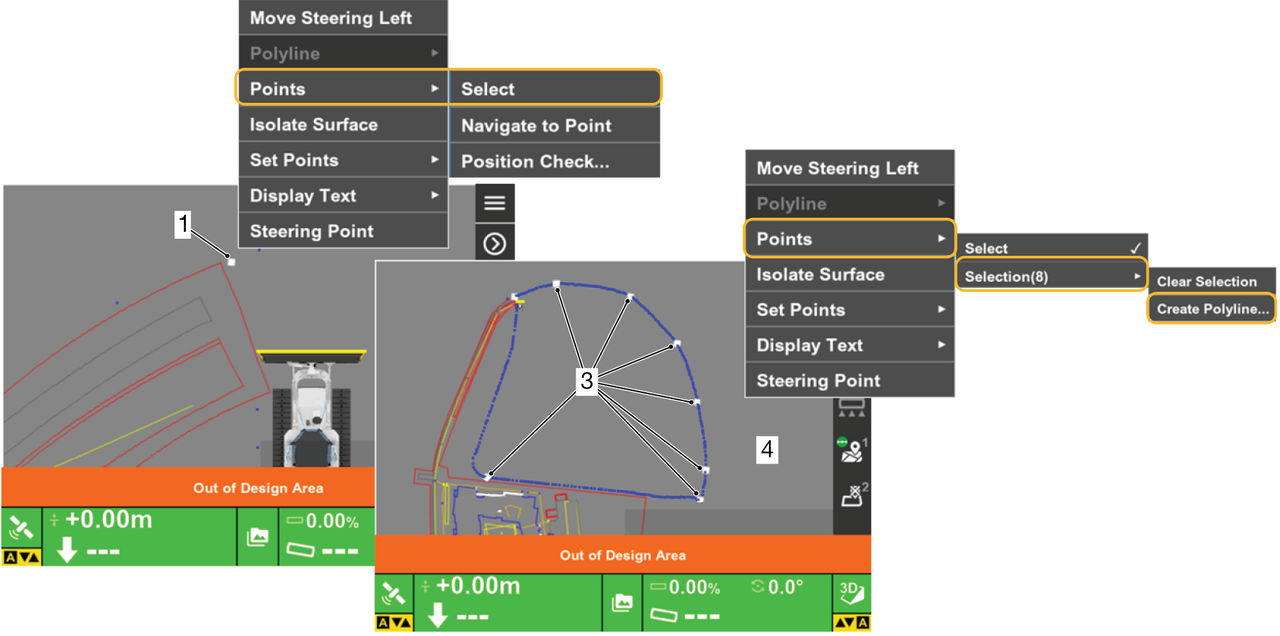 The Polyline from Points screen opens.p>
Figure: New layer 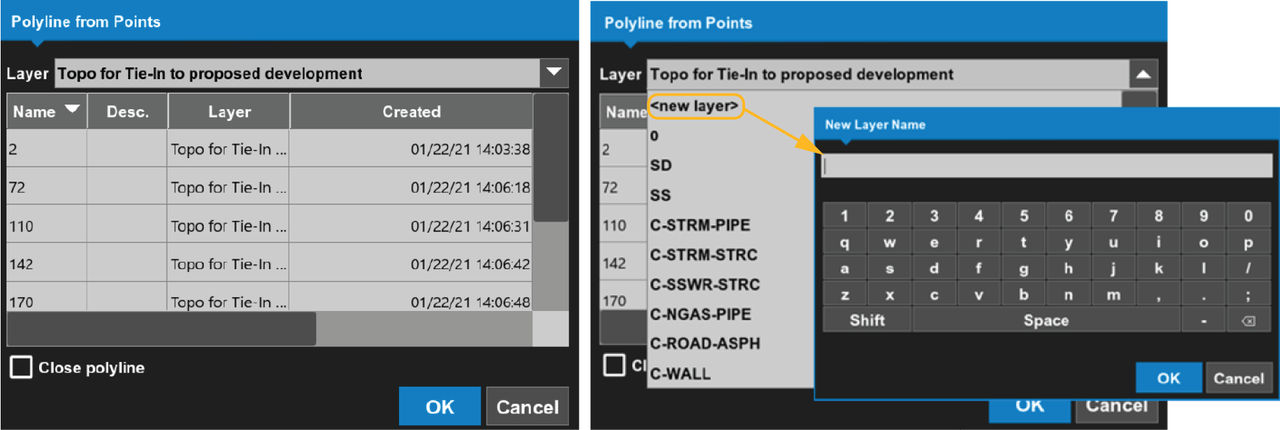
- Select a layer from the drop-down list, or create a new layer for the Linework.ADDITIONAL INFORMATION: The polyline is added to the selected layer.To clear the selected point, select Clear selection.To close the new polyline, select Close polyline.
Previous:
Polylines
myTopcon NOW! support
Take your Topcon experience to the next level with myTopcon NOW! This platform is a self-service tool for your desktop or mobile device.





