
- From the main screen, select and hold the polyline to which to grade.ADDITIONAL INFORMATION:A context menu opens.
Figure: Extend grade 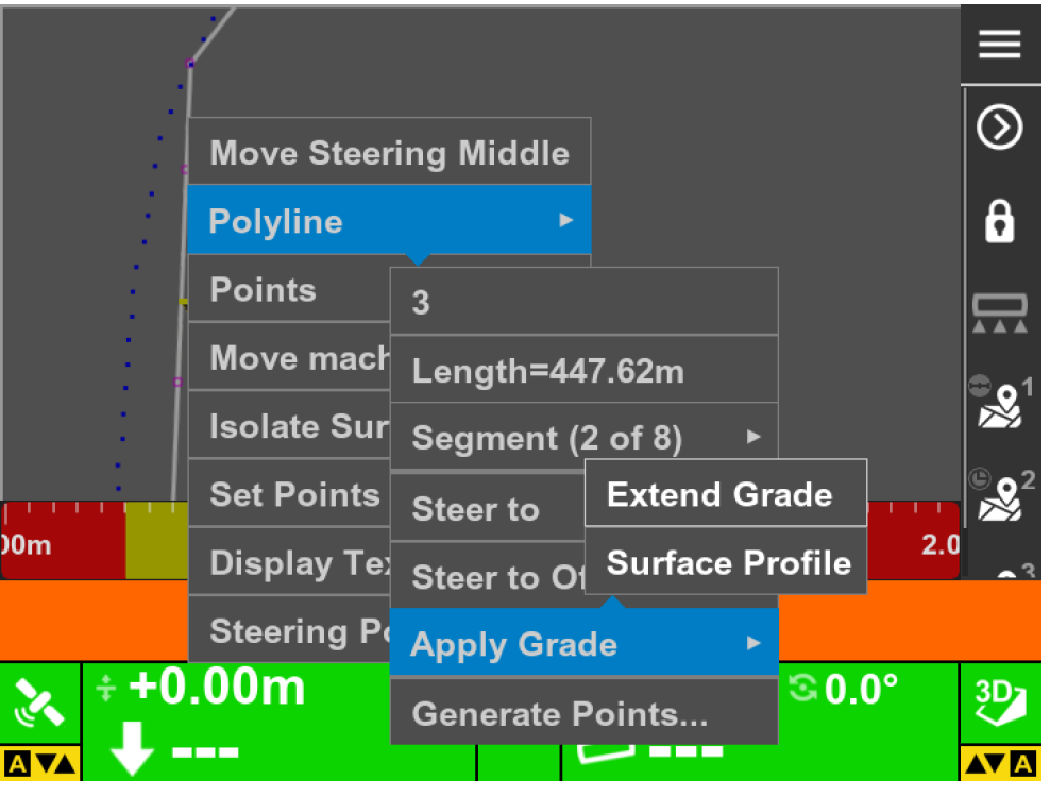
- Select Polyline.
- Select . ADDITIONAL INFORMATION:
Figure: Enter a distance for the grade 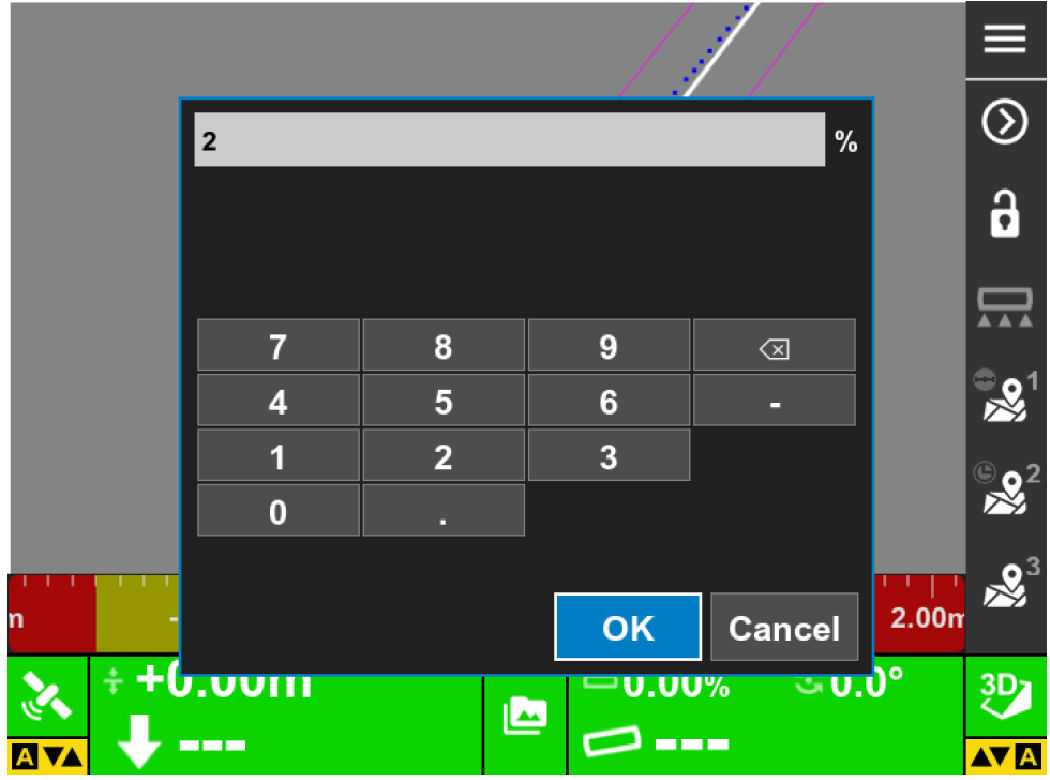
- Enter the cross slope to apply on the right side and left side of the selected polyline.ADDITIONAL INFORMATION:The system shows the limit of the extended grade with solid lines. These are equal in distance from the selected polyline on the right and left.
Figure: Grade shown 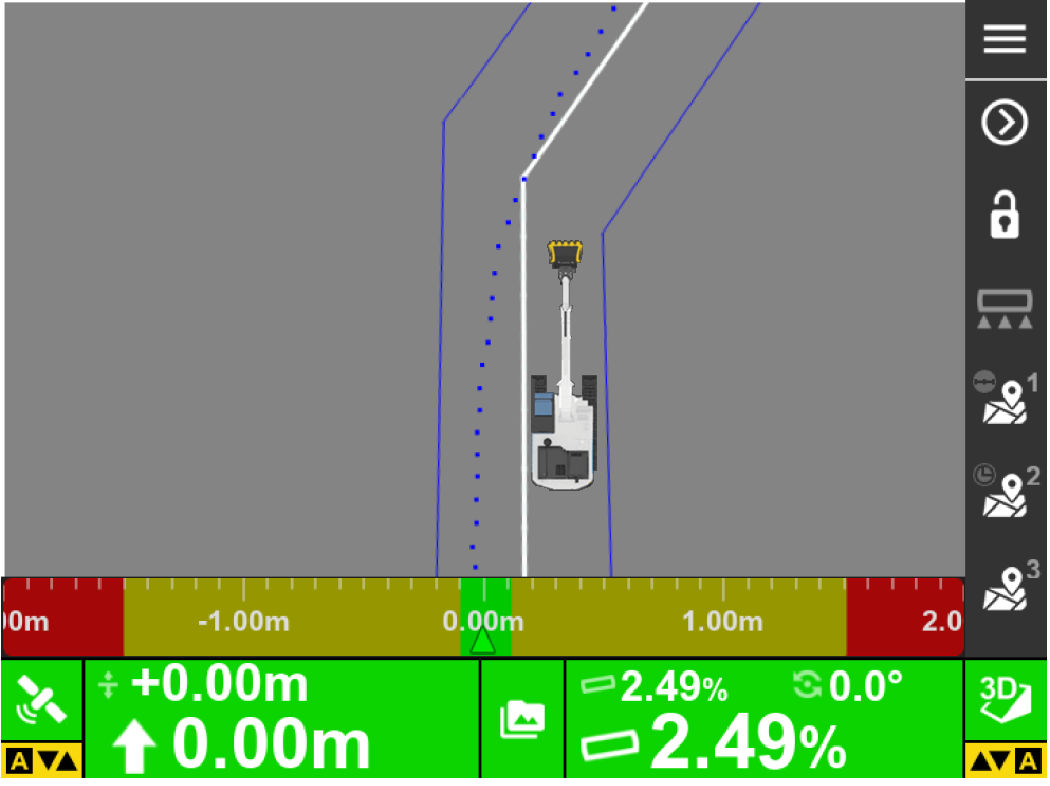
- To deselect the extended grade surface, select and hold anywhere on the screen.ADDITIONAL INFORMATION:
Figure: Data active surface none screen 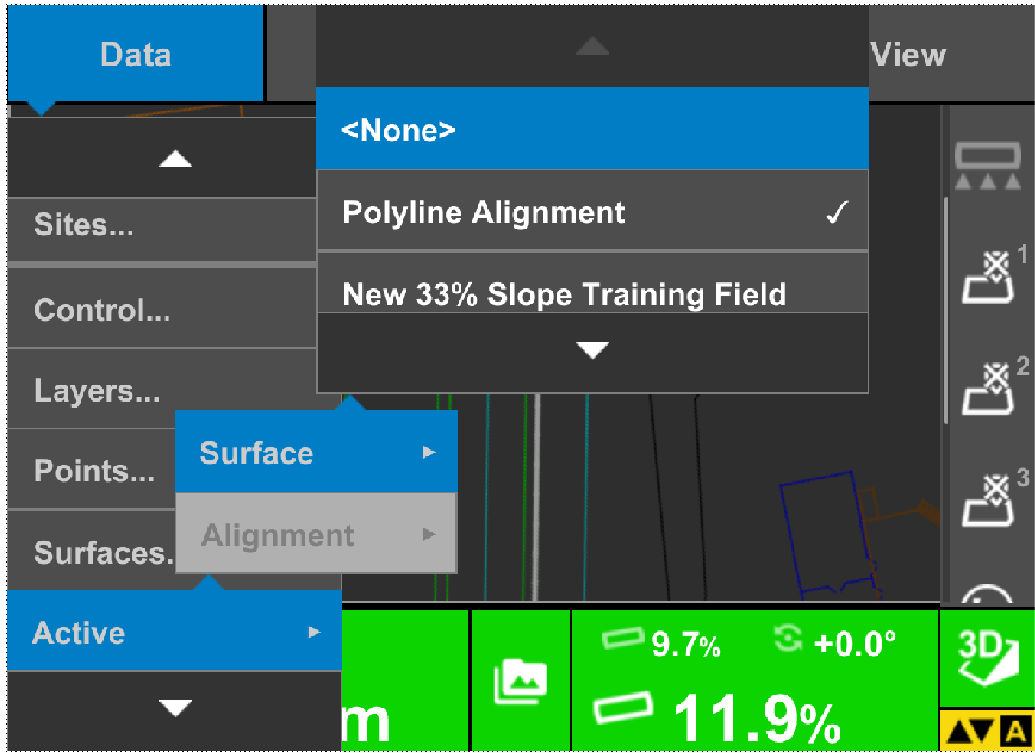
- Select Clear isolated surface.
Previous:
Create polyline from points
myTopcon NOW! support
Take your Topcon experience to the next level with myTopcon NOW! This platform is a self-service tool for your desktop or mobile device.





