
You can use 3D-MC to manually steer the machine POI to a polyline layer in the linework file. An alignment file is frequently used to grade/pave along an alignment line. Polylines represent features or objects. These include building pads, curbs, sidewalks, the top/toe of slopes, or boundaries on the project. The polyline can have three-dimensional information at each transition point. If it does, it can be selected on the main screen as the alignment line to manually steer to. You can also use it as the design elevation to control the blade.
Steering Definitions
- Steering Indication – Shows the Steering Offset on the Steering Indication Light Bar and Steering Display Texts.
- Steering Line – A line selected from the feature lines or center line of the active Alignment. It is also known as an offset line from the selected feature line or center line of the active Alignment.
- Steering POI – The Point of interest (POI) on a machine that is used to calculate the Steering Offset. This is different in machines.
- Steering Offset – A calculated cross distance between steering POI and steering line. A positive value is an offset to the left of the steering line. A negative value is an offset to the right. This value is also related to the travel direction of the machine.
- Additional Steering Offset – The operator can steer the machine at the offset distance from the Alignment feature line. A positive value is an offset to the left of the alignment. A negative value is an offset to the right of the alignment. Different from steering offset, left and right is relative to the steering line. The machine direction does not have an effect.
Steering line and offsets for machines
| Steering Line Direction | Steering Offset | Additional Steering Offset |
| Same | Positive | Positive |
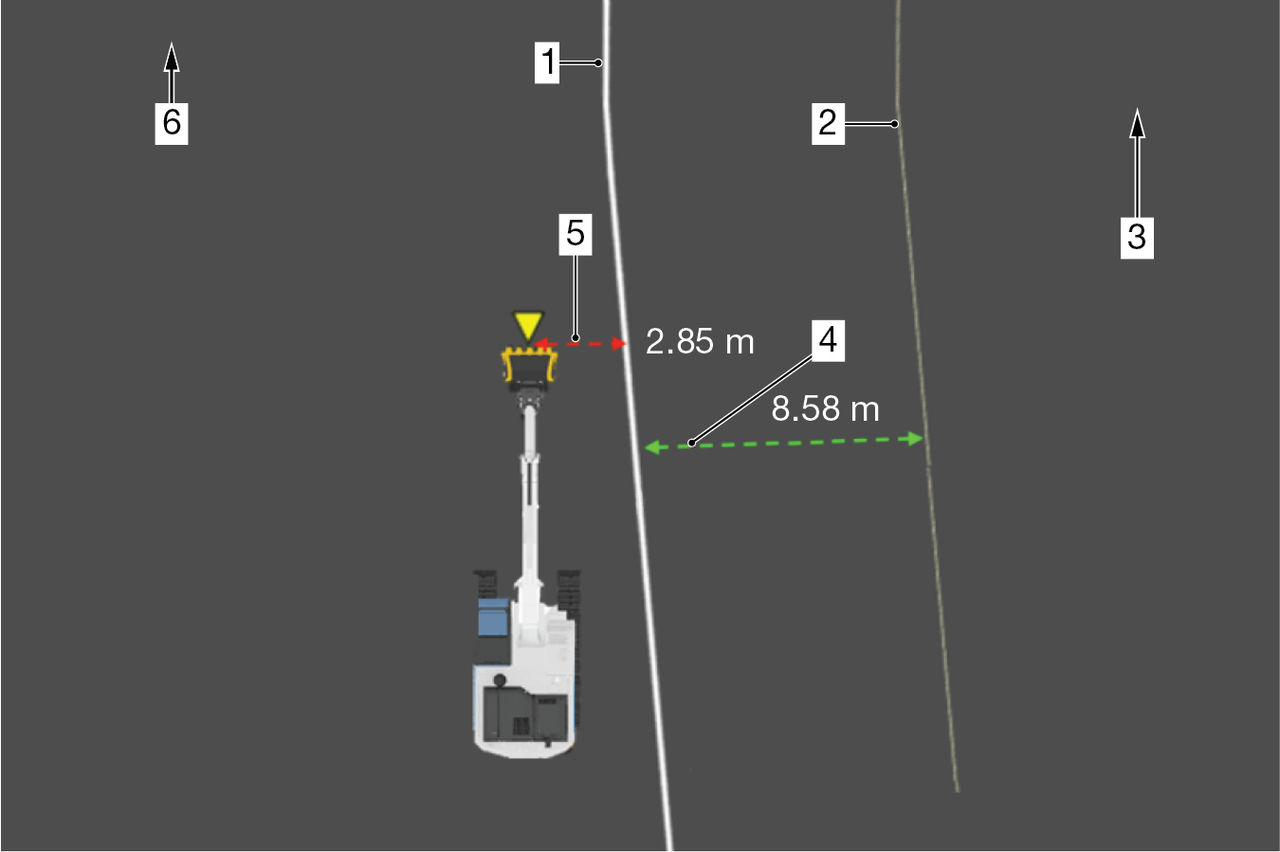
| ||
| Steering Line Direction | Steering Offset | Additional Steering Offset |
| Same | Negative | Positive |
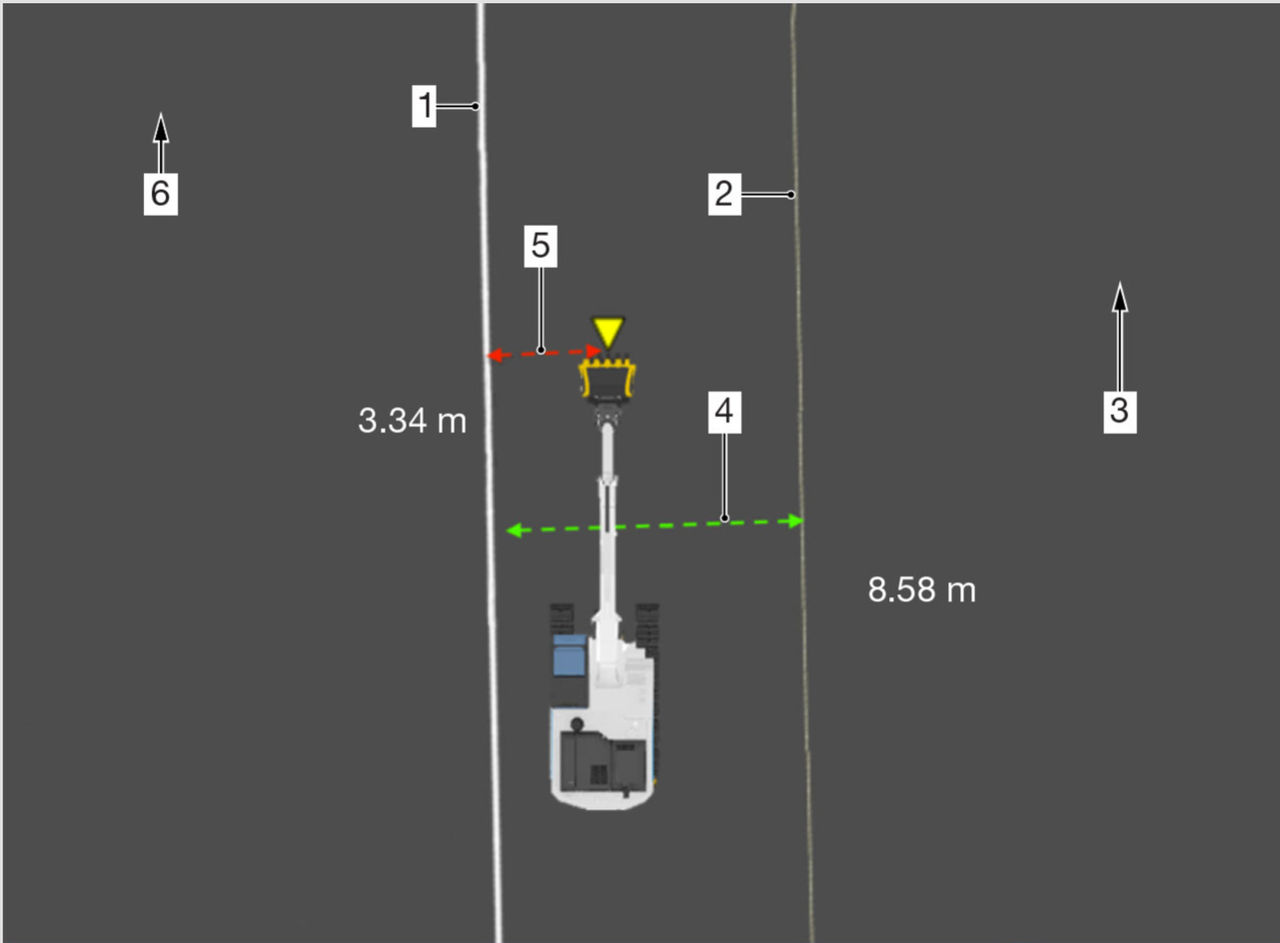
| ||
| Steering Line Direction | Steering Offset | Additional Steering Offset |
| Opposite | Positive | Positive |
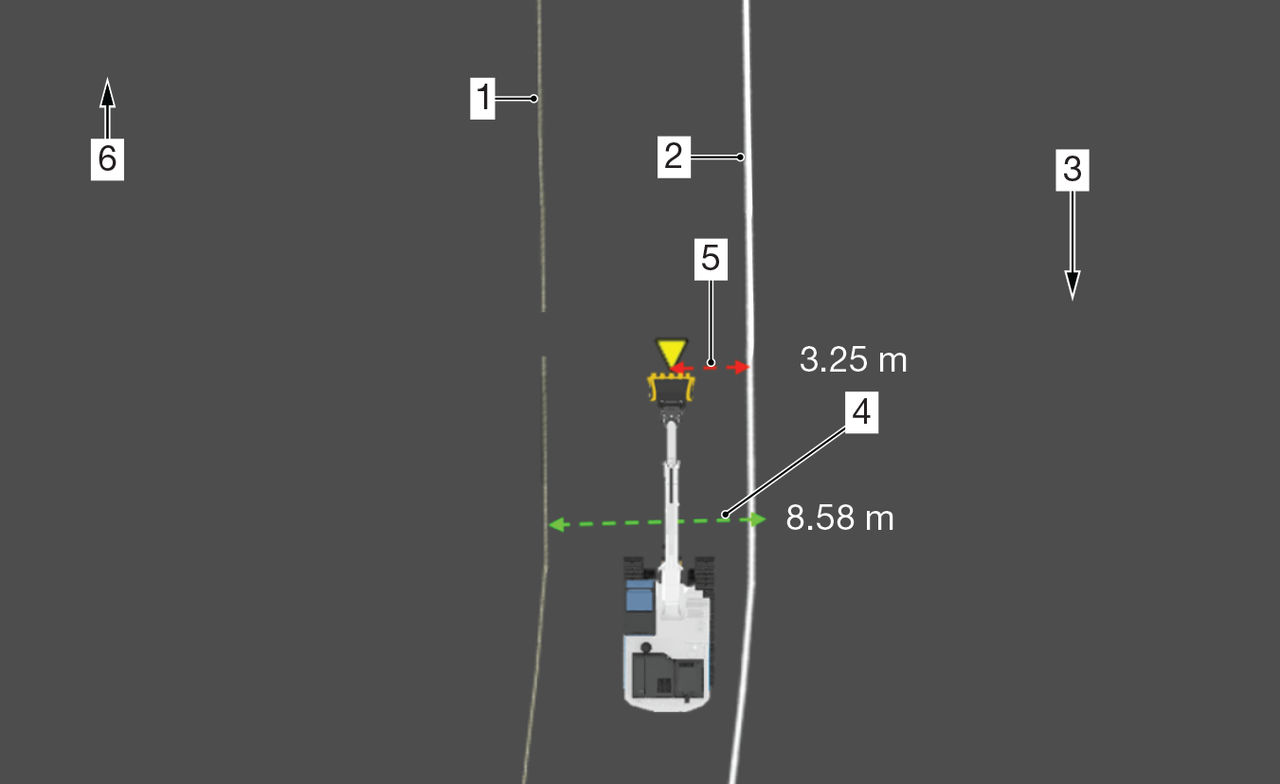
| ||
| Steering Line Direction | Steering Offset | Additional Steering Offset |
| Opposite | Negative | Positive |
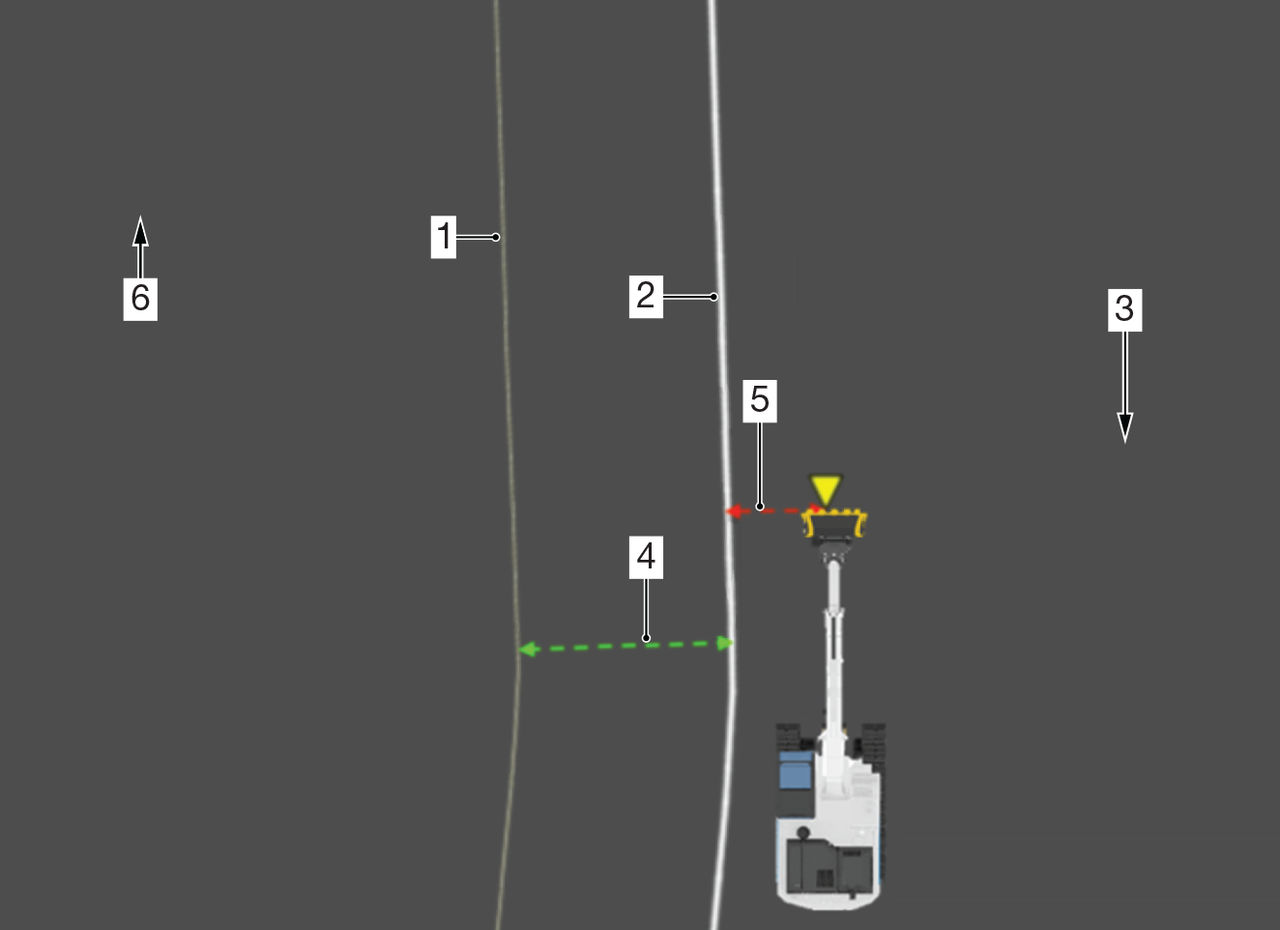
| ||
Previous:
Volvo
Next:
Set steering indication
myTopcon NOW! support
Take your Topcon experience to the next level with myTopcon NOW! This platform is a self-service tool for your desktop or mobile device.





