
- To set up the left and right original VOLVO joysticks for operation with Automatic Control, select . ADDITIONAL INFORMATION:Note: This applies to CP1 but is not available in CP2.
Figure: Access the Tools from Control Menu 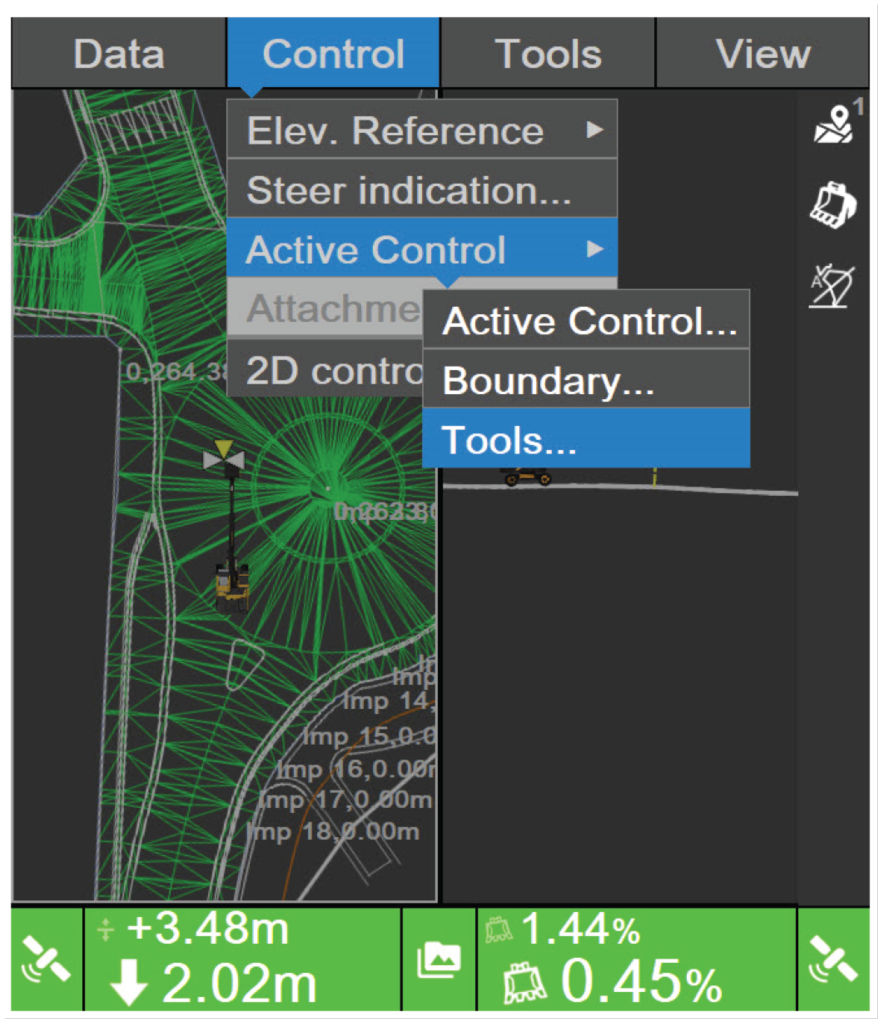 ADDITIONAL INFORMATION:The Joystick Setup screen shows.
Figure: Joystick Setup 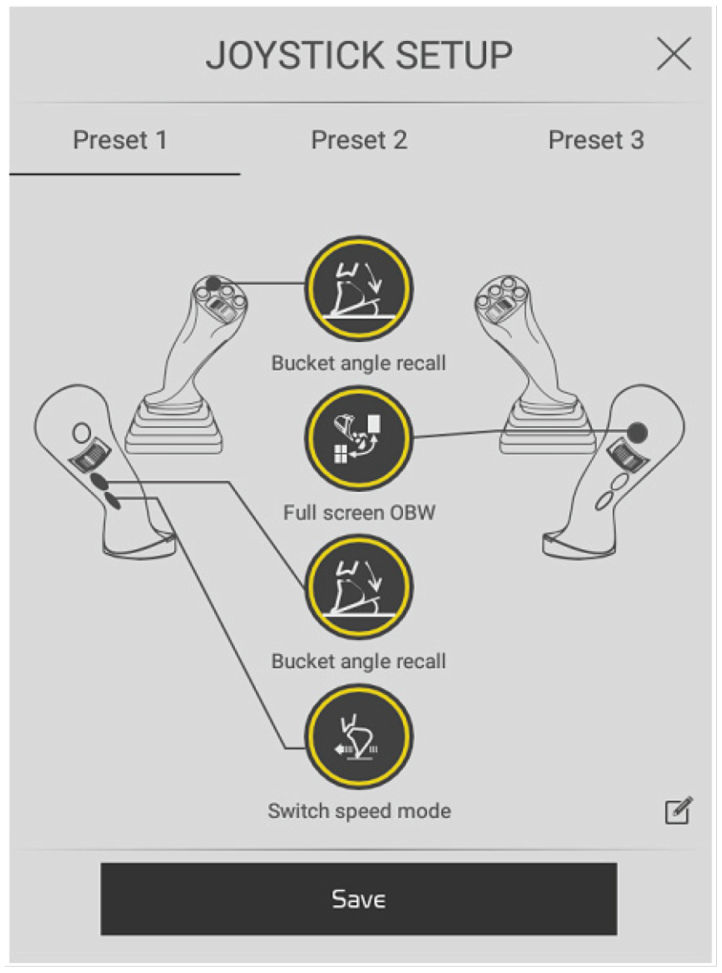
- Use the four buttons to configure the three Presets.
- Select a button to configure it.
Previous:
CAT Joystick setup
Next:
Steer indication
myTopcon NOW! support
Take your Topcon experience to the next level with myTopcon NOW! This platform is a self-service tool for your desktop or mobile device.





