
Refer to the steps in Create sloping plane surface and Enter direction and mainfall grade.
- Select .ADDITIONAL INFORMATION: The Project Surfaces screen opens.
- Select Add.
- Enter a Name.
- Select Crown road surface.
- Select Next.ADDITIONAL INFORMATION:
Figure: Project surfaces screen — new crown road surface 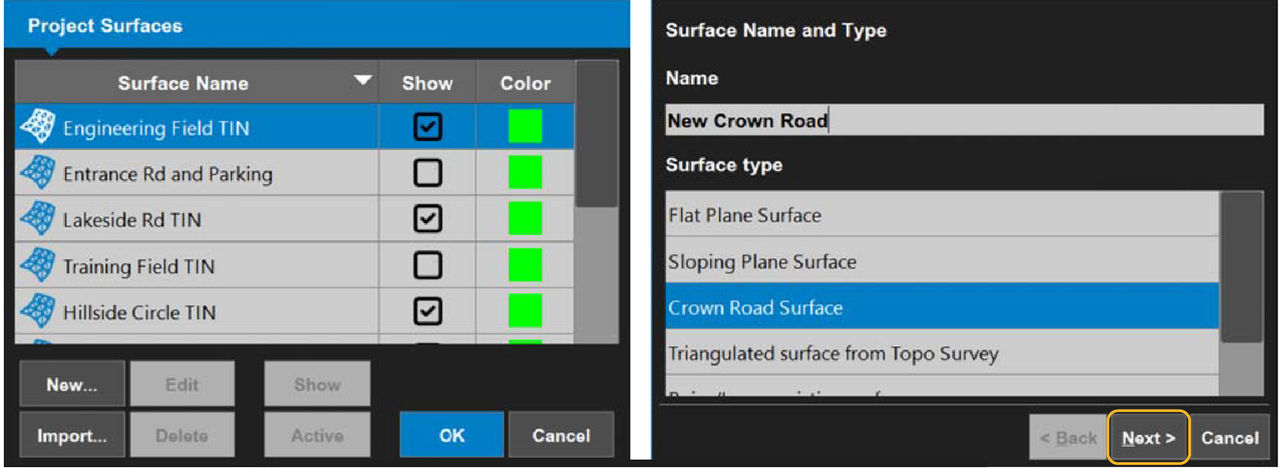 The Crown Surface screen opens.
 - There are three methods to enter the direction and mainfall grade:ADDITIONAL INFORMATION:
- Enter the direction and grade manually.
- Select Measure Points.
- Select Points to select existing points for A and B.
- Enter the Length and Width of the road.
- Enter the Cross-fall from crown Grade.ADDITIONAL INFORMATION:Enter positive numbers to make a V-ditch.
- Select Finish.ADDITIONAL INFORMATION:
Figure: Crown road surface — measure point A 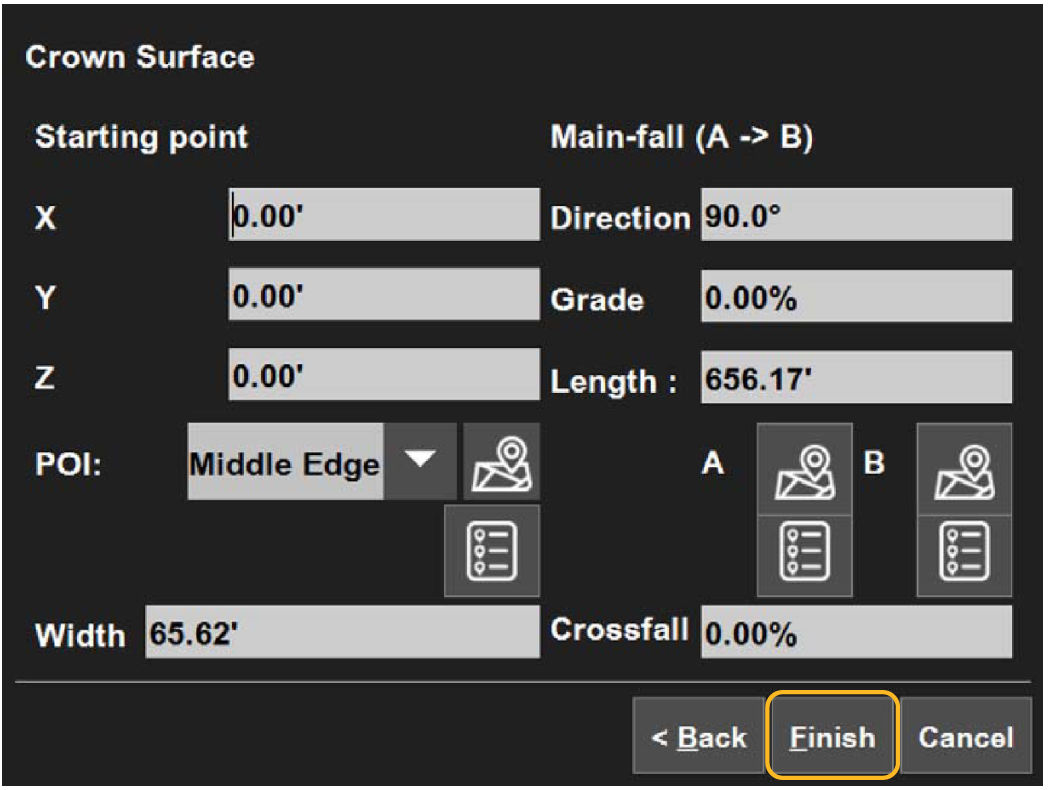
- Select OK.
- Select Yes to set the new surface as active, or select No to make it inactive.ADDITIONAL INFORMATION:The main screen opens.
myTopcon NOW! support
Take your Topcon experience to the next level with myTopcon NOW! This platform is a self-service tool for your desktop or mobile device.





