
- Select .ADDITIONAL INFORMATION: The Project Surfaces screen opens.
- Select Add.
- Enter a name, then select Triangulated surface from topo survey.
- Select Next. ADDITIONAL INFORMATION:
Figure: Surfaces screen - new TIN surface 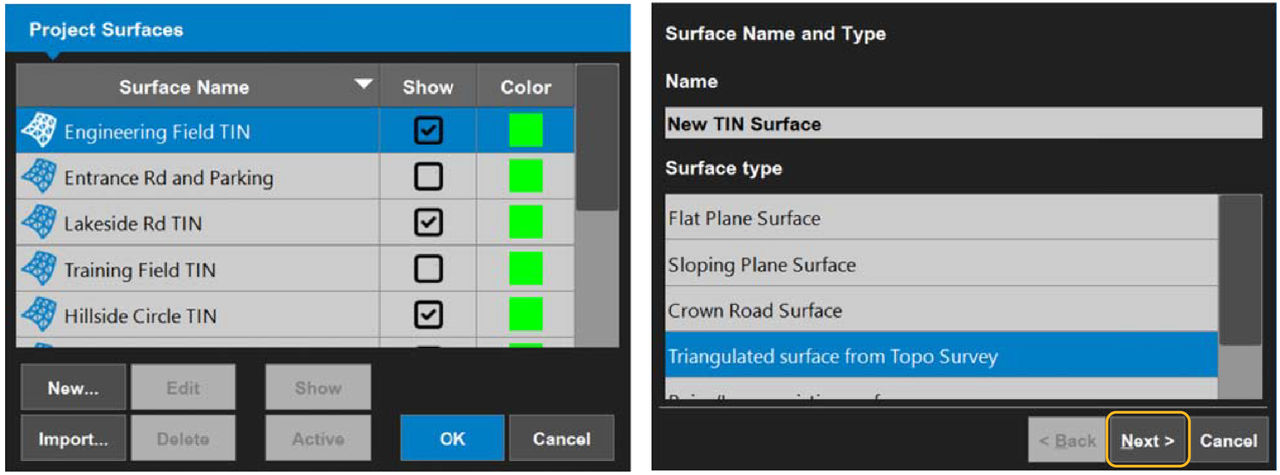 The Triangulation of Topo Points screen opens.
 - Select the layer that contains the points from the Use points from layer: drop-down list.
- Select Finish.
- Select OK.ADDITIONAL INFORMATION:
Figure: Select a layer 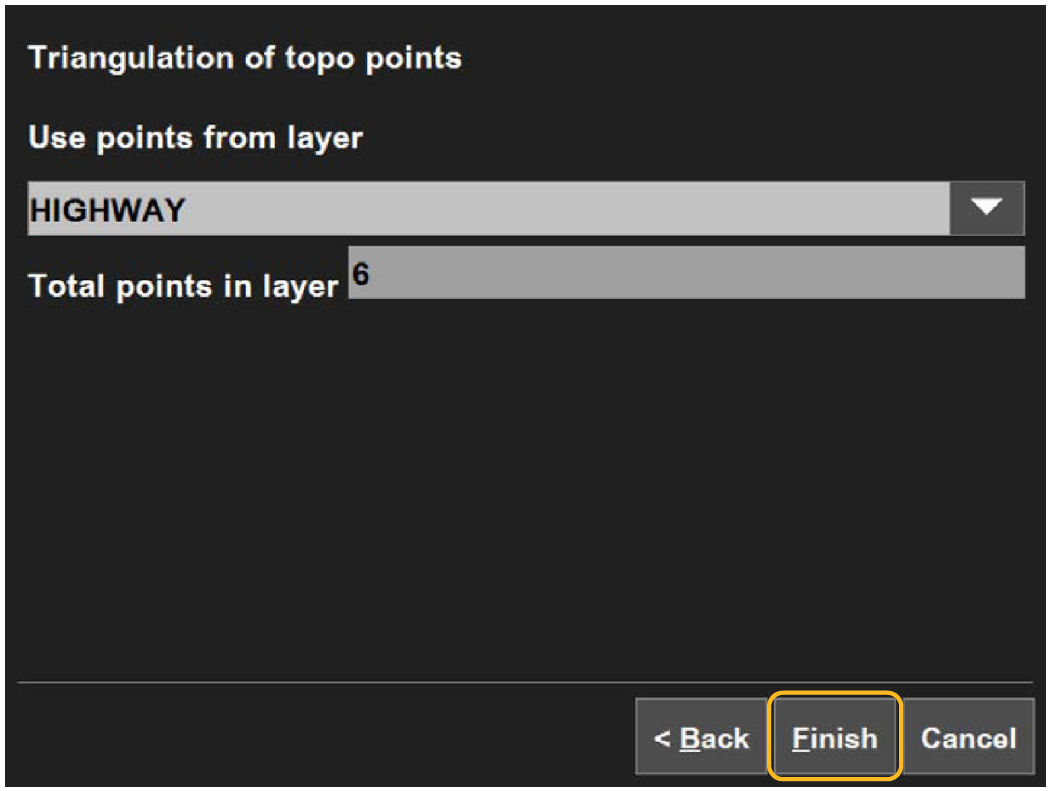
- Select Yes to set the new surface as active, or select No to make it inactive.ADDITIONAL INFORMATION:The main screen opens.
Previous:
Create crown road surface files
myTopcon NOW! support
Take your Topcon experience to the next level with myTopcon NOW! This platform is a self-service tool for your desktop or mobile device.





