
The hopper level alarm warns about low product levels. It has configurable sensors, visual and audible alerts, and options to ignore or disable alarms from the Setup menu.
The hopper level alarm warns you when the product is low or nearly empty.
The drill configuration can include:
- One low-level sensor (on one or two hoppers), or
- One low-level sensor and one upper “pre-level” sensor on a single hopper.
The pre-level sensor is installed higher in the hopper. It gives you an early warning to avoid interruptions during long drilling bouts or delays in refilling.
When the seed level goes below the sensor, the system shows a red alarm window (sensor 1 or 2) that flashes instead of the tramline window. The instrument also makes five alert sounds.
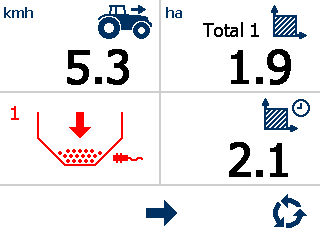
You can select  to ignore the alarm. It works like the fan speed and shaft speed alarms (refer to fan speed/shaft speed alarms).
to ignore the alarm. It works like the fan speed and shaft speed alarms (refer to fan speed/shaft speed alarms).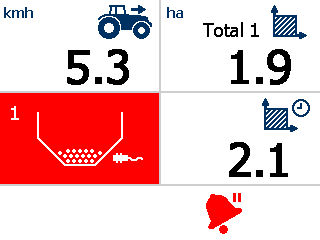
Note:
You can enable or disable the hopper level alarm from the setup menu.
Previous:
Shaft alarm delay time
Next:
Totals
myTopcon NOW! support
Take your Topcon experience to the next level with myTopcon NOW! This platform is a self-service tool for your desktop or mobile device.


