
The Setup menu has links to the Operator menu, Technician menu, Factory menu, and Alarm menu. It has controls for Next, Enter, and Refresh.
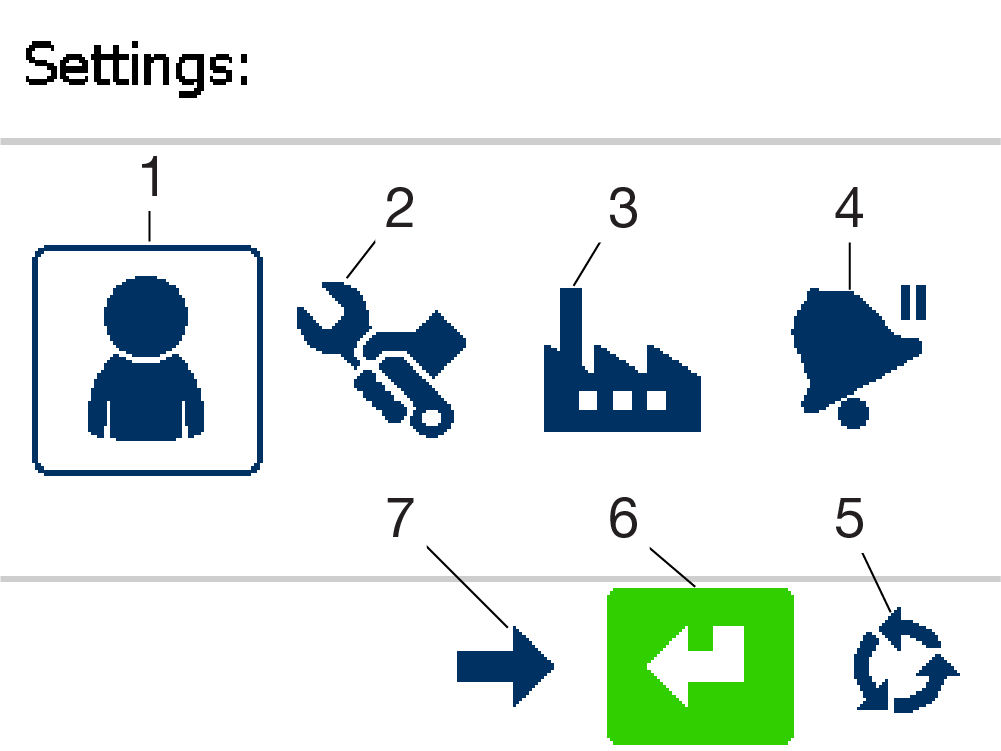
- Operator menu
- Technician menu
- Factory menu
- Alarm menu
- Select screen
- Save and continue
- Next pane
Previous:
Main operation screen function selection
Next:
Operator menu
myTopcon NOW! support
Take your Topcon experience to the next level with myTopcon NOW! This platform is a self-service tool for your desktop or mobile device.


