
The Blade pitch compensation calibration procedure applies to dual IMU PAT system configurations.
- Select .ADDITIONAL INFORMATION:The Pitch Compensation Calibration screen opens.
Figure: Pitch compensation calibration path 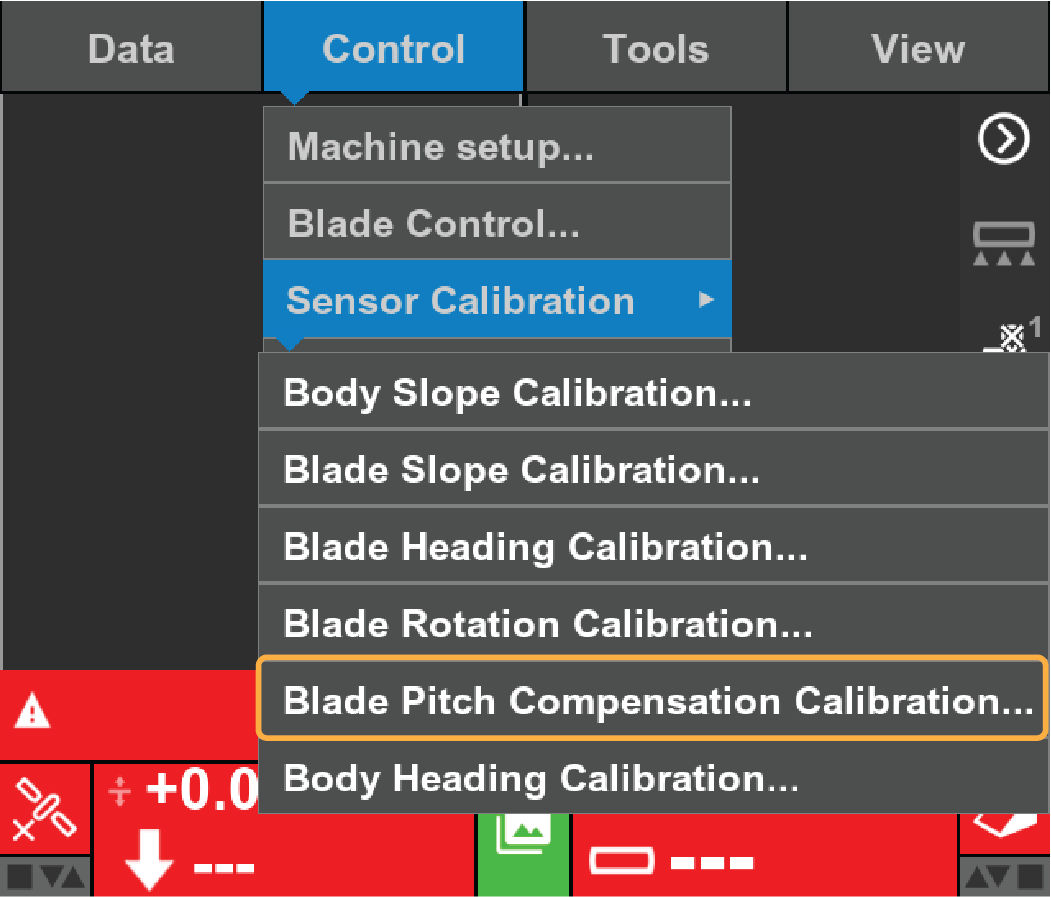
- Complete the steps on the Pitch Compensation Calibration screen.ADDITIONAL INFORMATION:
Figure: Pitch Compensation Calibration 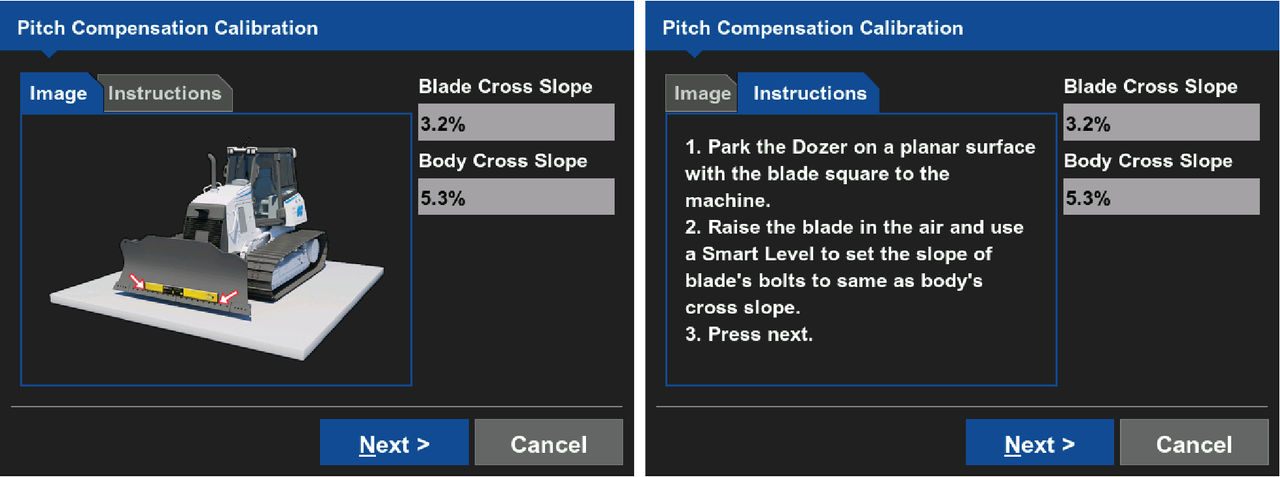
- Select Next.ADDITIONAL INFORMATION:A new Pitch Compensation Calibrationscreen opens.
- Follow the steps on the Pitch Compensation Calibration screen for CW rotation.ADDITIONAL INFORMATION:
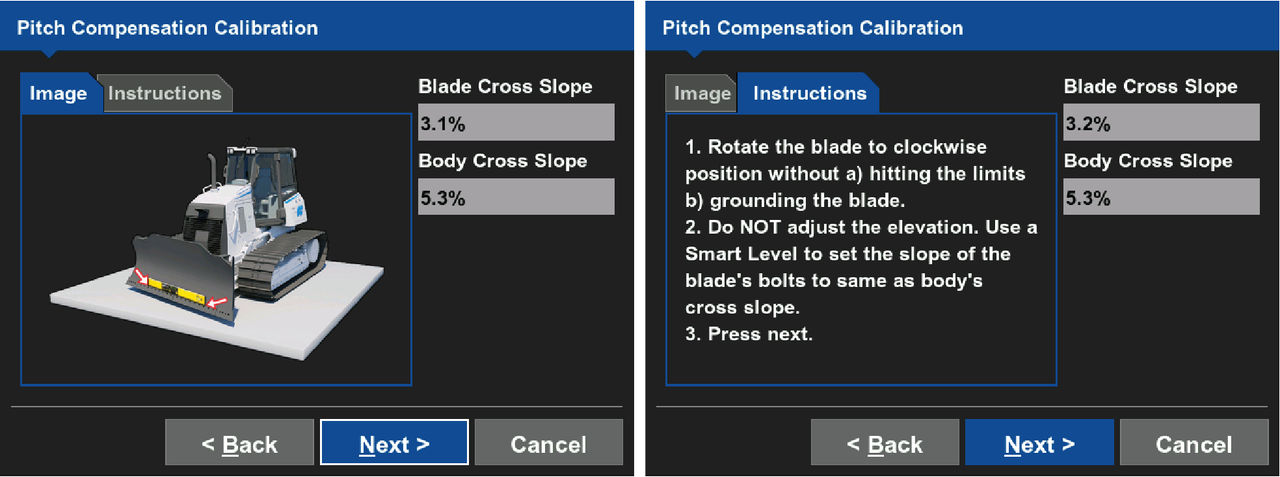
- Select Next. A new Pitch Compensation Calibration screen appears.
- Complete the steps on the Pitch Compensation Calibration screen for CCW rotation.
- Select Finish.ADDITIONAL INFORMATION:The 3D-MC main screen opens.
Previous:
Blade rotation calibration
Next:
Body heading calibration
myTopcon NOW! support
Take your Topcon experience to the next level with myTopcon NOW! This platform is a self-service tool for your desktop or mobile device.





