
Use when a SC024 controller is installed for valve control.
- Select ADDITIONAL INFORMATION:
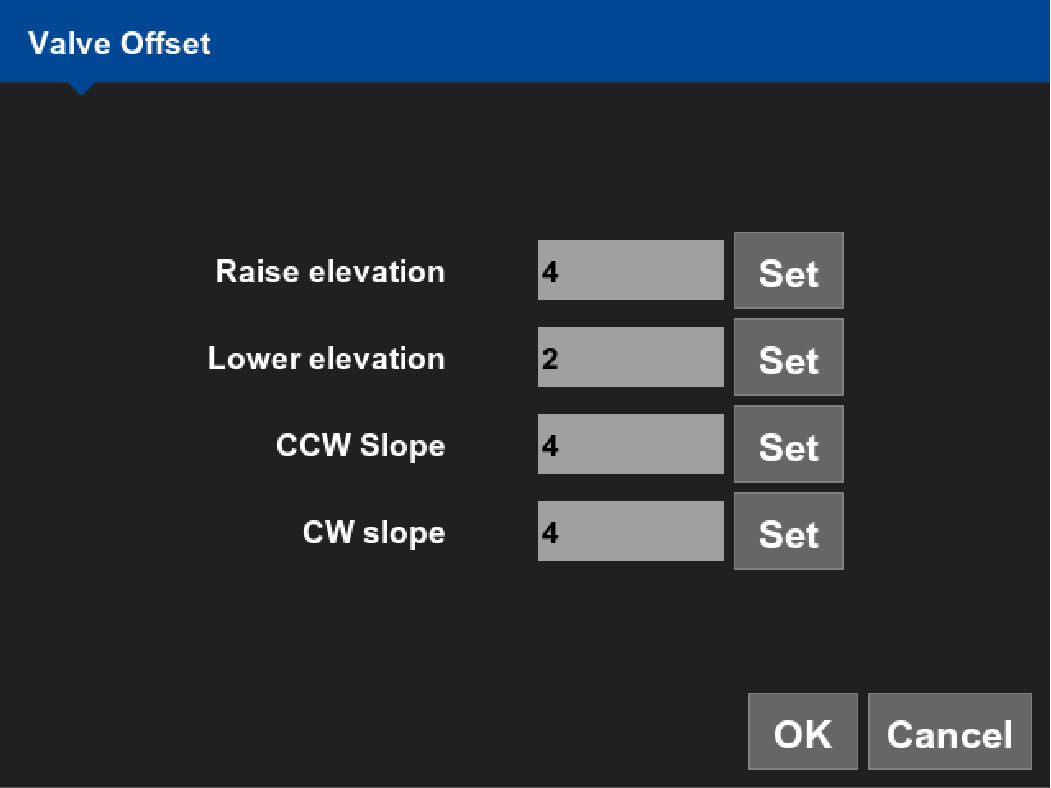 The menu lets you precisely adjust individual valve settings for each valve function:
- Raise elevation
- Lower elevation
- CCW slope (counterclockwise slope)
- CW slope (clockwise slope)
- Configure all valve functions.ADDITIONAL INFORMATION:You can configure them individually from the drop-down list. You can also configure one function, then select Apply All to apply the settings to all functions.
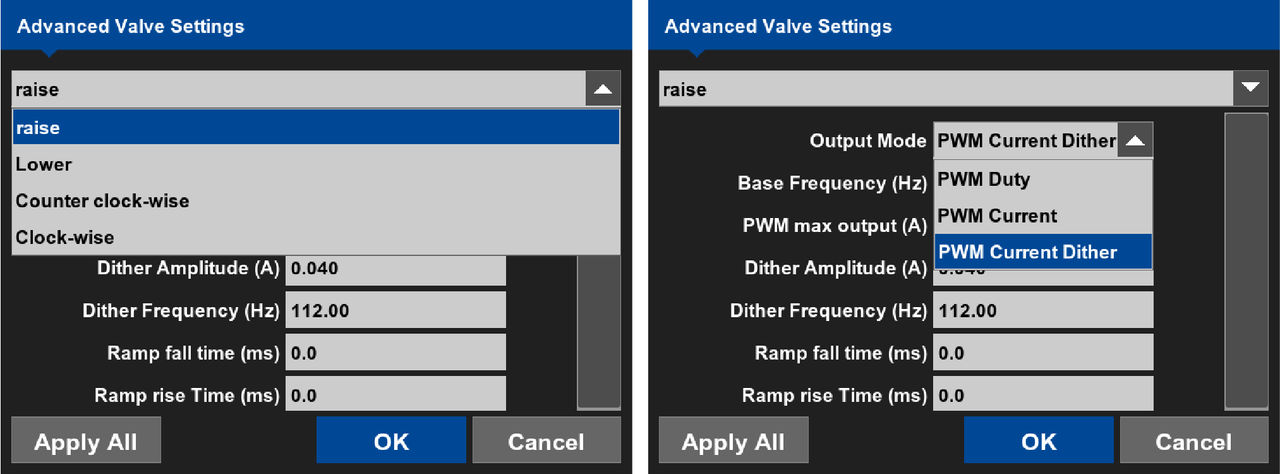
Advanced valve information Term Definition Output Mode - PWM Duty: For use with a VSU
- PWM Current or PWM Current Dither = For use with Pilot/Proportional/CAT AccuGrade
Base Frequency (Hz) Pulse Width Modulation, or PWM, is the method of controlling a proportional valve. The frequency of the signal remains constant, and the duty cycle, or “time on”, is varied to move the spool to different positions for variable flow. This frequency may be adjusted for different types of valves. Default is 1000 Hz. PWM Max output (A) Maximum Current is a necessary selection for use with Proportional Current modes. Current is determined by the resistance of the coil (this changes with temperature and the machine's voltage). In proportional mode the system regulates current, which corrects for any temperature changes. The main benefit of this is that valve offsets will not drift with temperature. By setting the Maximum Current consistent with the type of valve and the available voltage, we can insure that the valve offset calibration uses the full range of spool movement. A maximum current that is too high results in valve offsets that are extremely low. Likewise, a maximum current that is too low results in offsets that are too high. Default is 1.00A. Dither Amplitude (A) Dither is a technique used to make proportional control valves respond quickly and repeatedly. Any time the coil is energized, there is a continuous low frequency pulse given to overcome the stiction (static friction) of the spool against the valve body. If the amplitude is too high, the hydraulic system will react to the pulsed signal and the operator will feel the disturbance. If the setting is too low, control will be difficult, since the spool will be less likely to make smaller corrections. Dither is only active in proportional modes. Default is 04A. Dither Frequency (Hz) In addition to dither amplitude, the dither frequency, or the speed of the pulse, may be adjusted. Some proportional valves respond to faster or slower frequencies than Topcon supplied valves. If the frequency is too low, pulsing may be felt. Default set to 112 Hz. Ramp fall time (ms) The time that it takes for the controller to decrease the power output to the valve from max to zero. Default is 0 ms. Ramp rise time (ms) The time it takes for the controller to increase the power output to the valve from zero to maximum. Default is 0 ms. Apply To All Select this to apply the valve settings displayed for the current function to be applied to all other valve functions. When using Output Mode of PWM Duty, PWM Max output is in percentage instead of amperage.
Previous:
Adjust valve offset settings
Next:
Valve gains calibration
myTopcon NOW! support
Take your Topcon experience to the next level with myTopcon NOW! This platform is a self-service tool for your desktop or mobile device.





