
When you select an alignment or polyline, advanced Slope Control configuration options are available.
- Select .ADDITIONAL INFORMATION:
Figure: Excavator auto control 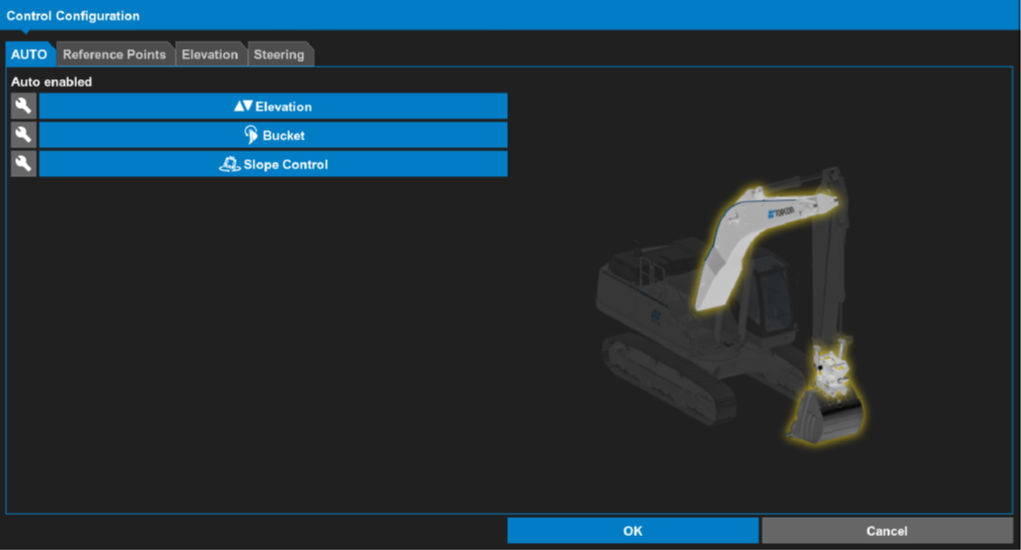
- Select the Slope Control tab.
- Select the active alignment.
- Select Lock rotation to:.ADDITIONAL INFORMATION:
Figure: Advanced control configuration slope control tab 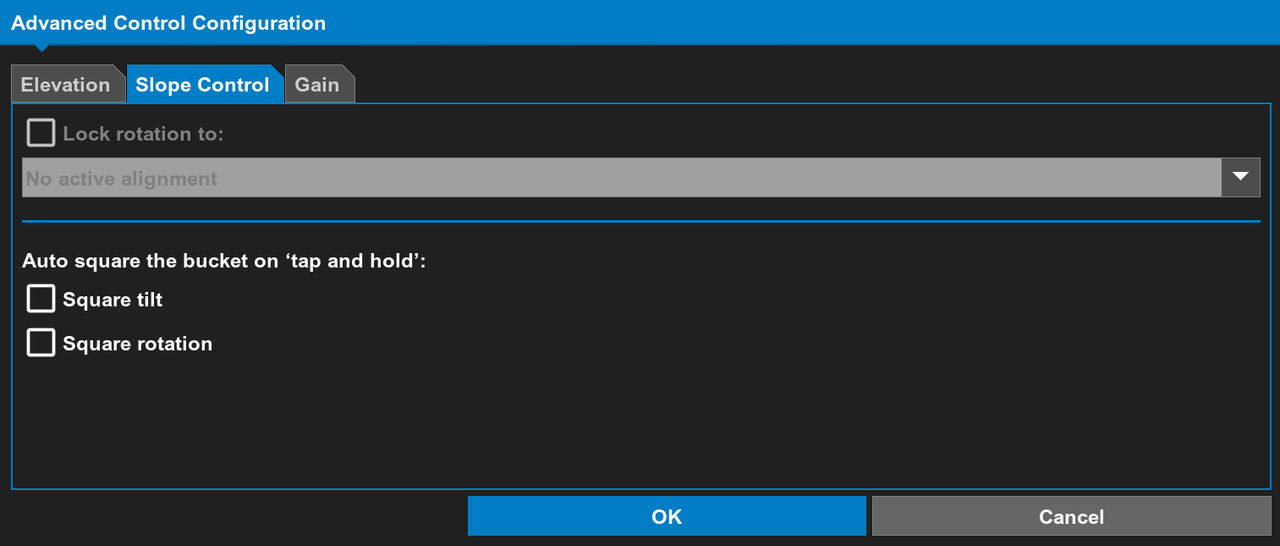 You can lock the bucket tilt and rotation to:
- Parallel to the polyline alignment
- Perpendicular to the polyline alignment
The Lock rotation to: selection controls how bucket uses Slope Control combining tilt and rotation. You selection puts the cutting edge either parallel or perpendicular to the alignment.There are two working windows in the Slope Control system:- Slope Control Elevation Working Window (± 1.5 m) – Slope Control is enabled when the bucket is within 1.5 m of the design and gradually adjusts to match the design
Figure: Slope control elevation working window 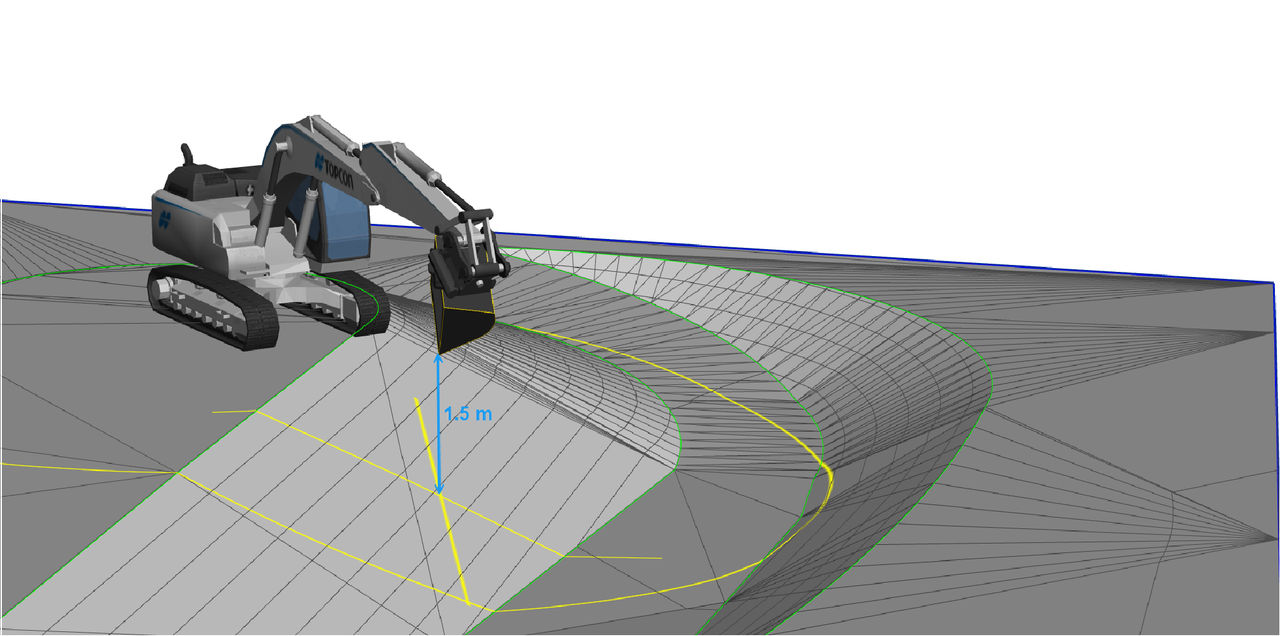
- Slope Control Proximity Working Window (15 m) – When the bucket is within 15 m of the active alignment, the locked rotation keeps the rotation of the bucket relative to the alignment
Note: Lock Rotation works when two conditions are met. First, the bucket cutting edge is within the design (on the active surface), and second, it is within the Slope Control Elevation Proximity Working Window.Figure: Slope control proximity working window locked rotation 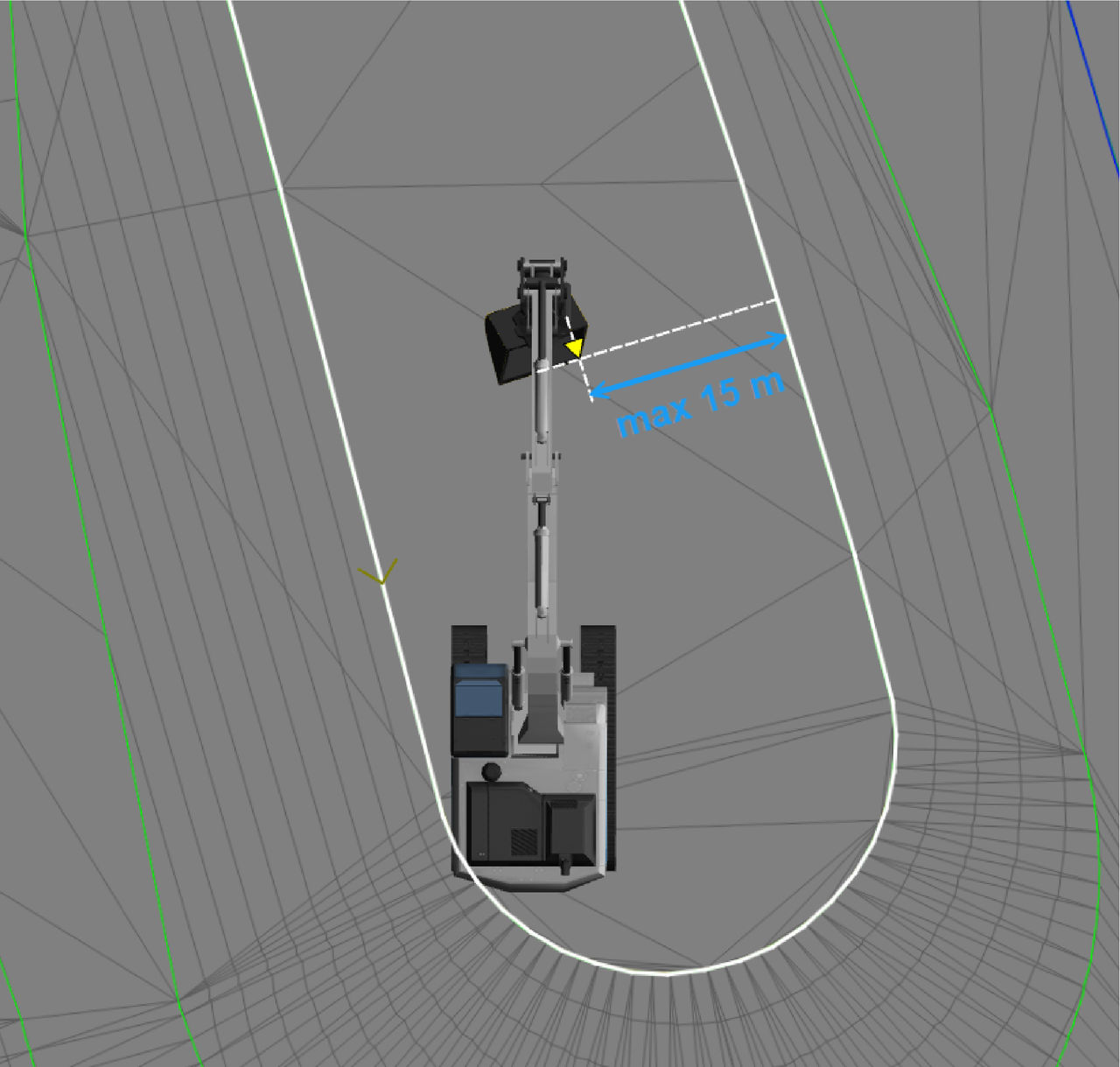 If the bucket is outside of the proximity working window, 3D-MC shows the offset to the active alignment, but Slope Control does not operate.
 - Select an Auto square checkbox to reset (square) the tilt, rotation, or both to the zero position.ADDITIONAL INFORMATION:These options are available when you select and hold Auto.
- Select OK.
myTopcon NOW! support
Take your Topcon experience to the next level with myTopcon NOW! This platform is a self-service tool for your desktop or mobile device.





